Participant
September 19, 2015
Question

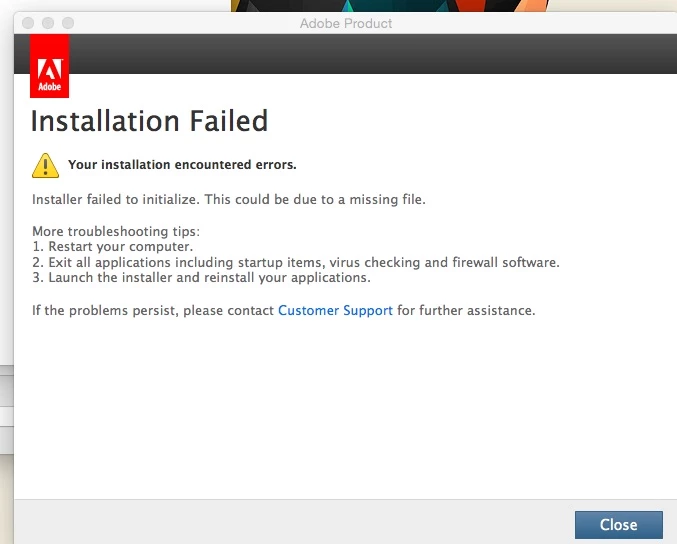
Adobe CS6 master collection giving installer failed to initialize error.

  • September 19, 2015
  • 2 replies
  • 678 views

Im trying to open my cs6 master collection package and install it on my iMac but when I click the "install" file in the package it loads and looks like its about to go to the install page  but  it comes up with this message. Very frustrating. Been looking all over the internet for others who had this problem and have a answer on how to fix it but I found nothing. If anyone can help it would be greatly appreciated. I have iMac 2009 running Yosemite.
    This topic has been closed for replies.

    2 replies

    Govardhan.V
    Participating Frequently
    September 19, 2015

    Follow below steps :

    Step 1)

    Launch Activity Monitor and "Force Quit" all the process related to Adobe like Creative Cloud, CoreSync, AAMupdater, AAMupdater notifier, Adobe Crash demon , PDAPP, install , setup... from Activity monitor.

    Step 2)

    1) Right click on Finder icon and  select "Go-To" Folder option.
    2) You will get a text box, type-in below command and then hit 'Return' key.

    /library
      3)Then navigate to Application Support>Adobe.

    Open Adobe folder and rename OOBE folder to OOBE-old and Adobe Application Manager to Adobe application Manager-old.

    Step 3)

    Trash Adobe Application Manager folder from Applications>Utilities.

    Step 4 )

    Click on the below link and download Adobe Application Manager and install the same :

    http://download.adobe.com/pub/adobe/creativesuite/cc/mac/ApplicationManager9.0_all.dmg

    Once the installation process is completed, installation box will disappear, then open Application folder and locate Adobe Application manager launch icon , double click on it and update .

    Once the update is completed.

    Try to install again.

    Participant
    September 19, 2015

    thanks for the help man but didn't work. Did everything you said except I could only find that OOBE folder in the Application support> Adobe folder, couldn't find the adobe application manager in it. I searched for it in finder and found folder with that name so I just renamed it but it wasn't located in the application support folder under adobe.

    Govardhan.V
    Participating Frequently
    September 19, 2015

    Are you trying to install the app using Downloaded Installer file or Installation disc ?

    John T Smith
    Community Expert
    Community Expert
    September 19, 2015

    Every new Mac operating system update has problems... I'm on Windows but have a few links saved

    One possible fix (at least for Premiere Pro) https://forums.adobe.com/thread/1891705

    Other problems are often related to "default" permissions needing to be changed

    -one person's solution https://forums.adobe.com/thread/1689788