Answered
Adobe Experience Design on Win 10 Install - Error Code: C191
Hello, I am trying to install Adobe Experience Design CC (Beta) on Windows 10 and when it gets to 94% complete it gives this error. Any idea how to resolve?
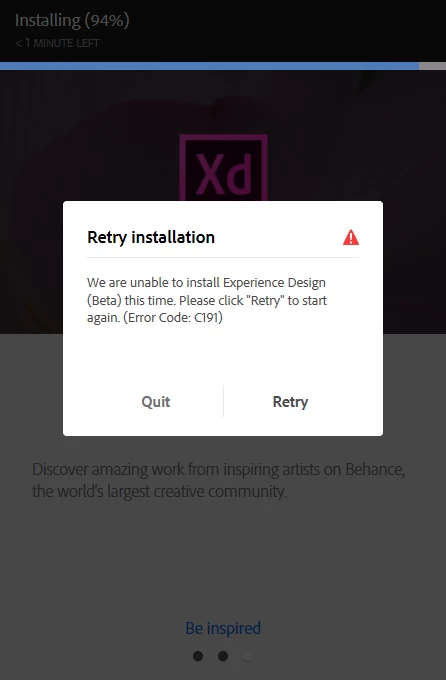

Hello, I am trying to install Adobe Experience Design CC (Beta) on Windows 10 and when it gets to 94% complete it gives this error. Any idea how to resolve?
I faced the exact same issue while installing Adobe XD and I tried everything that I could possibly find on the Internet and nothing seemed to work for me. But I finally found the solution after 3 days of trial and erros.
1. Press Window key + R, type appwiz.cpl and press enter button.
You'll see the list of installed programs on your computer.
2. Scroll to Microsoft Visual C++ Redistributable installations, you'll have a lot of them ( I had programs from 2005 to 2019) Right click on each one individually and click on MODIFY, then press REPAIR. Repeat this for all the one which have the option.
3. Restart your computer, and install again It'll be installed this time.
NOTE : I tried everything from Adobe help for error 191 and then did this at last to fix my problem.
Already have an account? Login
No account yet? Create an account
Enter your E-mail address. We'll send you an e-mail with instructions to reset your password.


 AdChoices