Participant
August 19, 2018
Answered

adobe installer won't complete several installations including premiere elements and creative cloud update

  • August 19, 2018
  • 3 replies
  • 315 views

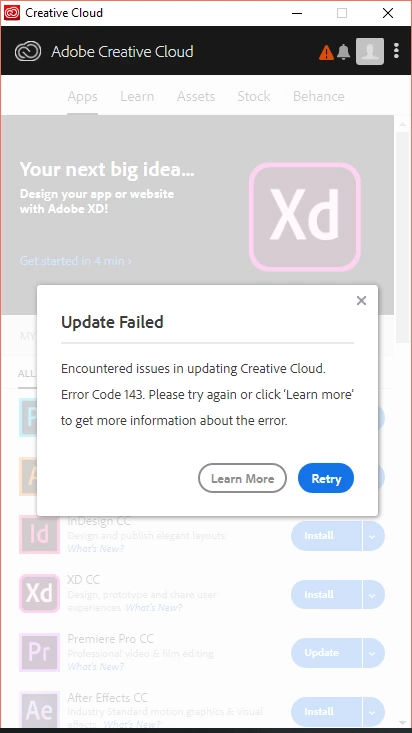
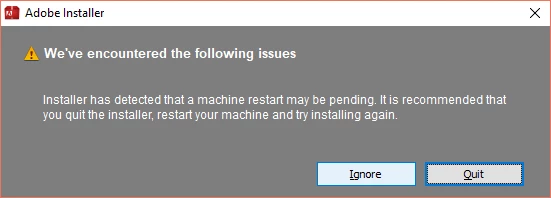
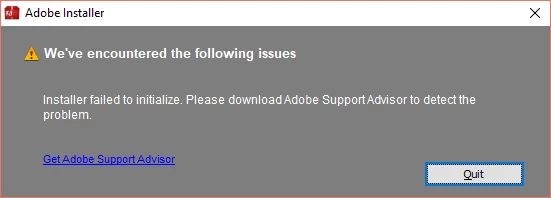
I'm trying to get adobe to install Premiere Elements. It kept giving me an error message on Creative Cloud. So, I downloaded the file. I still get an error message. I've already restarted the Computer. I think I've lost a whole day on this project.on the Creative cloud app, It'll get right to the end and say there was an error downloading/updating. It was working earlier this week, until I decided to update my account with a paid version. Error 143 means restart. This whole thing is weird. Again. I've restarted the computer.
    This topic is closed to new replies. Start a new post to keep the conversation going.
    Correct answer kglad

    if you mean premiere pro, not premiere elements:

    uninstall everything cc including preferences, https://helpx.adobe.com/creative-cloud/help/uninstall-remove-app.html

    then uninstall the cc desktop app, https://helpx.adobe.com/creative-cloud/help/uninstall-creative-cloud-desktop-app.html

    clean your computer of cc files per http://www.adobe.com/support/contact/cscleanertool.html

    restart your computer (don't skip this)

    reinstall the cc desktop app, https://creative.adobe.com/products/creative-cloud.

    if you're unable to install the cc desktop app at this stage, use an administrator account (solution 4 here, https://helpx.adobe.com/creative-cloud/kb/creative-cloud-missing-damaged.html)

    use the desktop app to install your cc programs/trials

    3 replies

    Legend
    August 20, 2018

    Creative Cloud is not used for Premiere Elements. Are you using Creative Cloud for other things?

    Peru Bob
    Community Expert
    Community Expert
    August 19, 2018

    Try a different browser.

    kglad
    Community Expert
    kgladCommunity ExpertCorrect answer
    Community Expert
    August 19, 2018

    if you mean premiere pro, not premiere elements:

    uninstall everything cc including preferences, https://helpx.adobe.com/creative-cloud/help/uninstall-remove-app.html

    then uninstall the cc desktop app, https://helpx.adobe.com/creative-cloud/help/uninstall-creative-cloud-desktop-app.html

    clean your computer of cc files per http://www.adobe.com/support/contact/cscleanertool.html

    restart your computer (don't skip this)

    reinstall the cc desktop app, https://creative.adobe.com/products/creative-cloud.

    if you're unable to install the cc desktop app at this stage, use an administrator account (solution 4 here, https://helpx.adobe.com/creative-cloud/kb/creative-cloud-missing-damaged.html)

    use the desktop app to install your cc programs/trials