


Participant
March 10, 2021
Question

Adobe Portfolio

  • March 10, 2021
  • 2 replies
  • 233 views

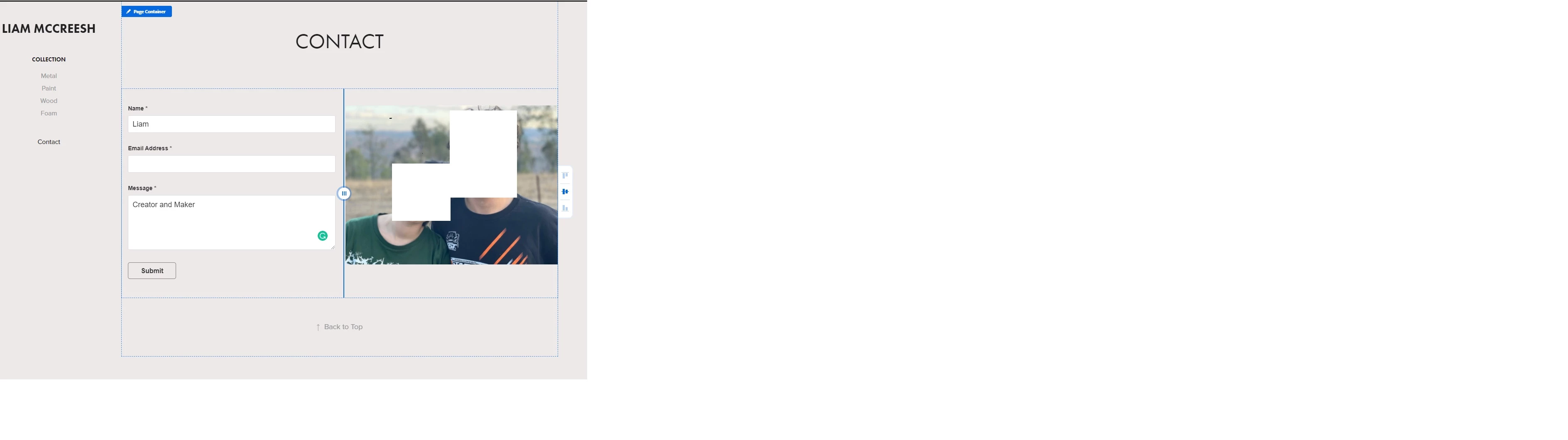
Hi, I am having trouble saving my contact details in the adobe portfolio. Every time I put them in and press submit only the photo remains and my details are gone. I've tried waiting for a couple of mins to see if it was just loading but this doesn't fix it. I've attached an image with my details removed, but everything is filled out and I've pressed submit.

Thanks, Liam
This topic has been closed for replies.

2 replies

Liam98A6Author
Participant
March 10, 2021

Hi, thanks for the reply, but I've looked at my files used and it says 0%. I'm using the website for adobe portfolio and I don't have the creative cloud app, but I was still able to find what you were talking about. This didn't fix the problem, unfortunately. 

kglad
Community Expert
Community Expert
March 11, 2021

just above your 0 used, did you check the spark and lightroom links:


kglad
Community Expert
Community Expert
March 10, 2021

in your cc app click the cc web link and check your deleted file folder (files there take space) and your lightroom and spark pages (linked in the lower left).