
Participant
March 11, 2020
Question

Adobe Portfolio mobile mode button aligning problem

  • March 11, 2020
  • 5 replies
  • 5212 views

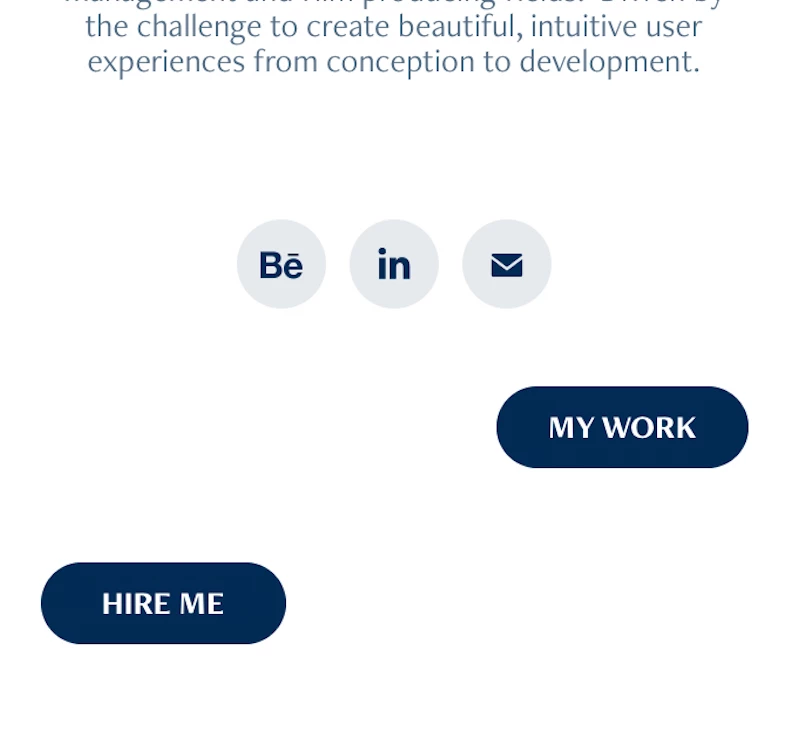
Hi I just published my Adobe portfolio site and connected my domain. The problem is on mobile version (vertical use) the buttons are not aligning as they do in Desktop version. Could you pkease help me about it.

Thank you
    5 replies

    Participant
    June 10, 2020

    Also having this problem, super frustrating.. I just want my buttons to align! Surprised that there hasn't been a software fix to this issue yet. I submitted a request to Adobe, hopefully it's resolved soon.

    Participant
    May 20, 2020

    I have the same problem, is there any solution found?


    This happens when you place 2 buttons next to eachother and align them so they are close to eachother (so right and left)

    This also happens on different themes so this is not an option.


    Also putting them above eachoter is not a solution because why else would they make that available for desktop if it doesnt work on mobile.


    Would love to hear from adobe.


    https://hjkaaks-test.myportfolio.com/

    Nancy OShea
    Community Expert
    Community Expert
    May 20, 2020

    "This happens when you place 2 buttons next [and close] to each other... This also happens on different themes."

    That's right.  So don't do it that way.


    Or to quote Albert Einstein,

    Insanity: doing the same thing over and over again and expecting different results.


    "Would love to hear from Adobe."

    This is not a direct pipeline to Adobe product engineers.  This is a user-to-user forum.

    Please submit a ticket directly to the Portfolio Support Team.


    Nancy O'Shea— Product User & Community Expert
    Participant
    March 31, 2020

    Hi.

    I have a similar problem with mine as well. I was looking for possible answers but unfortunately there's none to be found. I hope this could be solved immediately, it's really frustrating to see that it's not properly aligning on the mobile version. 

    Nancy OShea
    Community Expert
    Community Expert
    March 31, 2020

    With no URL, it's impossible to comment.

    Submit a ticket to the Portfolio Support Team.


    Nancy O'Shea— Product User & Community Expert
    Nancy OShea
    Community Expert
    Community Expert
    March 14, 2020

    It goes without saying that mobile devices have less space than desktops.  Some things will naturally drop to a 2nd line on smaller devices.  I can't tell much from your screenshot.  But it seems to me that you should put buttons on their own row above or below social media icons. 


    Nancy O'Shea— Product User & Community Expert
    BYilkanAuthor
    Participant
    March 14, 2020

    I did put buttons on their own row above or below social media icons. You can see the desktop version attached. And I don't know Nancy. Why should I need to do anything extra? I already pay for Adobe's service and it goes without saying that I would expect a simple responsive layout that don't crash, don't you think?


    Nancy OShea
    Community Expert
    Community Expert
    March 14, 2020

    I can't tell much from screenshots.


    I suggest putting each button on its own row as I did in this splash page. 

    https://nancyoshea.myportfolio.com/


    Adobe makes the software and for best results, we must endeavor to learn how to use it properly 🙂


    Nancy O'Shea— Product User & Community Expert