

Adobe Portfolio problems with updating site, publishing, and previewing
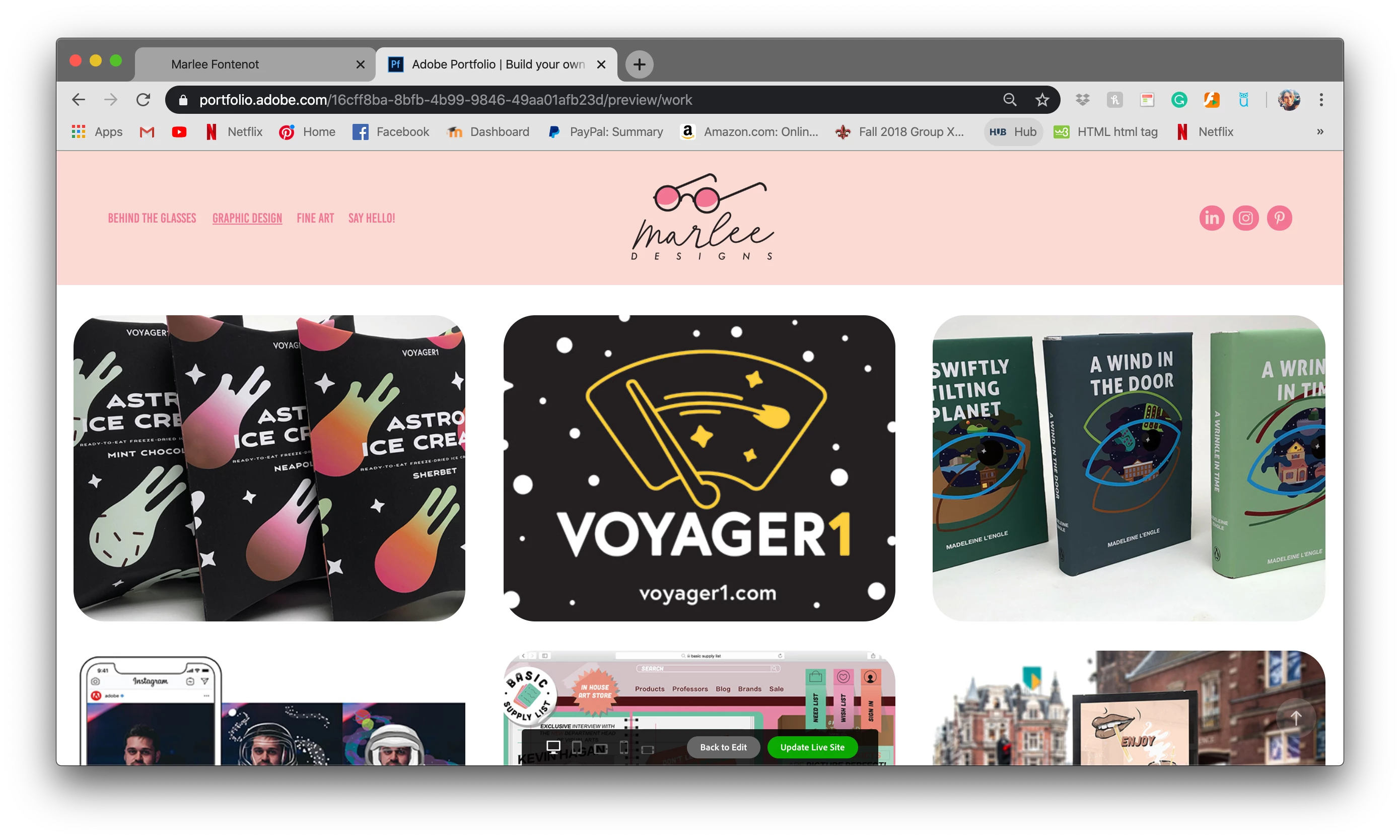
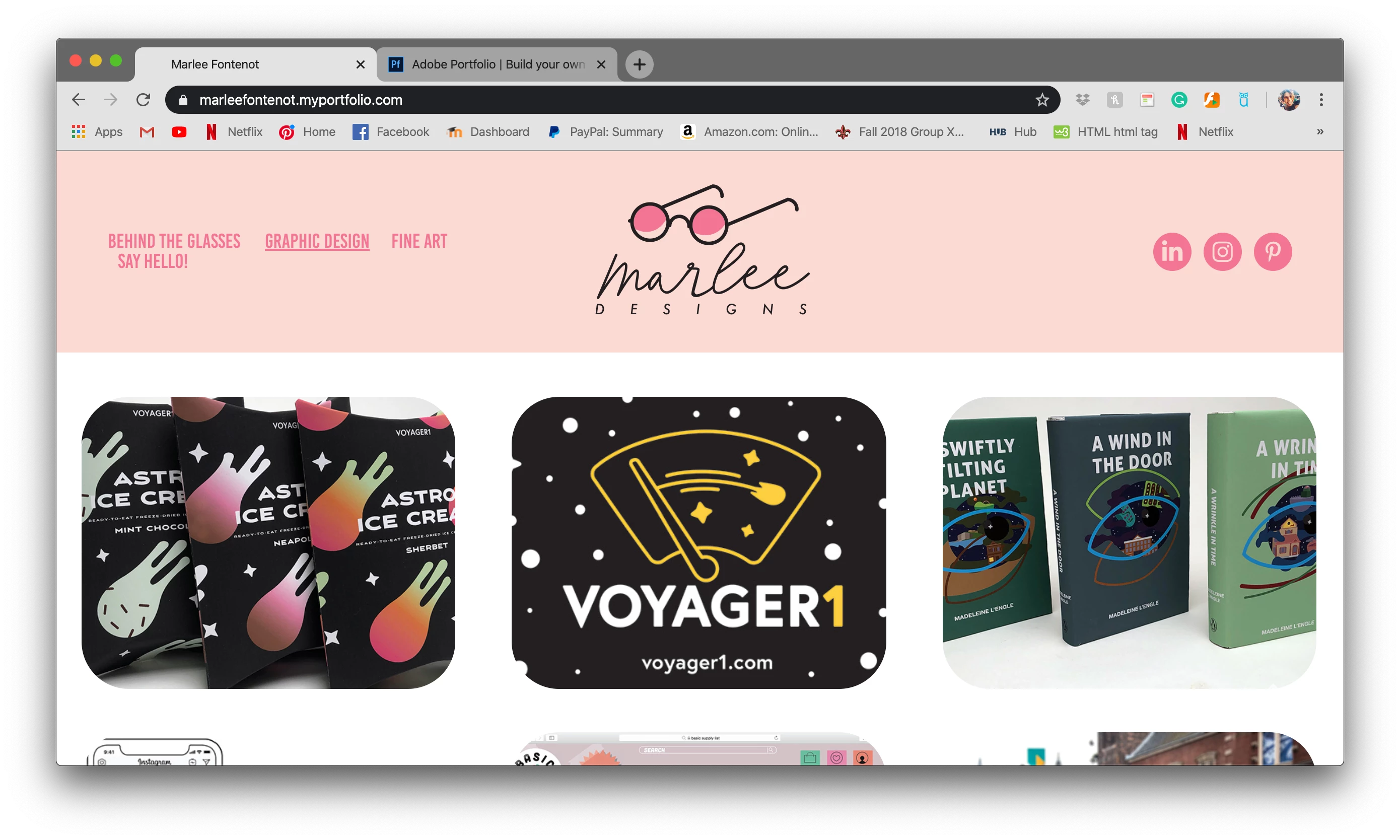
I am having trouble publishing my portfolio. the site looks different from the editor to the site in preview mode to the site if I click on it from a link. Is there any way to make it cohesive? I'm not a coder and I feel like the template should be doing this for me. The first photo is my site in the editor (this is ideally how I would like it to look). the second photo is the site in preview mode (notice the header is larger and there's less white space between the galleries) and the final photo is the site as opened through the link (the header is huge causing the tabs to be too large and pushed under one another). I have tried changing the size of the tabs and logo and social media icons to be smaller than I want but it doesn't change the effect at all when I open it through an updated link.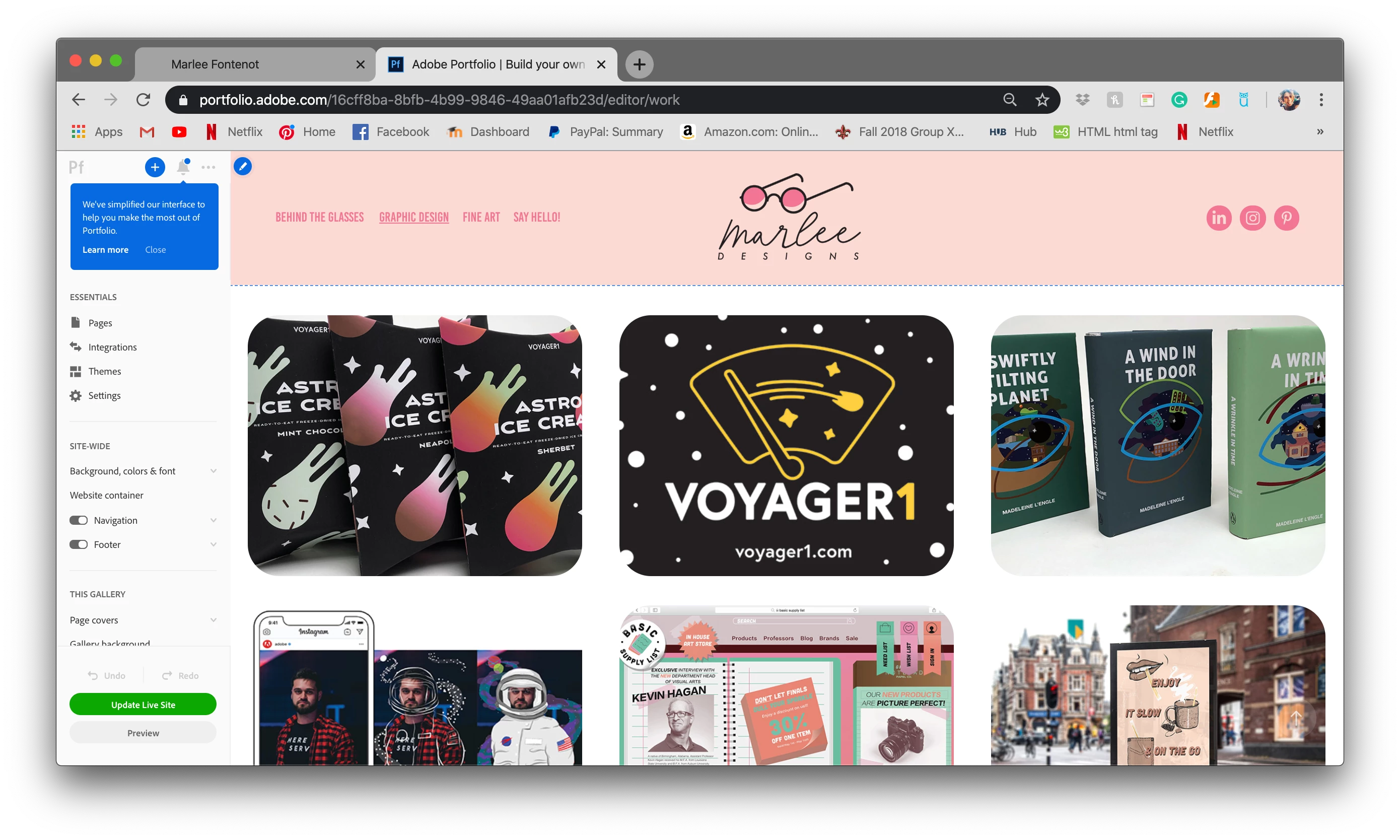
 AdChoices