


Adobe Recognizing Same Device as Different Logins
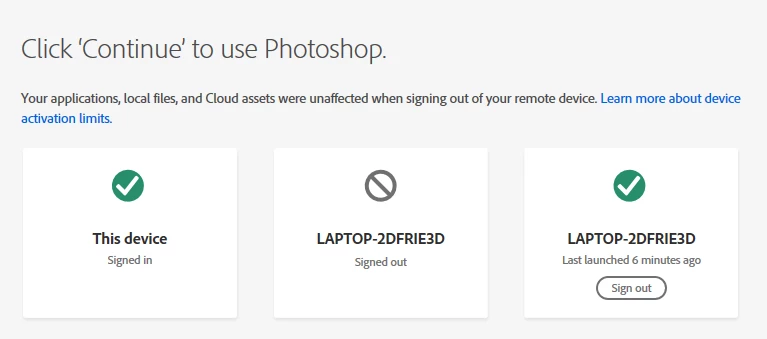
So, recently, I've been having problems with Adobe CC and its apps recognizing the same device as 2 or 3 different devices. This doesn't work well seeing as my adobe license only allows for 2 activated devices. Usually this problem results in my account being continuously logged out on CC, Photoshop, and on the website, even though I have only activated the adobe license on one laptop. Although, I have temporarily solved the problem of being continuously logged out, I find it frustrating that I have to continuously restart the Credential Manager in order to use this program. Is there any permanent solution to this problem or am I stuck restarting Credential Manager each time I want to use adobe software?
P.S. I've been using Adobe for the past year and have only encountered this problem 2 times. I don't understand why it's acting up now.
Example of the problem I'm facing:
 AdChoices