
Adobe updates/downloads [How to prevent and reschedule automated software updates?]
I am a freelance photographer for my local newspaper - which is a morning paper. That means that I have to shoot photos of the event I am covering, download, edit and upload by 9 pm.
On the 4th of July, I was assigned my hometown 4th of July celebrations. So I spent a couple of hours shooting food, family and fun - as the fireworks would not start til after dark which was a 9:30 pm.
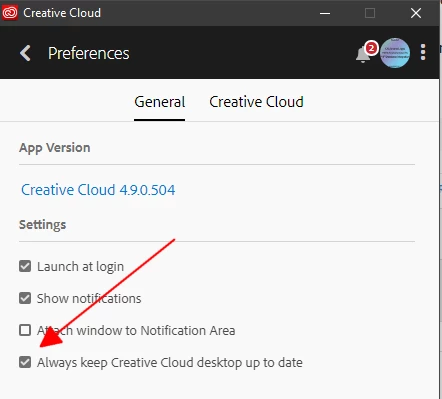
So I go home, download, go through shots to to pick 6-8 they wanted me to get to them. When I open Creative cloud -BAM- update/download msg comes up and starts downloading the update. I couldn't find how to stop it, or pause it or a remind me later msg. So I lost 7 minutes of valuable time waiting for the update. There should be a way to stop or reschedule or something for updates.
If there is a way to stop or reschedule a download please enlighten me. Knowing one was available and waiting - I would immediately go back and do the update.


 AdChoices