ahmadb22241757
Participant
March 5, 2017
Answered

Adobe XD no work ( suspended )

  • March 5, 2017
  • 5 replies
  • 3166 views

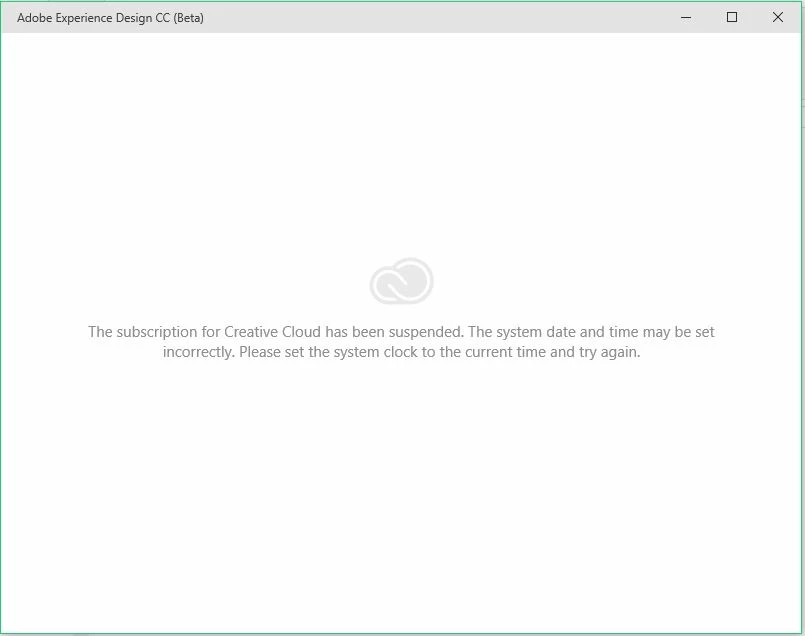
I have a problem inI can not access the program this letter comes on the facade : " the subscription for creative cloud has been suspended . the system date and time may  be set incorrectly  please set the system clock to the current time and try again " . My clock is set correctly and I have set it several times.  What do I need to do to fix the problem?
This topic has been closed for replies.
Correct answer breysena

I've found the answer ahmadb22241757, In case you still need it.

https://forums.adobe.com/message/9359710#9359710

Cheers!

5 replies

Participant
July 19, 2019

I found another solution. You might try this one
FIX Task Host is Stopping Background Tasks Windows 10/8 100% WORKING UPDATED - YouTube

It worked for me

breysena
breysenaCorrect answer
Inspiring
March 16, 2017

I've found the answer ahmadb22241757, In case you still need it.

https://forums.adobe.com/message/9359710#9359710

Cheers!

ahmadb22241757
Participant
April 20, 2017

THANKS YOU ... WORKING !!!!!!!!!!

ahmadb22241757
Participant
March 9, 2017

It did not get any mis-Date and Time .

Use the latest version of Photoshop and there is no problem at this level, and the program works.

Only problem in Adobe  XD .

Jeffrey_A_Wright
Legend
March 9, 2017

Thank you for the update Ahmadb if you remove the Adobe Creative Cloud desktop application utilizing the uninstaller utility do you still face the same error after re-installation?  You can download the Creative Cloud desktop app uninstaller utility at Uninstall the Adobe Creative Cloud desktop application​.

elainecc
Participating Frequently
March 9, 2017

If you can install other Adobe apps, we may need to get you in touch with a team member to resolve the issue. Please let us know if you've had any issues with your system date and time recently. Thanks,

-Elaine

Preran
Legend
March 7, 2017

Hi Ahmad,

Moving your forum post to a more appropriate forum. The experts here should be able to assist you.

Thanks,

Preran

Jeffrey_A_Wright
Legend
March 7, 2017

Moving this discussion to the Adobe Creative Cloud forum.

Ahmadb do you face a similar error in other installed Creative Cloud applications?  If so then I would recommend contacting our support team directly at Contact Customer Care so that your membership status can be reviewed.