


After Effects unable to render error -1610153464
I use Adobe CS6. Today, I upgraded to CC. I work on a MacBook Pro with 8GB RAM, and the latest OS X, Mountain Lion. Here's my dilemma.
Although I own the CS6 Master Collection, I have never used After Effects. So, I am an AE newbie. For years I have mainly used the other apps, PhotoShop, Illustrator, Dreamweaver, Flash, InDesign, etc.
I wanted to prepare a presentation for my company. I purchased an After Effects template that I liked. http://videohive.net/item/new-company-presentation/5182042
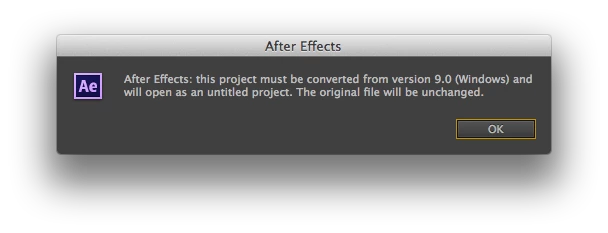
When I opened the template I received the following message: "After Effects: this project must be converted from version 9.0 (Windows) and will open as an untitled project. The original file swill be unchanged."
After quite some time creating and preparing all my samples in a Quicktime movies I was ready to customize the AE template.
Following the AE template author's instructions I was able to customize the template, editing text, importing my movies. When I added the "Final Comp" to the Render Cue, and then started rendering, I immediately got the following error: "After Effects error: Rendering error while writing to file '/Users/...Final Comp.mov'. An output device module failed. The file may be damaged or corrupt. (-1610153464)"
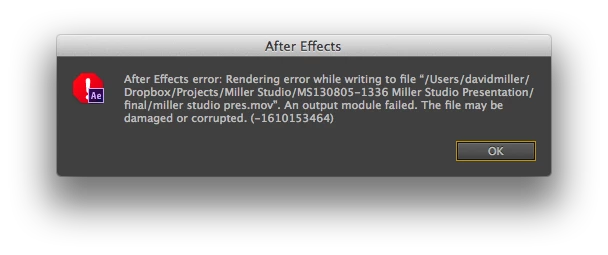
I tried rendering the original unedited file. Same error.
I tried researching solutions.
I turn off my firewall. "blockage in the communication between After Effects and the Adobe QT32 Server." http://blogs.adobe.com/aftereffects/2011/02/troubleshooting-quicktime-errors-with-after-effects.html
I tried removing a third-party Quicktime importer components. http://helpx.adobe.com/x-productkb/multi/startup-screen-hangs-premiere-after.html
I tried exporting the file from AE to Premier Pro. But, got the following message when opening the file in Premier:
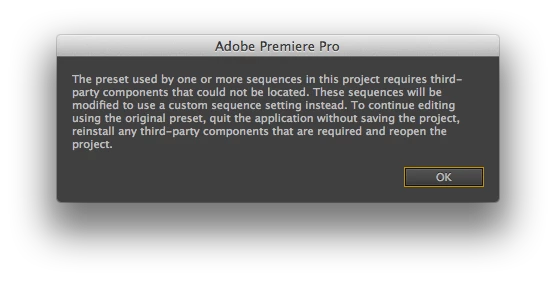
"The preset is used by one or more sequences in this project requires third-party components that could not be located. These sequences will be modified to use a custom sequence setting instead. To continue editing using the original preset, quit the application without saving the project, then install any third-party components that are required and reopen the project." Note: The author of the AE template said that no external plug-ins were used, that everything was created in AE.
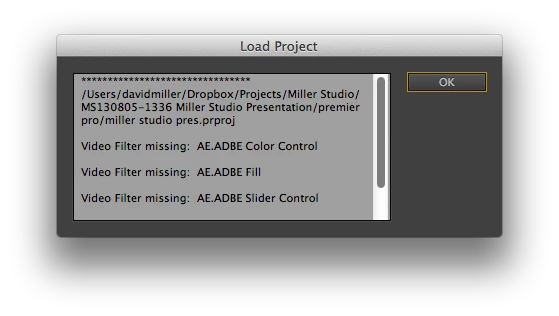
Also, when opening the file in Premier, a "Load Project" window open listing the following:
"Video filter missing: AE.ADBE Color Control
"Video filter missing: AE.ADBE Fill
"Video filter missing: AE.ADBE Slider Control"
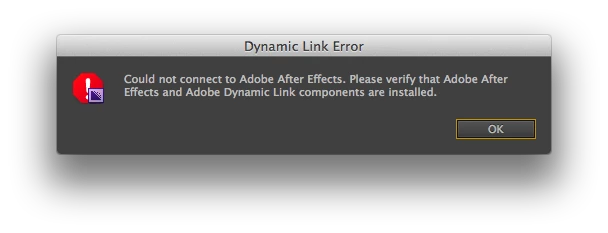
I attempted to do a render from Premier anyway. But, got the following error: "Could not connect to Adobe After Effects. Please verify that Adobe After Effects and Adobe Dynamic Link components are installed." I checked, They are!
I finally "bit the bullet" and upgrade to, and installed the Creative Cloud version of After Effects hoping that this may be a solution.
Today, I installed After Affects CC. This time when I began the render, AE started to render. Then, after a couple seconds of video being generated the same errors reappeared!
Can anyone offer some guidance as to how I can get this resolved?
 AdChoices