Participant
August 18, 2018
Question

All Adobe CC Apps With Blank Start-up Menus & New Doc Menu is Blank Too

  • August 18, 2018
  • 1 reply
  • 262 views

Starting two updates ago my start-up menus and my new document menus are blank.
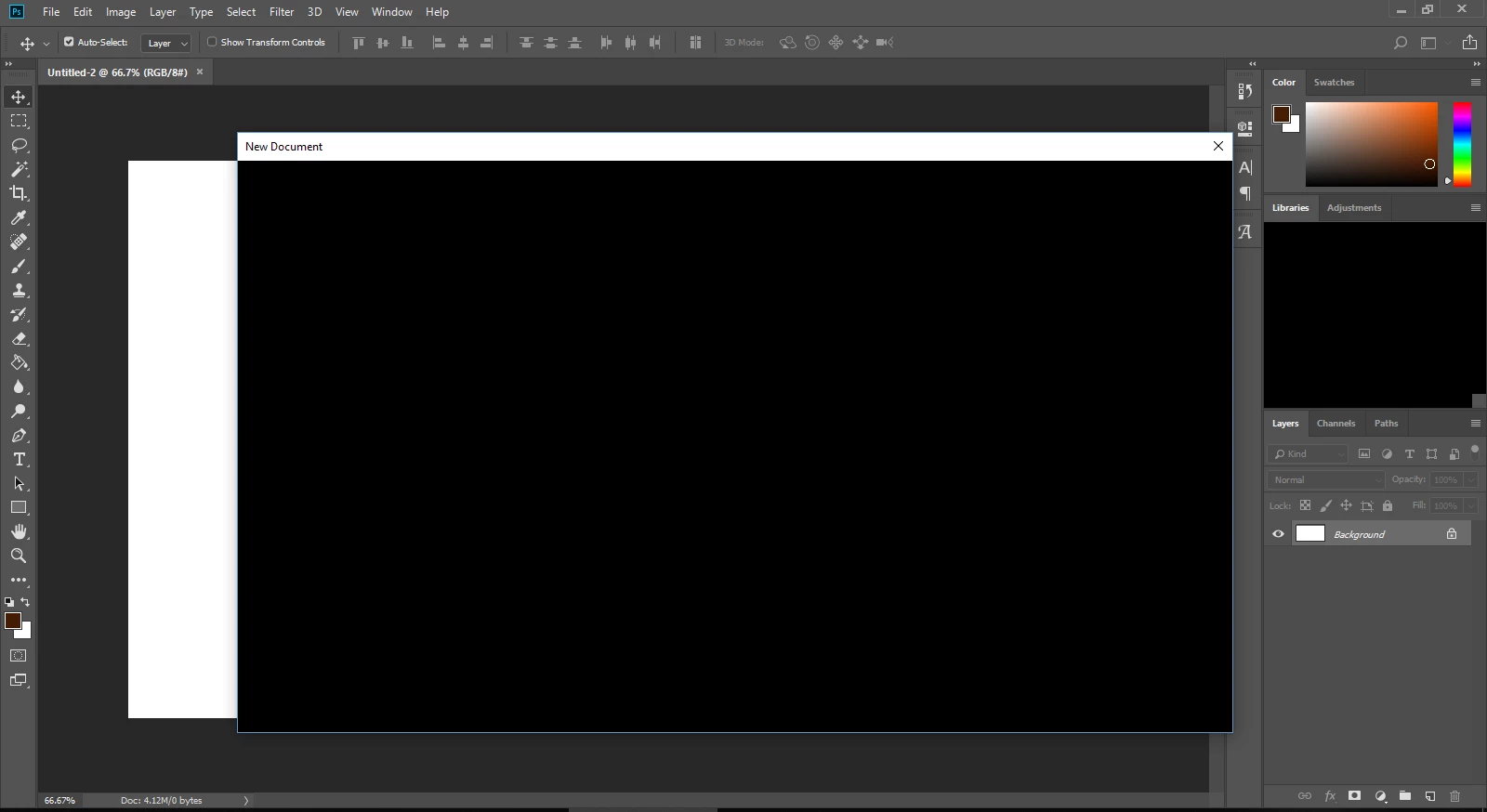
The buttons are still there, my mouse indicates that when I move it across it. But the options are not visible. It's like this in all my apps. I thought about reformatting my computer then reinstalling Adobe CC, but I was hoping to find a fix without doing that. I'm running Windows 10. I've already tried uninstalling adobe suite and reinstalling it. Also tried uninstalling individual apps and reinstalling. Still no change.

Any ideas as to what I can do to fix this? I'd hate to start my Windows install over to just see that it didn't help this issue with Adobe CC. I appreciate any help anyone can give me.

[Here is the list of all Adobe forums... https://forums.adobe.com/welcome]

[Moved from CS6 & earlier Creative Suites to Creative Cloud forum... Mod]

This topic has been closed for replies.

1 reply

John T Smith
Community Expert
Community Expert
August 18, 2018

Do not count on Windows to be fully up to date when it comes to device drivers

Go to the vendor site to be sure you have an updated driver for your graphic adapter

•nVidia Driver Downloads http://www.nvidia.com/Download/index.aspx?lang=en-us

•ATI Driver Autodetect http://support.amd.com/en-us/download/auto-detect-tool

There are also intermittent reports that the newest driver is not always the best driver due to driver bugs or compatibility issues, so you MAY need to try an earlier driver version

or

BLANK Cloud Screen http://forums.adobe.com/message/5484303 may help

-and http://helpx.adobe.com/creative-cloud/kb/blank-white-screen-ccp.html

-and step by step http://forums.adobe.com/thread/1440508?tstart=0

Participant
August 19, 2018

Thank you so much. I reinstalled video drivers and that fixed not only this issue, but an issue with another app. Many thanks for your help.

Greg