
Participant
January 8, 2019
Question

All adobe programs automatically changes image colors when imported

  • January 8, 2019
  • 2 replies
  • 908 views

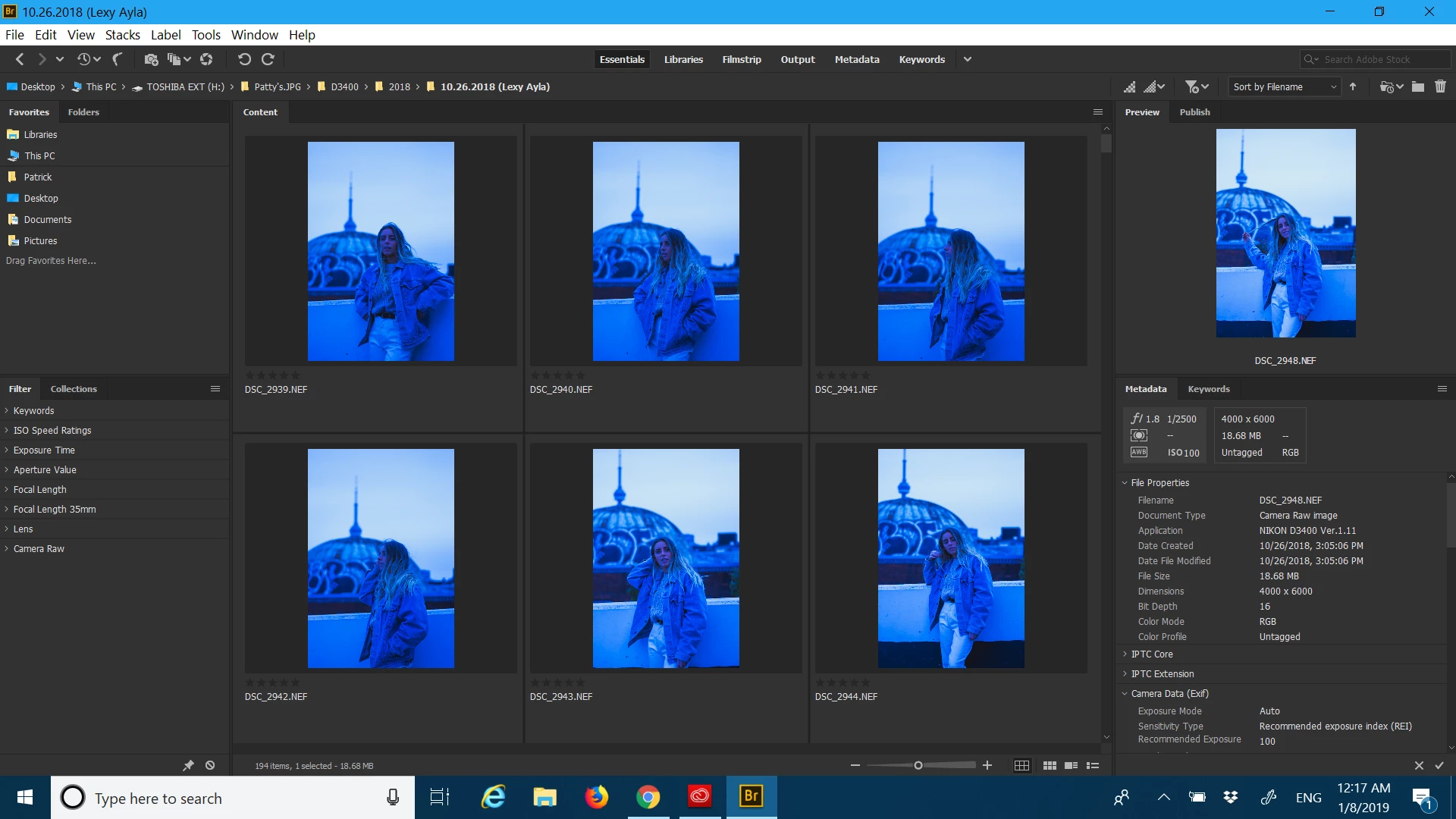
How do you stop this issue? It happens on my adobe bridge, lightroom, and photoshop! every time I import raw images, the program automatically changes the colors. tTis screenshot is on my adobe bridge right after imported the raw images. All my programs are up-to-date as well since they're automatically updated from the Creative Cloud.
This topic has been closed for replies.

2 replies

arij2010
Inspiring
January 8, 2019

Try disabling gpu on Photoshop :

- Edit > Prefs > Performances > uncheck "use graphic processor"

- Edit > Prefs > Camera raw > uncheck "use graphic processor"

El_PatoAuthor
Participant
January 8, 2019

i did what you said and my raw files are still being automatically re-adjusted

Abambo
Community Expert
Community Expert
January 8, 2019

Looks a lot to me as a custom adjusted colour balance. Your white balance is definitively bad. Set your White balance "as shoot".

ABAMBO | Hard- and Software Engineer | Photographer
Community Expert
January 8, 2019

It looks like a faulty monitor profile in Windows. Please check.

My System: Intel i7-8700K - 64GB RAM - NVidia Geforce RTX 3060 - Windows 11 Pro 25H2 -- LR-Classic 15 - Photoshop 27 - Nik Collection 9 - PureRAW 6 - Topaz Photo AI