
Andrew Webber
Participating Frequently
September 11, 2018
Answered

Always the same problem when updating: Error Code 145

  • September 11, 2018
  • 1 reply
  • 558 views

Hi,

i have the problem, when i update some of my cc cloud programs it will begin downloading and when the installing starts it stops with an error:

Exit Code: 145

-------------------------------------- Summary --------------------------------------

- 2 fatal error(s), 0 error(s), 1 warnings(s)

FATAL: Error (Code = 145) executing in command 'MoveDirectoryCommand' for package: 'AdobeLightroom-mul', version:7.5.0.1186149

FATAL: Error occurred in install of package (Name: AdobeLightroom-mul Version: 7.5.0.1186149). Error code: '145'

WARN: Target directory already exists: 'C:\Program Files\Adobe\Adobe Lightroom Classic CC'

-------------------------------------------------------------------------------------

Ok, i searched the internet for the problem, grabbed the cleaner tool and cleaned all my adobe products. Then i reinstalled the cc Cloud and the other stuff. It took me like hours to get everything up again.

Then, a few weeks later the next update was ringing. Ok, same problem. Same procedure. Uninstalled and reinstalled. Now it took me like 1 or 2 hours to get everything done.

Today, another update was beeing installed. Oh wait. Error Code 145 again???

What is wrong with this installation? I hate my system, i hate Adobe, i hate installing, i hate uninstalling, i hate hate.

What i am doing wrong?

my install file:
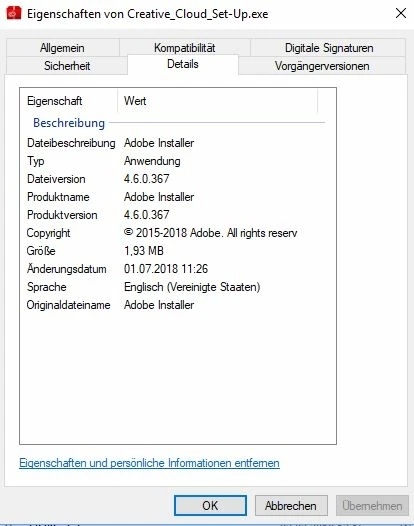
normal deinstallation:
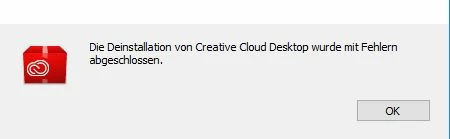
deinstallation was completed with errors

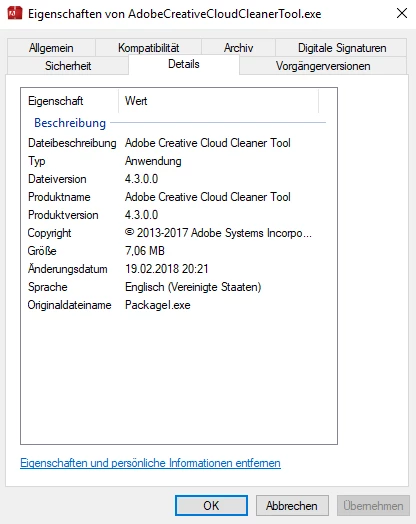
Cleaner Tool:
DXDiag:

DXDiag

This topic has been closed for replies.
Correct answer Bani Verma

Hi Andrew9991999,

Sorry to know that you have to go through this trouble on every update, and thanks for sharing the steps that you perform to resolve the issue.

Just to confirm have tried the troubleshooting given in the following help document: Resolve Error Code 146 or 147 encountered while installing Adobe Creative Cloud apps? Exit code 145 and 146 are similar errors, please try these steps and share the results.

Kindly update the threads if this helps or if you have any more queries.

1 reply

Bani Verma
Bani VermaCorrect answer
Legend
September 11, 2018

Hi Andrew9991999,

Sorry to know that you have to go through this trouble on every update, and thanks for sharing the steps that you perform to resolve the issue.

Just to confirm have tried the troubleshooting given in the following help document: Resolve Error Code 146 or 147 encountered while installing Adobe Creative Cloud apps? Exit code 145 and 146 are similar errors, please try these steps and share the results.

Kindly update the threads if this helps or if you have any more queries.

Andrew Webber
Participating Frequently
September 12, 2018

Hi Bani Verma,

thanks for the quick reply. I could resolve my problem as you advised me. I downloaded the "Creative Cloud Uninstaller" and installed a newer version of the "Creative_Cloud_Set-Up.exe". After that i could update my Apps and everything was fine. That took me only 7 minutes. Very thanks!! :-)

A.Webber

Bani Verma
Legend
September 12, 2018

You're Welcome.

Glad to hear it has been resolved! Feel free to reach out if you run into any other questions or issues in the future.