


Participant
April 24, 2020
Question

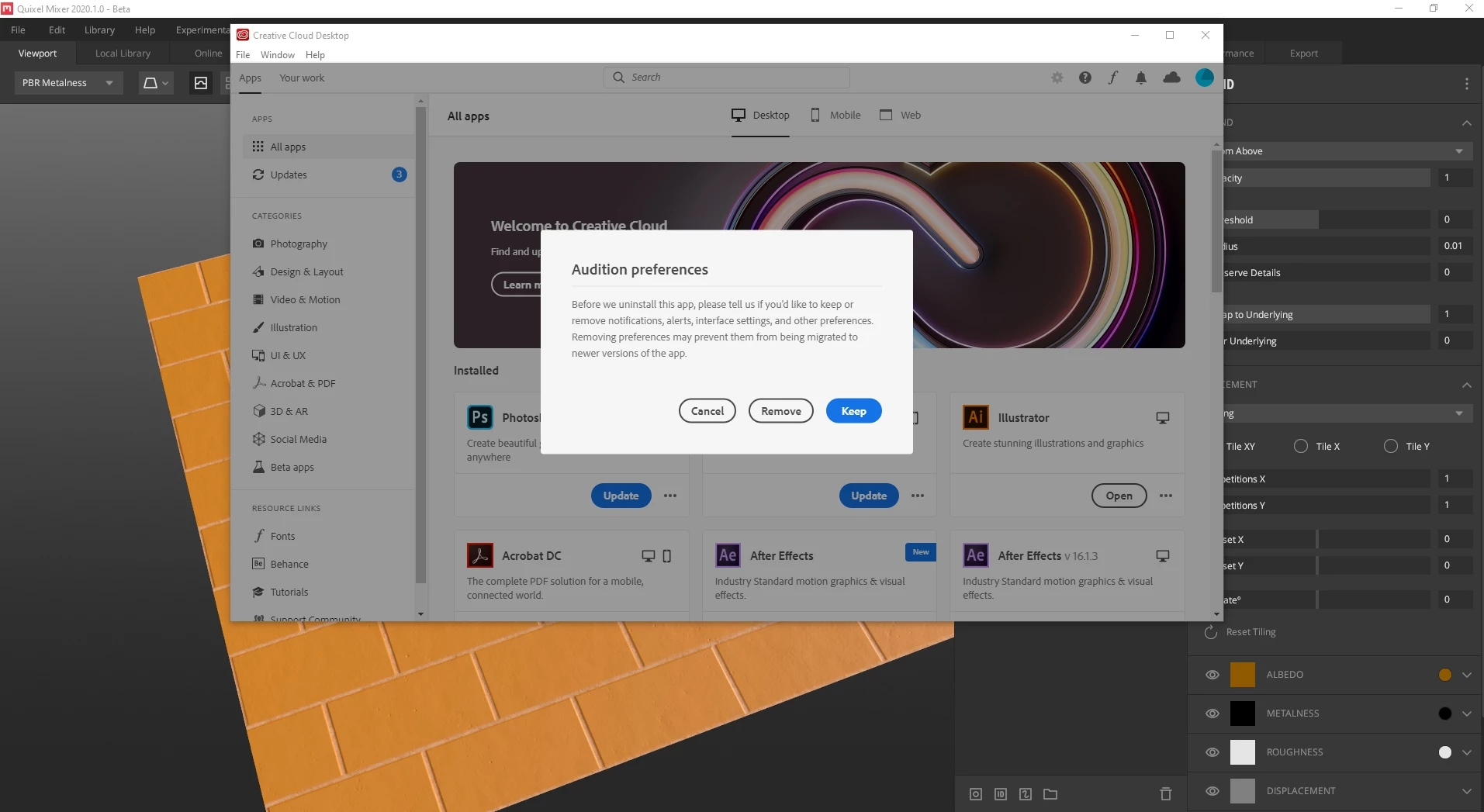
annoying preferences window keeps popping up while working with every other applications

  • April 24, 2020
  • 2 replies
  • 1342 views

I uninstalled some of the applications from creative cloud application. These were Audition and character animation app Fuse i guess. since then, whenever i work with other applications like Quixel Mixer, Cinema 4d, this screen pops up and it doesn't matter which option i choose it keeps popping up,  blocks me sending commands and  this is slowing me down dramatically.

any suggestions?


2 replies

Just Shoot Me
Legend
April 25, 2020

Turn Off the Auto update option and the option to Start the CC DTA with the system. Then Restart your computer.


kafaayarAuthor
Participant
April 26, 2020

thank you all, for the answers and suggestions. everything works fine right now. 🙂

kglad
Community Expert
Community Expert
April 26, 2020

you'll help others if you post what you did that solved the problem.


addendum:  oops, sorry.  i see your reply to the cleaning message, now.  if you mark it correct, it will be easier for others to focus on it.

kglad
Community Expert
Community Expert
April 24, 2020

reset the cc app: To reset the Creative Cloud desktop app, make sure it's in the foreground, then press:

Win: Ctrl + Alt + R
Mac: Cmd + Opt + R

kafaayarAuthor
Participant
April 25, 2020

kglad, thank you very much for the reply, it didn't help. keeps on popping up. i also restarted the machine several times, at the end i am going to have to uninstall everything about CC i guess 😞

any other suggestions?

kglad
Community Expert
Community Expert
April 25, 2020

yes, the next step is a complete clean and then reinstall:


uninstall every cc app including preferences, https://helpx.adobe.com/creative-cloud/help/uninstall-remove-app.html
then uninstall the cc desktop app, https://helpx.adobe.com/creative-cloud/help/uninstall-creative-cloud-desktop-app.html
clean your computer of cc files per http://www.adobe.com/support/contact/cscleanertool.html
restart your computer (don't skip this)
reinstall the cc desktop app, https://creative.adobe.com/products/creative-cloud.
if you're unable to install the cc desktop app at this stage, use an administrator account (solution 4 here, https://helpx.adobe.com/creative-cloud/kb/creative-cloud-missing-damaged.html)
use the desktop app to install your cc programs/trials