Any Adobe app won't start - clean install
Hi there,
My name is Andrea. I have a MAC MINI with two partitions. One with OS X 10.9.3 and the second with WIN7. On both I am running Adobe CC app. On MAC partition is working fine. On WIN7 I had an issue. At some point any applications I tried to open were doing a loop asking me to sign in, Saying that it is fine, I am logged in and I can ontinue to use the app then next screen was asking me again to log in.
1. Today I uninstalled each application. I ran Adobe_Creative_Cloud_Cleaner_Tool selecting to remove ALL.
2. I restarted WIN partition.
3. Installed again the Creative Cloud Desktop app.
4. Installed InDesign, for example.
5. Then I tried to open InDesign. Same issue. Let me illustrate it for you.
InDesign installed without errors.
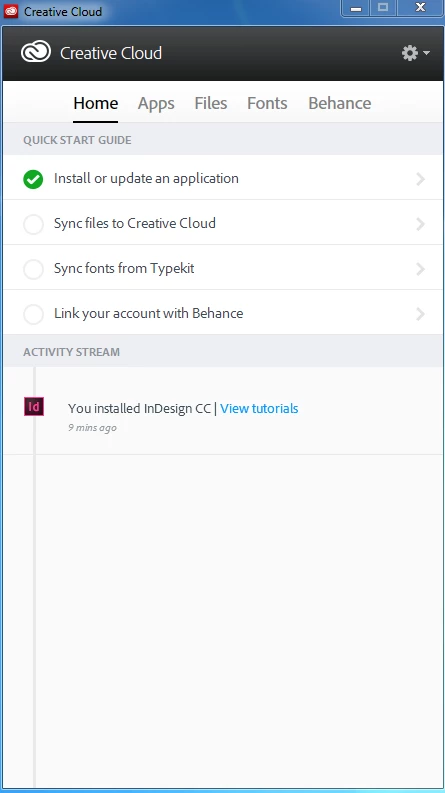
Instalation confirmed. the InDesign is OK and updated.
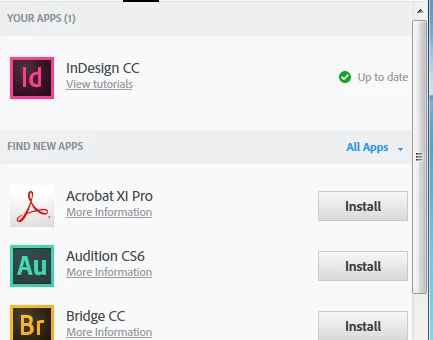
Confirmation that I am logged in.
[Image with personal Identification removed by moderator]
Launching InDesign. That screen is poping up. Why? Have no clue. Anyway, I hit SIGN IN.
[Image with personal Identification removed by moderator][Sign in Screen]
Then the next screen is poping up. I hit CONTINUE.
[Image with personal Identification removed by moderator]
Well, SURPRISE. Am I in Twilight Zone or what?
[Image with personal Identification removed by moderator]
So, I tried another approach. I selected NOT YOUR ADOBE ID. I filled in the informations and hit SIGN IN, again.
[Image with personal Identification removed by moderator]
Will it work this time? Hmmm.
[Image with personal Identification removed by moderator]
NOUP. Something is wrong.
[Image with personal Identification removed by moderator]
Kindly help me to solve out the issue. I would not want to install WIn again, but if it is the only solution, let me know.
Best regards,
Andrea
Message was edited by: Peter Spier NEVER post your login credentials on a public forum....
 AdChoices