
brady black
Participant
December 28, 2018
Question

App Manager 10.0 hangs at "Sign in" with CS6

  • December 28, 2018
  • 3 replies
  • 414 views

I am running High Sierra on a new Macbook Pro.

I have downloaded and installed CS6 Design Standard.

As the installation finishes the App Manager pops up and asks for my serial number. I give it and it is verified.

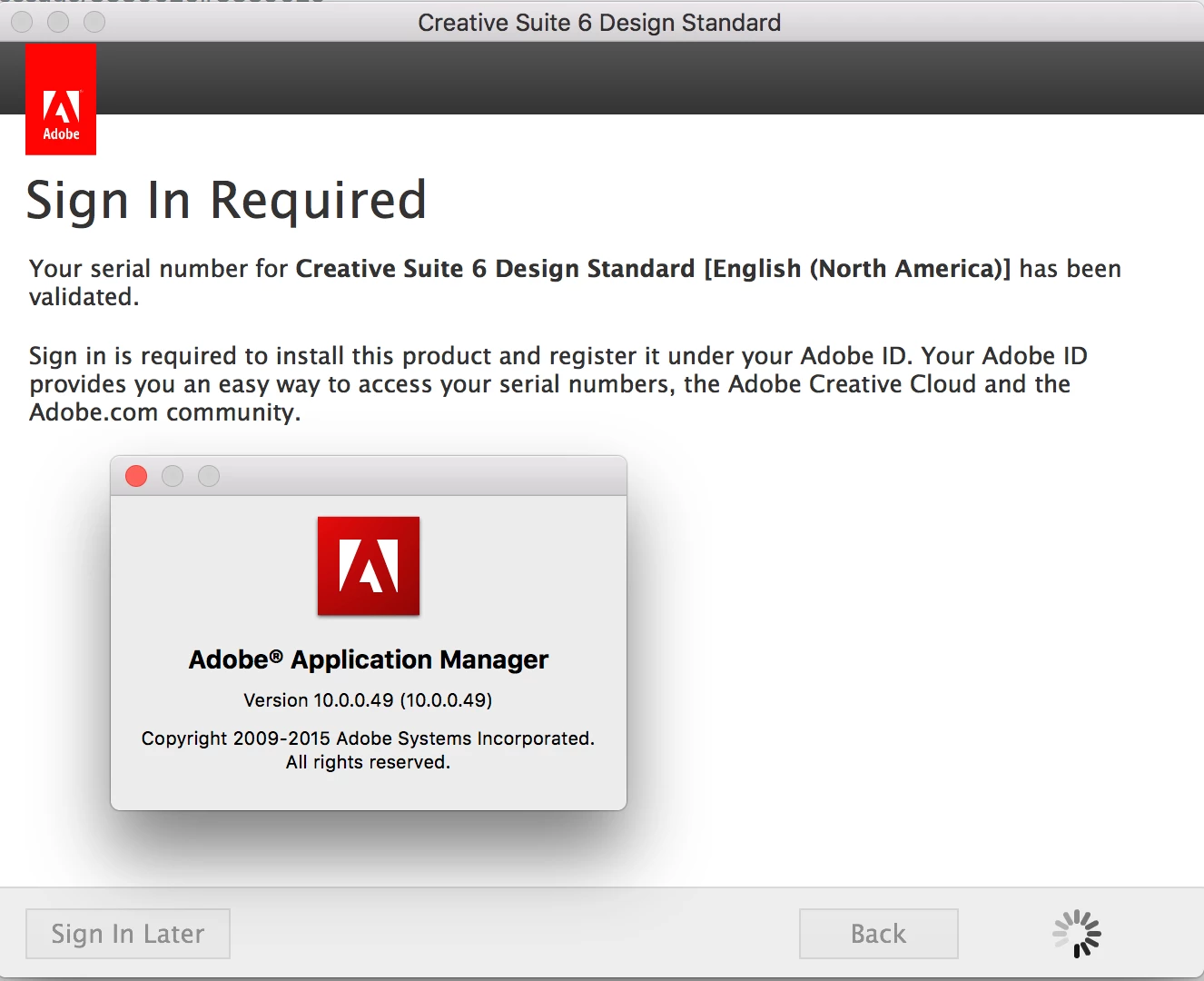
Then the App Manager says that I need to sign in, and when I click sign in the App Manager just hangs and spins.

I have updated the App Manager to 10.0 from the Support Center's recommendation but it doesn't seemed to have helped.
Thank you for your help.

    This topic has been closed for replies.

    3 replies

    brady black
    Participant
    December 28, 2018

    Additionally I tried to just bypass the "sign in" step, and clicked "sign in later" as it says that I have 7 days to sign in.

    It finished installing but as soon as I clicked on PS it just opened for a split second and then shut down immediately without ever showing the title screen.

    Then it took me back to the app manager that says I have to "sign in", and the hanging issue happens again

    Thanks for any help

    Jeffrey_A_Wright
    Community Manager
    Community Manager
    January 2, 2019

    Brady Black, please check if there is a connection error that may be preventing the Adobe Application Manager from signing in.  You can find steps on how to resolve connection errors at Resolve connection errors with Adobe Creative Cloud and Creative Suite applications .

    Please update this public forum discussion if you have any questions.

    John T Smith
    Community Expert
    Community Expert
    December 28, 2018

    When you are installing or updating on a Mac, that may be your Mac asking you to prove that you have permission by asking for your COMPUTER password, not your Adobe password https://forums.adobe.com/thread/2139902

    -also https://support.apple.com/en-us/HT201609

    brady black
    Participant
    December 28, 2018

    Thanks but the "sign in" is just the button in the bottom right of the picture, not the normal password thing on the MAC.

    When I press the "sign in" button it just spins and hangs up.

    Thanks for trying to help out

    Participating Frequently
    December 28, 2018
    brady black
    Participant
    December 28, 2018

    Thanks for the link, however this isn't even at that screen yet.

    This screen is directly after putting in the serial number after the installation.

    It tells me I need to register the product and if i click the "sign in" button on the bottom right it hangs up spinning.

    Thanks for helping out

    b