



Appears to be impossible to update the CS6 apps. Why?
First, yes, I've already read every single topic in these forums about the U43M1D207 error code, and trying to update the CS6 apps in general. So there's no point supplying links to them. And this is going to be a bit long so folks don't suggest other things I've already tried.
I do have the CS6 apps all installed and updated (mostly) on a Mojave partition for my 2018 Mac mini, and it works fine. So what's the complaint? Except for Photoshop CC, which I continue use under the $10 per month Photography plan, I wanted to eliminate all other subscription apps as we approach retirement. The other reason is I wanted access to Illustrator CS6 without having to boot back and forth between Mojave and Monterey. So I installed High Sierra in VMware and CS6 within that from my Master Collection .dmg image.
I only use InDesign and Illustrator very occasionally. Like, two or three times a year, tops. The monthly cost for the full CC suite just isn't worth the money to use practically none of it year-round. The free VivaDesigner is good enough as an InDesign replacement. But I've found nothing like Illustrator I thought was worth using. Free or otherwise. And I've tried/tested virtually everything available. Hence the VM approach so I stay in Monterey when I want to use Illustrator.
Okay, so no problem installing Illustrator CS6 in the VM. Lots of problems trying to activate it. I still had one open activation and it kept failing, saying there was no Internet connection. Wrong, since I could use Safari withing the VM just fine. Called Adobe and they verified there's nothing wrong with my license (not a stolen serial number or such). After about 10 trys, the verification process finally said, "There is an Internet connection. We don't know what's wrong." From there, it gave me a link for a manual activation. Which worked, but the result is weird. The deactivation link is still grayed out in the menus. Does that mean it's active without using my second install? Hard to say.
Anyway, after that mess, the real problem. You can't update anything. Not from within the apps, which all produce the error:
There was an error downloading this update. Please quit and try again later. Error Code: U43M1D207
Nor can you even use the stand-alone updaters I downloaded and saved when they were still available. You get this message when trying to run them:
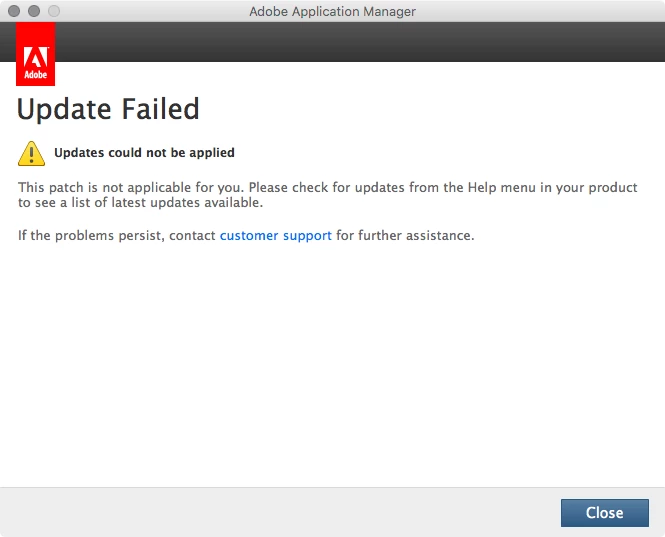
Both the InDesign and Illustrator CS6 update patches throw this message out. Well, I don't know much more applicable you can get when the apps are right there.
This issue now also affects the completed install on the Mojave drive. It did update Camera Raw just a few weeks ago. But it now gives the same U43M1D207 error for an (admittedly unimportant) update.
What's going on? The first I can see as Adobe has removed all updates from their servers for CS6, resulting in the U43M1D207 error. It can't download and apply the updates because they don't exist. But why in the world would the stand-alone installers fail? Isn't the entire purpose of them to run without needing anything else than what's in the .dmg files?
Yes, I understand CS6 is no longer supported. But that should mean there will be no more new software updates for it, or any phone support. But your perpetual license should still allow you to at least apply the updates there are. Especially when you have saved copies of them!
With what I've seen now, I wouldn't dare ever deactivate the apps on the Mojave drive, or uninstall/reinstall them. It's now imperitive to have at least one full, restorable backup of that drive (which I already do).
So, any suggestions from Adobe as to what I can do to get the CS6 updates working?
 AdChoices