
Application Tab not appearing in Desktop app manager
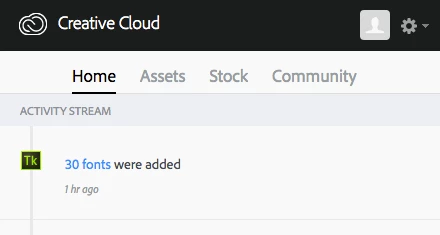
I have a Macbook Pro laptop and have done everything in my power to pull up the app panel for my creative cloud application manager. It just doesn't seem to be populating the application manager with the "APP" tab that is supposed to be displayed between "Home" and "assets" from what I have read from the adobe website. Above is a snapshot of my desktop application manager window/creative cloud hub. I have restarted my computer, uninstalled and reinstalled creative cloud, and have tried to start up the app panel through various pathways in my computer with no success. Without the "App" panel, it is proving to be very difficult to download any of the creative cloud apps. I am using chrome as my browser when I try and download the apps from the website with my login.
 AdChoices