This topic has been closed for replies.
Correct answer Bani Verma

Hi Antonioa94257780,

Please follow the below steps to manually remove everything related to Creative cloud desktop app and then reinstall it :

1) Uninstall Creative Cloud Desktop Manager  :

Creative Cloud Help | Uninstall the Creative Cloud desktop app


2) Delete following folders : ( If you don't see any folder skip that step )


C:\Program Files (x86)\Common Files\Adobe\OOBE

C:\Program Files (x86)\Common Files\Adobe\Adobe Application Manager

C:\Program Files (x86)\Adobe\Creative Cloud Folders

C:\Users\<user_name>\AppData\Local\Adobe\ AAM UPDATER  and OOBE both ( App data & Program Data is hidden folder please see, Show Hidden Files and Folders in Windows 7, 8.x, 10, or Vista  )

C:\Program DATA \Adobe\ rename the file SL-STORE as SL-STORE_OLD

3- Click on the below link and download Creative Cloud Installer file and use the same to install the Creative Cloud Desktop application.

Download Adobe Creative Cloud apps | Free Adobe CC trial

Let us know if this helps.

Regards,

Bani

2 replies

antonioa94257780
Participant
March 2, 2016

anyone can help me about this problem

Bani Verma
Community Manager
Bani VermaCommunity ManagerCorrect answer
Community Manager
March 8, 2016

Hi Antonioa94257780,

Please follow the below steps to manually remove everything related to Creative cloud desktop app and then reinstall it :

1) Uninstall Creative Cloud Desktop Manager  :

Creative Cloud Help | Uninstall the Creative Cloud desktop app


2) Delete following folders : ( If you don't see any folder skip that step )


C:\Program Files (x86)\Common Files\Adobe\OOBE

C:\Program Files (x86)\Common Files\Adobe\Adobe Application Manager

C:\Program Files (x86)\Adobe\Creative Cloud Folders

C:\Users\<user_name>\AppData\Local\Adobe\ AAM UPDATER  and OOBE both ( App data & Program Data is hidden folder please see, Show Hidden Files and Folders in Windows 7, 8.x, 10, or Vista  )

C:\Program DATA \Adobe\ rename the file SL-STORE as SL-STORE_OLD

3- Click on the below link and download Creative Cloud Installer file and use the same to install the Creative Cloud Desktop application.

Download Adobe Creative Cloud apps | Free Adobe CC trial

Let us know if this helps.

Regards,

Bani
antonioa94257780
Participant
March 9, 2016

thanks problems solve

Ratandeep Arora
Community Manager
Community Manager
March 1, 2016

Hi Antonio,

Please refer to the threads below where this issue has been addressed:

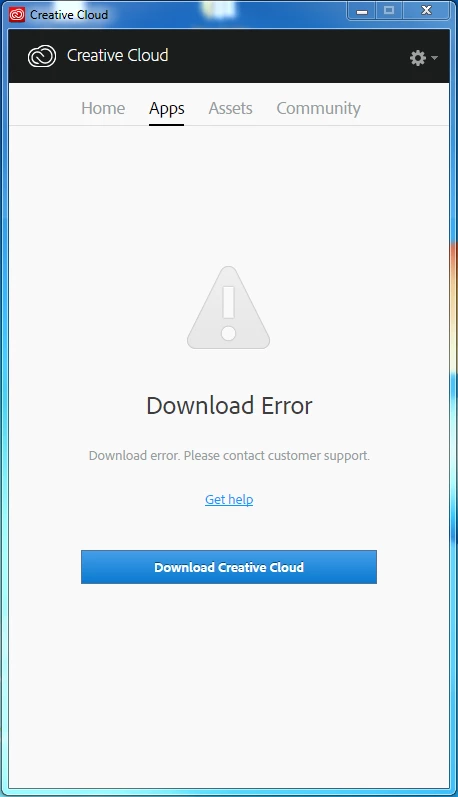
Creative Cloud "Download Error" message

Creative Cloud - Download error - stubborn error

You can also follow the article: Creative Cloud Help | Download Error in Apps tab of Creative Cloud Desktop Application‌ which will help you to fix the issue.

Thanks,

Ratandeep Arora

antonioa94257780
Participant
March 1, 2016

I already did above instruction nothing help. Anymore advice ???