Participant
September 22, 2015
Answered

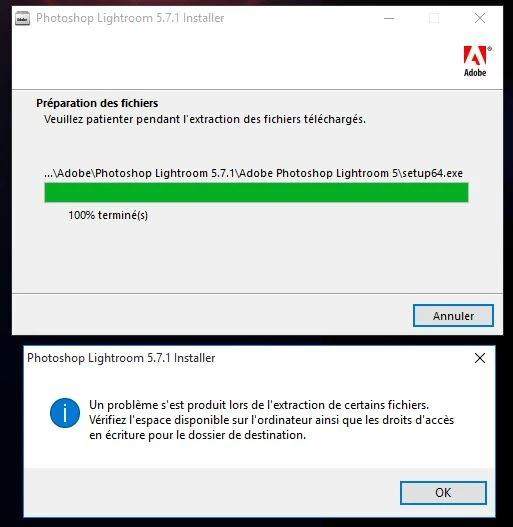
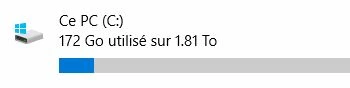
Après le téléchargement de Lightroom_5_LS11_win_5_7_1.exe, je veux l'installer. Celui-ci ne veut pas et arrête l'installation, messages: "Le problème s'est produit lors de l'extraction de certains fichiers. Vérifiez l'espace disponible ainsi que le
  • September 22, 2015
  • 1 reply
  • 1023 views

    This topic has been closed for replies.
    Correct answer Jeffrey_A_Wright

    Thank you for the update Eric.  You can download a fresh copy of the Lightroom 5.7.1 update at Adobe - Lightroom : For Windows : Adobe Photoshop Lightroom 5.7.1.  Please feel free to update this discussion if you face any additional installation difficulties.

    1 reply

    Jeffrey_A_Wright
    Legend
    September 22, 2015

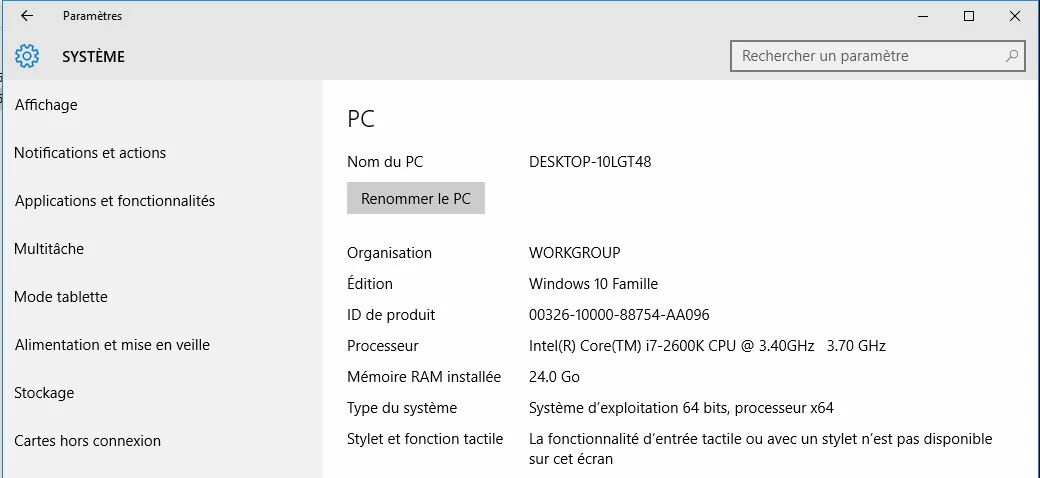
    Humaire91306666 what other Adobe applications are installed on this computer?  Was Photoshop Lightroom 5.7.1 installed previously?  Did you upgrade the operating system to Windows 10 or did you perform a clean install of Windows 10?

    Participant
    September 22, 2015

    Hello, I installed Windows 10 with a USB key. This is not an update.
    I installed Lightroom 5, then I downloaded the version 5_7_1
    The error message informs:
    "A problem occurred when extracting some files. Check dispoonible space on the hard disk, and write access rights to the destination folder."

    I remember that the download was interrupted on 2 occasions, because I do not have a good connection. I will try to download the update again, and again an installation attempt.
    Eric

    Jeffrey_A_Wright
    Jeffrey_A_WrightCorrect answer
    Legend
    September 22, 2015

    Thank you for the update Eric.  You can download a fresh copy of the Lightroom 5.7.1 update at Adobe - Lightroom : For Windows : Adobe Photoshop Lightroom 5.7.1.  Please feel free to update this discussion if you face any additional installation difficulties.