


Participant
May 18, 2021
Question

Bug Creative Cloud

  • May 18, 2021
  • 4 replies
  • 1469 views

Bonjour,


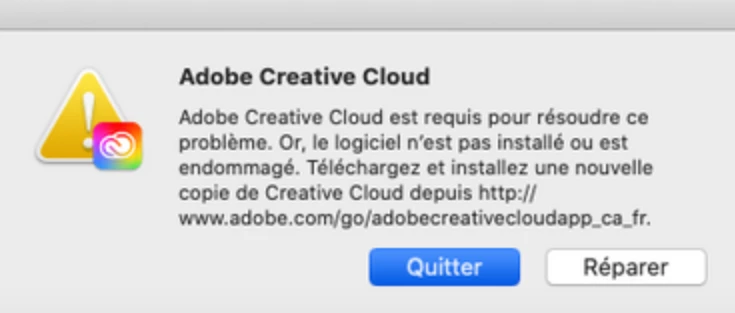
J'ai fais les mises à jour de la cloud hier. Indesign, Illustrator marche mais photoshop a un gros bug. Il m'ouvre une image que je ne vois pas (juste en zoomant et dézoomant mais ça vibre) je peux appliquer des retouches sans voir l'image mais je ne vois pas le visuel. A côté de cela j'ai sans arrêt des messages d'erreur de la Creative Cloud (voir capture jointe) j'ai beau réparer, réinstaller rien ne marche. Pareil quand j'essaye de réinstaller la version photoshop avant la 22.4 rien ne répond. D'autres ont ce problème? la plateforme d'aide étant fermée à cette heure-ci. Merci 
 

This topic has been closed for replies.

4 replies

pierrebruynooghe
Participant
May 20, 2021

Bon, le seul moyen que j'ai trouvé ce matin, puisque Creative Cloud refusait de faire la MAJ de PS, a été de désinstaller PS pour le réinstaller et il est passé en 22.4.1. A priori, plus de bug.

dominique foucher
Participant
May 21, 2021

Great, indeed, everything is back to normal.
No need to reinstall everything. 👍


Participant
May 19, 2021

J'ai lu quelque part qu'il faut attendre jusqu'à lundi pour une solution qui virra d'Adobe. Quelqu'un peut confirmer cela. Quelqu'un d'Adobe pourrait nous laisser un petit message ici, non? Ou, sinon nous envoyer un message par courrier, non? Les Pubs, oui, tombent à merveille!


kglad
Community Expert
Community Expert
May 19, 2021

these are user-to-user forums and sometimes adobe employees check them, but usually not.

Participant
May 20, 2021

mais ils devreraient verifier, je pense...


dominique foucher
Participant
May 19, 2021

Même message d'erreur sur macbookpro et macpro version MacOs Big Sur 11.3 depuis quelques jours.

Le réinstallation de creativecloud ne change rien.

J'attends un peu les solutions d'Adobe ... Pas trop envie de tout réinstaller  🙂


Participant
May 19, 2021

Je vous comprends, moi j'ai tous désinstaller et réinstaller, idem je suis sur Bigsur 11.3 mais c'était le photoshop 22.4 qui avait un gros gros bug. J'ai installé la 22.31 du coup et là ça marche enfin. Je vais attendre un peu avant de faire les mises à jour des logiciels. Tenez moi au courant, si Adobe vous donne une réponse du pourquoi 🙂 merci et belle journée

kglad
Community Expert
Community Expert
May 19, 2021

@Chris.syrah 


you're welcome.

kglad
Community Expert
Community Expert
May 18, 2021

re: ps


reset your preferences, https://helpx.adobe.com/photoshop/using/preferences.html


re: cc


first, reset the cc app:

to reset the cc desktop app, make sure it's in the foreground, then press:

Win: Ctrl + Alt + R
Mac: Cmd + Opt + R

if that fails, try to repair
https://helpx.adobe.com/download-install/kb/creative-cloud-install-stuck.html

if that fails go ahead and uninstall/reinstall per the above link

if that fails, do a clean cc install following each applicable step:

uninstall every cc app including preferences, https://helpx.adobe.com/creative-cloud/help/uninstall-remove-app.html
then uninstall the cc desktop app, https://helpx.adobe.com/creative-cloud/help/uninstall-creative-cloud-desktop-app.html
clean your computer of cc files per http://www.adobe.com/support/contact/cscleanertool.html
check for, and if available, update your os
restart your computer (don't skip this)
reinstall the cc desktop app, https://creativecloud.adobe.com/apps/all/desktop?action=install&source=apps&productId=creative-cloud
if you're unable to install the cc desktop app at this stage, use the link at the bottom of the page at https://helpx.adobe.com/download-install/kb/creative-cloud-desktop-app-download.html
use the desktop app to install your cc programs/trials

Participant
May 19, 2021

Merci pour vos liens et votre message. J'ai tout désinstaller et re installé, par contre photoshop 22.4 bug toujours, je suis revenue à la version 22.31 et là ça marche.