


Can no longer use any desktop Adobe products
Hello everyone. Forgive me if this is a bit confusing, but I've been having some complex issues with Adobe products it seems.
My company was originally paying for licenses for Premiere Pro, Adobe Acrobat, Photoshop, etc. However, those licenses recently expired. The company hasn't resolved some payment issues regarding these products that are beyond my understanding. However, I would still like to use these products for personal use in the mean time, and thought I could buy my own subscriptions.
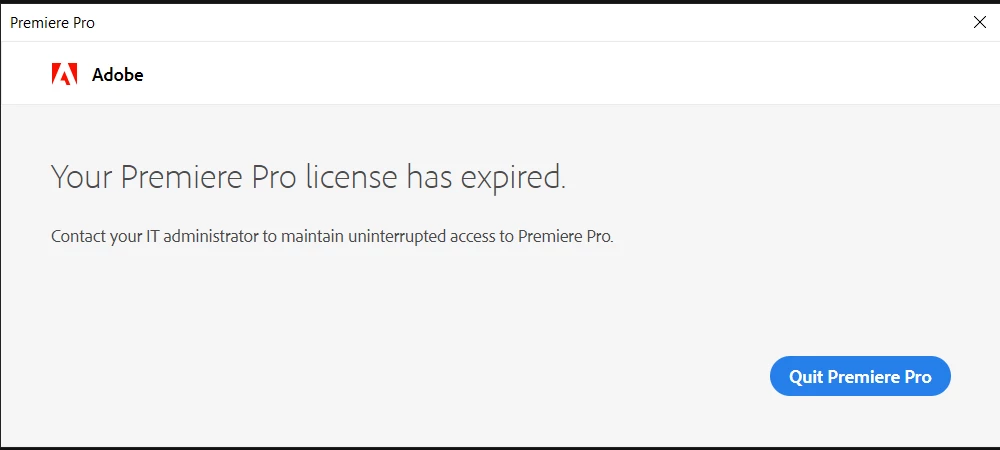
Somehow though, despite the fact that I am on free trials on my personal account and payed for some product subscriptions with my personal account, I get an error saying to contact my IT administrator to renew my license (pictured below). This occurs with both my Premiere Pro free trial and Adobe Acrobat subscription, although I am able to use the mobile version of the latter just fine. I can also use the mobile subscription of Lightroom that I pay for with no issues. If I am not mistaken, it appears my personal account for Adobe products has been linked to my company's subscription plan, and I cannot seem to figure out how to separate them? I've tried to install products Premiere Pro and Adobe Acrobat on two different computers, my work and my personal laptop, and I still get a bewildering error to contact my IT administator about renewing the license on my personal laptop when I sign into my personal account. If anyone could help me resolve this it would be greatly appreciated. Thank you!
 AdChoices