Inspiring
September 6, 2017
Answered

can not install Adobe XD on Windows

  • September 6, 2017
  • 4 replies
  • 12801 views

Hello,

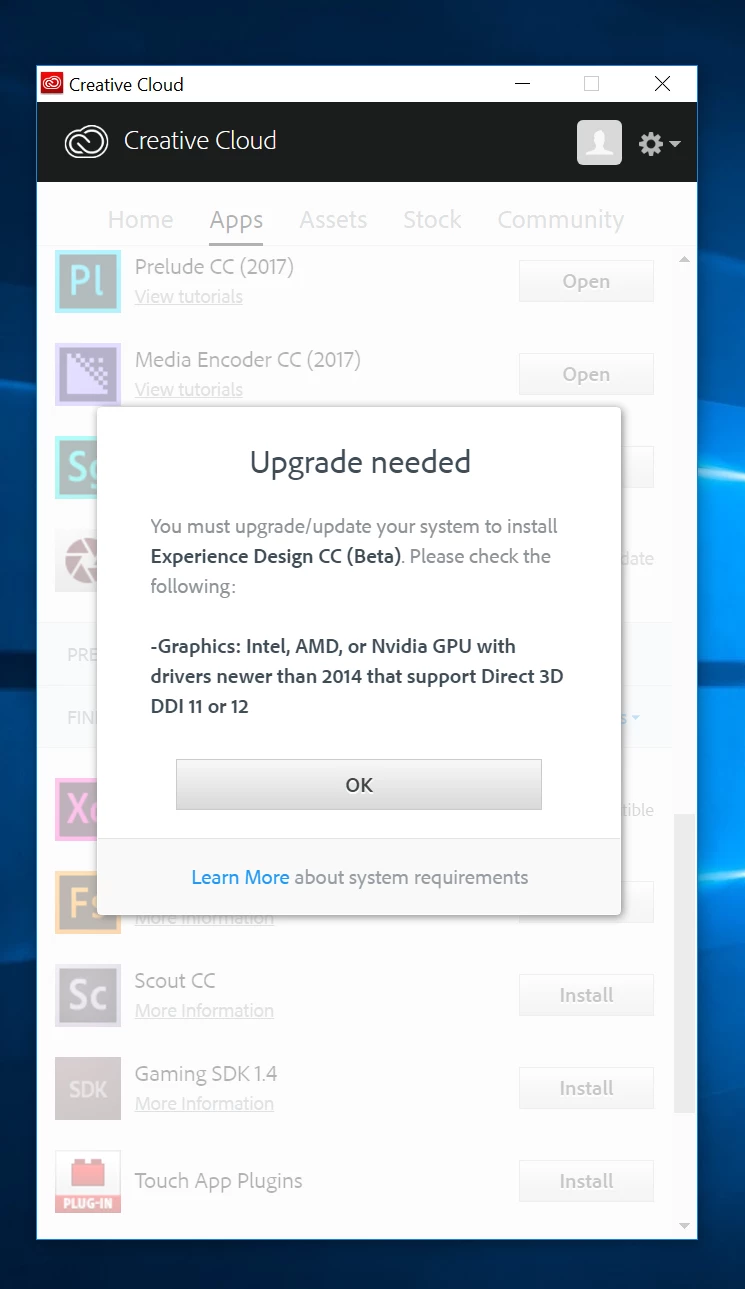
I can not install Adobe XD

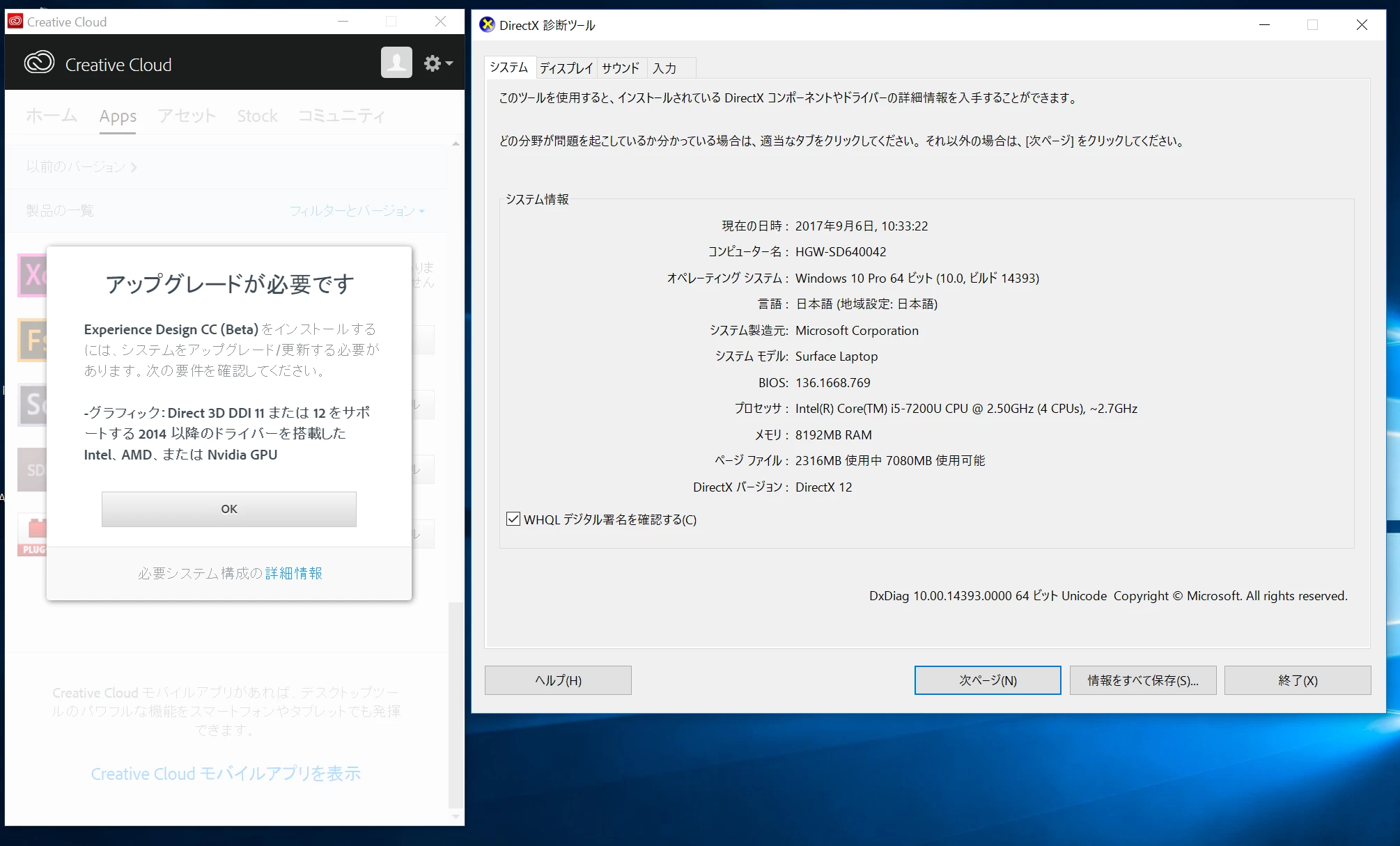
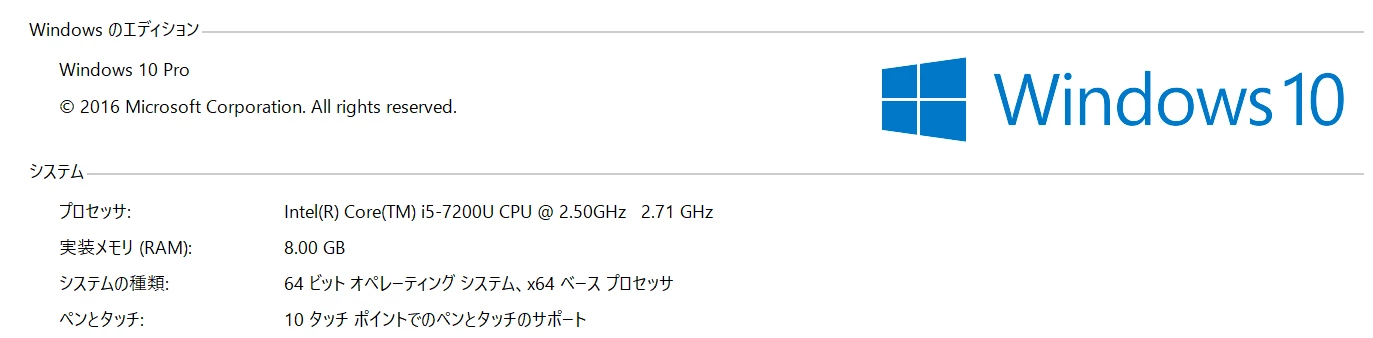
I think that the system requirements are satisfied.
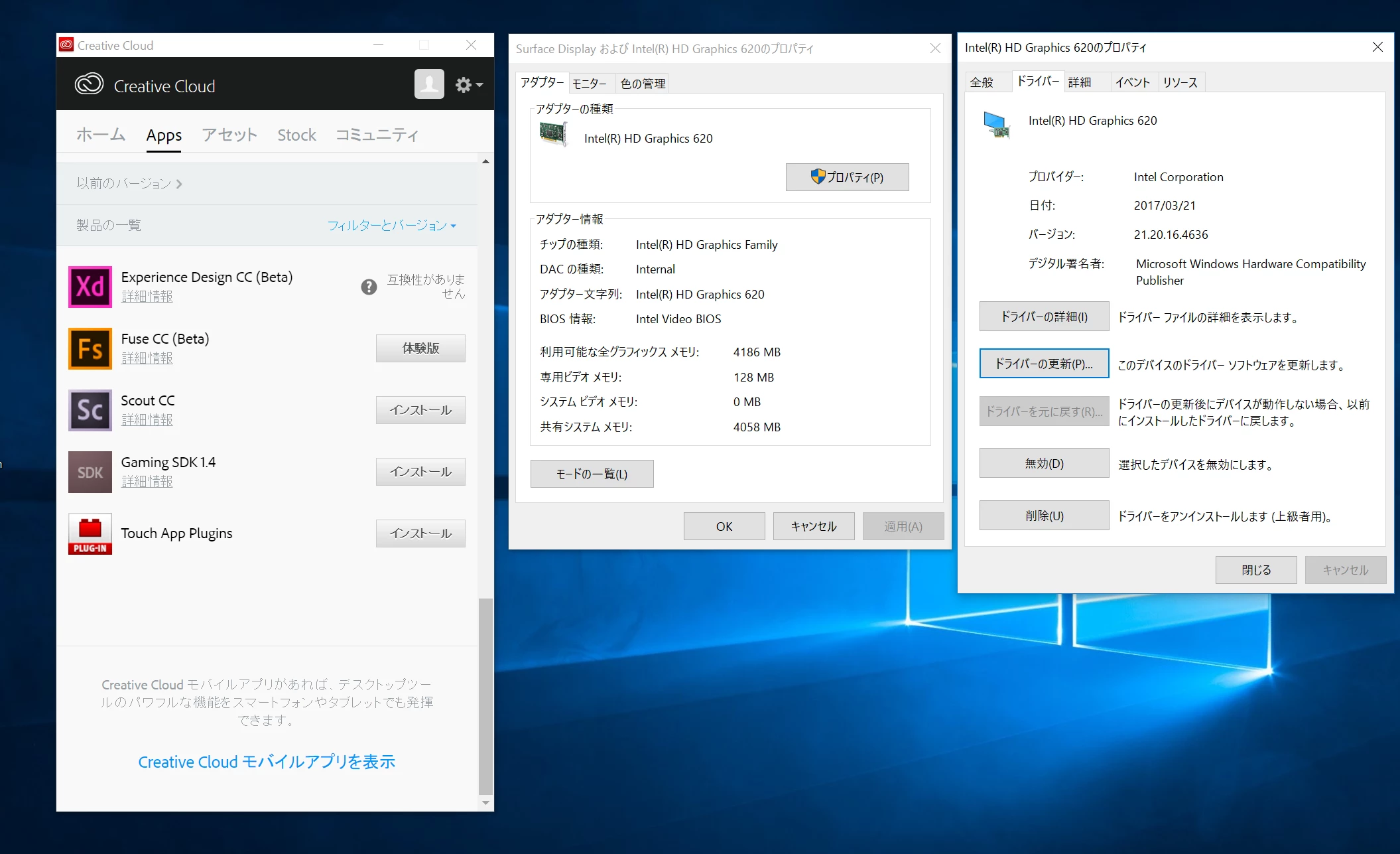
The driver has also been updated to the latest version.
Still error will occur.

Does Adobe XD do not support "Intel HD Graphics 620"?

Thank you.

    This topic has been closed for replies.
    Correct answer 09_001

    Hi Elaine,

    Thank you for your information.

    I tried it to be MM - DD - YYYY in Japanese OS and MM - DD - YYYY in English OS.
    But neither was usable.

    Thank you.

    Hi All,

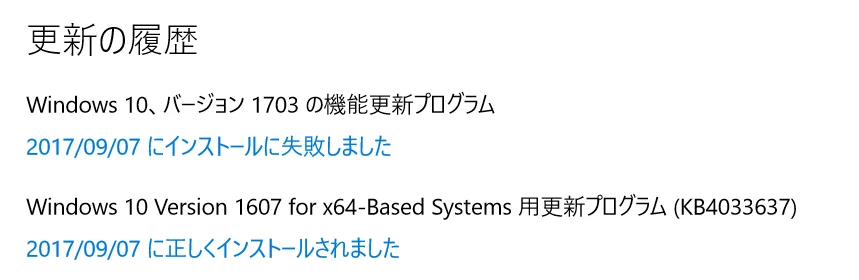
    I fixed it after installing Windows update (KB4033637).
    Thanks to you guys we've led a solution.

    Thank you very much.
    4 replies

    bunnysart
    Participant
    May 16, 2018

    i am facing this problem.. My Question is can i run Adobe XD ?

    I am using Intel R HD Graphics. Video memory: 1752 MB

    My PC has DirectX version 12..

    What can i do ??

    Atul_Saini
    Legend
    May 8, 2020

    Moving the discussion to Get Started community. 

    Participant
    September 13, 2017

    Hi,

    I have a very similar problem - same bug but with a little different hardware.

    I can't install XD for Windows on my Dell because it claims I don't have the new display drivers.

    I checked with the DxDiag utility and I have a newer version (on my Intel Iris 4600): 20.19.15.4531

    I also checked Windows and it's up to date (as of today), and is also above the required - I have the 'Creative Update' (v.1703, build 15063.540) running on Windows 10 home.

    I'm not sure if because that I have this 'Creative update', I also have the 'Anniversary update', but I assume I do.

    I also couldn't find a way to just download the Anniversary Update separately and install it on top of my system...

    I also tried changing the date format to MM-dd-yy and reboot - still nothing.

    What else can I do?

    Is there a way to download and install XD directly (without that buggy CreativeCloud installer)?

    Or maybe a way to downgrade XD to the last version that installed and worked?

    I spent already 3 days chatting, with Adobe's support team and they were all clueless, and referred me to the XD tech support team (that were supposed to call me several times already, but no one did.)

    I hope you can, cause I'm ready to give up and redo the whole project I started with the previous XD version, with another application.

    Thanks,

    Boaz

    elainecc
    Participating Frequently
    September 13, 2017

    Did you change the long date format or the short date format? (Instructions here: [Windows] Installer does not allow installation for machines that meet the minimum system requirements (J39577) – Adobe … )

    If you're using the short date format, we'll need the content of this file: %LOCALAPPDATA%\Local\Temp\CreativeCloud\ACC\hardwareConfig.json - can you post that for us? We can escalate and triage from there.

    Thanks,

    -Elaine

    Participant
    September 13, 2017

    Worked like a charm!

    So, please update the 6 different support guys that I chatted with over the past 3 days - I think they'll be happy to get updated.

    Also, this time format isn't very popular here in my country - I hope you'll fix this bug soon and enable me to get back to my regular dd/mm/yyyy ASAP.

    Thanks again! 

    B

    parthvyas22111
    Participating Frequently
    September 6, 2017

    Hi

    Please confirm if you have the Anniversary update installed for Windows.

    Also if you can let us know the error you get in Creative Cloud desktop app.

    Thanks

    Parth

    09_001Author
    Inspiring
    September 7, 2017

    Hi parthvyas22111,

    Thank you for your information.

    I am using Windows 10 Anniversary Update.

    Then
    Creative Cloud desktop app is displaying the following message.

    " Graphics : intel, amd or nvidia GPU with drivers newer than 2014 that support direct 3d ddi 11 or 12 Graphics : intel, amd or nivideia GPU with drivers newer than 2014 that support direct 3d ddi 11 or 12 "

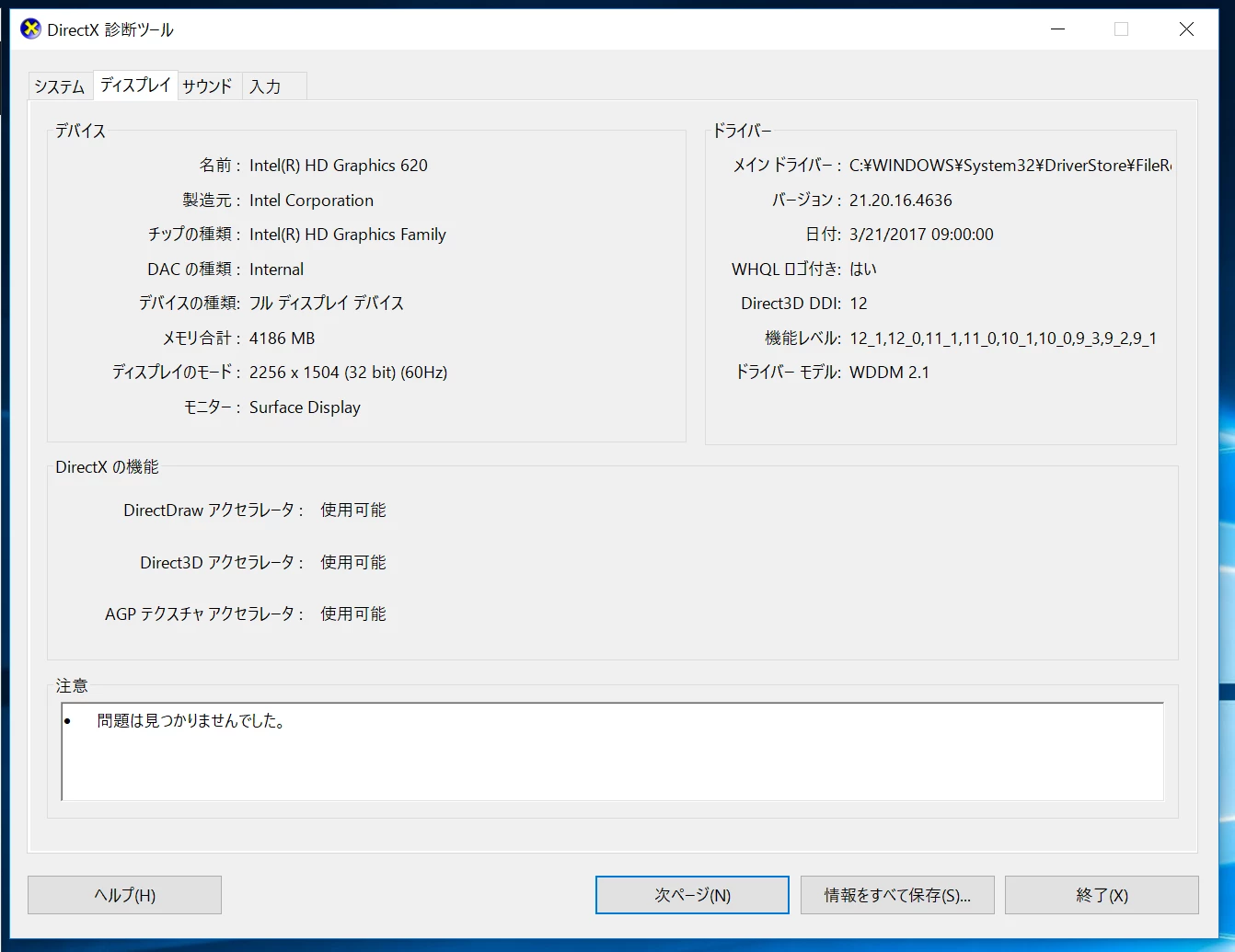
    But I have been using the Intel GPU drivers (21.20.16.4636) of the latest version.

    elainecc
    Participating Frequently
    September 7, 2017

    We recently logged a bug related to this. Can you please try changing your system's date format to MM-DD-YYYY instead of YYYY-MM-DD and see if that solves the installation problem?

    Thanks,

    -Elaine

    Preran
    Legend
    September 6, 2017

    Copying from the System Requirements doc

    • Graphics: For Intel GPU, drivers newer than version 8.15.10.2702. To find this information, launch “dxdiag” from the Run menu and select the “Display” tab.

    Can you confirm if your drivers are the latest?

    Thanks,

    Preran

    09_001Author
    Inspiring
    September 7, 2017

    Hi Preran,

    Thank you for your information.
    Intel GPU drivers are using the latest 21.20.16.4636.