


Participant
September 20, 2018
Answered

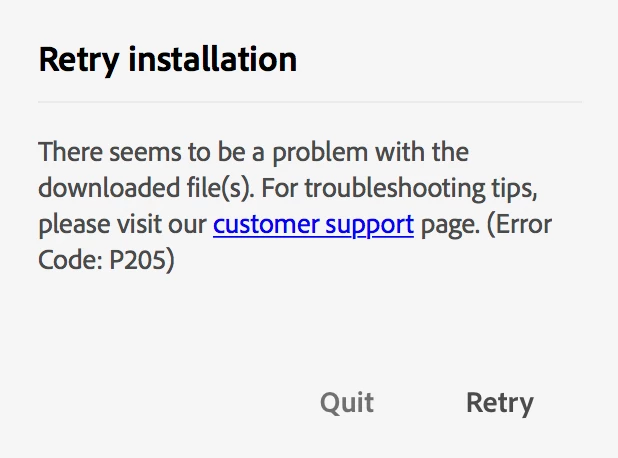
Can not install Creative Cloud - Error P205

  • September 20, 2018
  • 2 replies
  • 16697 views

Creative cloud asked me to update and I went ahead, as I was having issues with Typekit.

The install failed. It was recommended online that I uninstall and reinstall everything.

I am now unable to install Creative Cloud.

Code P205.

I have already contacted tech support and and they have escalated the issue.

On a mac, OS High Sierra.

Thank you
This topic has been closed for replies.
Correct answer Bani Verma

Hi Gavinp36318001,

Error 205 occurs when there is a problem with the downloaded file, I would recommend you to try alternate network connections and also please review the settings of any installed software firewall or security software that may be intercepting the downloads.

Details on Error 205 can be found at Troubleshoot Adobe Creative Cloud download and install issues.

You can also find additional details on how to resolve connectivity concerns at Resolve connection errors with Adobe Creative Cloud and Creative Suite applications.

Direct download for Creative Cloud desktop app is available, you may try downloading and installing it from here: Download Creative Cloud desktop app.

If in case you are on a managed network then I would recommend you to take a look at the following document, the server, and domains listed in this document must be accessible on ports 80 and 443 for the relevant applications and services to function correctly: https://helpx.adobe.com/content/dam/help/attachments/Creative_Cloud_for_enterprise_Service _Endpoints.pdf

Let us know if this helps.

2 replies

John T Smith
Community Expert
Community Expert
September 20, 2018

Codes 201 & 205 & 206 & 207 or several U43 errors

-https://helpx.adobe.com/creative-cloud/kb/download-update-errors.html

Bani Verma
Community Manager
Bani VermaCommunity ManagerCorrect answer
Community Manager
September 20, 2018

Hi Gavinp36318001,

Error 205 occurs when there is a problem with the downloaded file, I would recommend you to try alternate network connections and also please review the settings of any installed software firewall or security software that may be intercepting the downloads.

Details on Error 205 can be found at Troubleshoot Adobe Creative Cloud download and install issues.

You can also find additional details on how to resolve connectivity concerns at Resolve connection errors with Adobe Creative Cloud and Creative Suite applications.

Direct download for Creative Cloud desktop app is available, you may try downloading and installing it from here: Download Creative Cloud desktop app.

If in case you are on a managed network then I would recommend you to take a look at the following document, the server, and domains listed in this document must be accessible on ports 80 and 443 for the relevant applications and services to function correctly: https://helpx.adobe.com/content/dam/help/attachments/Creative_Cloud_for_enterprise_Service _Endpoints.pdf

Let us know if this helps.

Participant
June 17, 2024

This must have worked because the linked pages have been removed.

kglad
Community Expert
Community Expert
June 18, 2024

@KareAnnArt1 


are you still having a problem?
