Roland_Rick
Known Participant
October 21, 2018
Question

Can not start Ps CC 2019 - Looping Login 4ever

  • October 21, 2018
  • 3 replies
  • 5941 views

This problem, I yet didn't face on any update prior to CC 2019.

I am intentionally working with a standard user account on Mac, without admin rights.

I am on HighSierra, latest version.

I am properly logged into most current version of Adobe CC. (Text continues below first image, pls. scroll down)

After clicking on "Öffnen" (Open), Ps 2019 starts, pops up a login screen (even being already logged in correctly to Adobe CC) - of course, I type in the correct password, please do not reply with a suggestion like "check your password", it is fine, I can log into Adobe CC also here on the web for typing this complaint, so there is no password issue caused by me. Now, I click "Anmelden" on the menu of screenshot image below
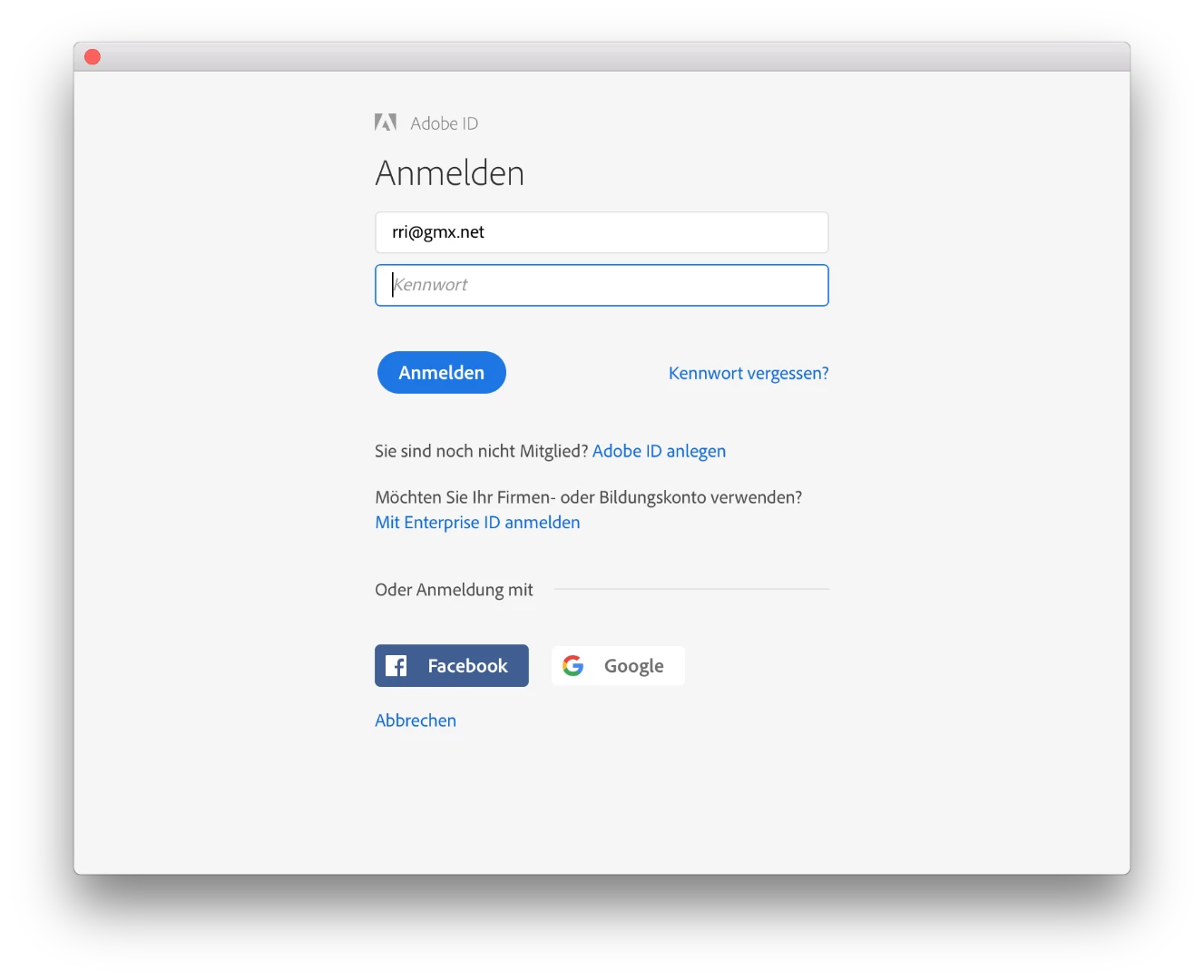
After clicking "Anmelden", a empty box dialog box pops up for a quarter of a second or so, then disappears and also Ps 2019 quits itself.

This is looping forever.

That's the ugly one: Deleting all registered computers from online plan management does not help anything.

Please give step-by-step advice how to solve this problem like e.g. deleting old cache files in users library I am logged in.

This topic has been closed for replies.

3 replies

Roland_Rick
Known Participant
October 23, 2018

PS: If I am writing and talking about creating new accounts, I am talking of user accounts on the Mac - and not Adobe IDs.

Is there any person reading this and understanding what's the problem?

Or are there only clueless low paid people in India or Ukraine, copy & pasting standard answers???

Bani Verma
Community Manager
Community Manager
October 23, 2018

Hi Roland_Rick, did you see any Adobe entries in the host's file on your main user account?

Roland_Rick
Known Participant
October 27, 2018

Please specify what you mean with "main user account". Thanks.

Roland_Rick
Known Participant
October 23, 2018

maxOS is

kglad
Community Expert
Community Expert
October 21, 2018

sign out and then back in to your cc desktop application using the same adobe id used to verify your subscription:  http://helpx.adobe.com/creative-cloud/kb/sign-in-out-creative-cloud-desktop-app.html

if that fails to allow you to open ps,

1. remove your  Adobe PCD folder and SLStore folders (locations shown here, https://helpx.adobe.com/creative-cloud/kb/configuration-error.html)

2. restart your computer

3. sign in to your cc desktop app

4. open ps

Roland_Rick
Known Participant
October 23, 2018

This does not work for me.

I did exactly everything step by step.

Roland_Rick
Known Participant
October 23, 2018