Participant
June 15, 2017
Answered

Can't deactivate CS6 on broken computer to activate on new computer

  • June 15, 2017
  • 3 replies
  • 2761 views

Hi there,

I've tried looking through this article: Activate and deactivate Adobe products but it doesn't list how to deactivate from a computer you can't access.

Is there a way to deactivate a CS6 program without the old (broken) computer?

Thank you, hope to get a response soon.

This topic has been closed for replies.
Correct answer John T Smith

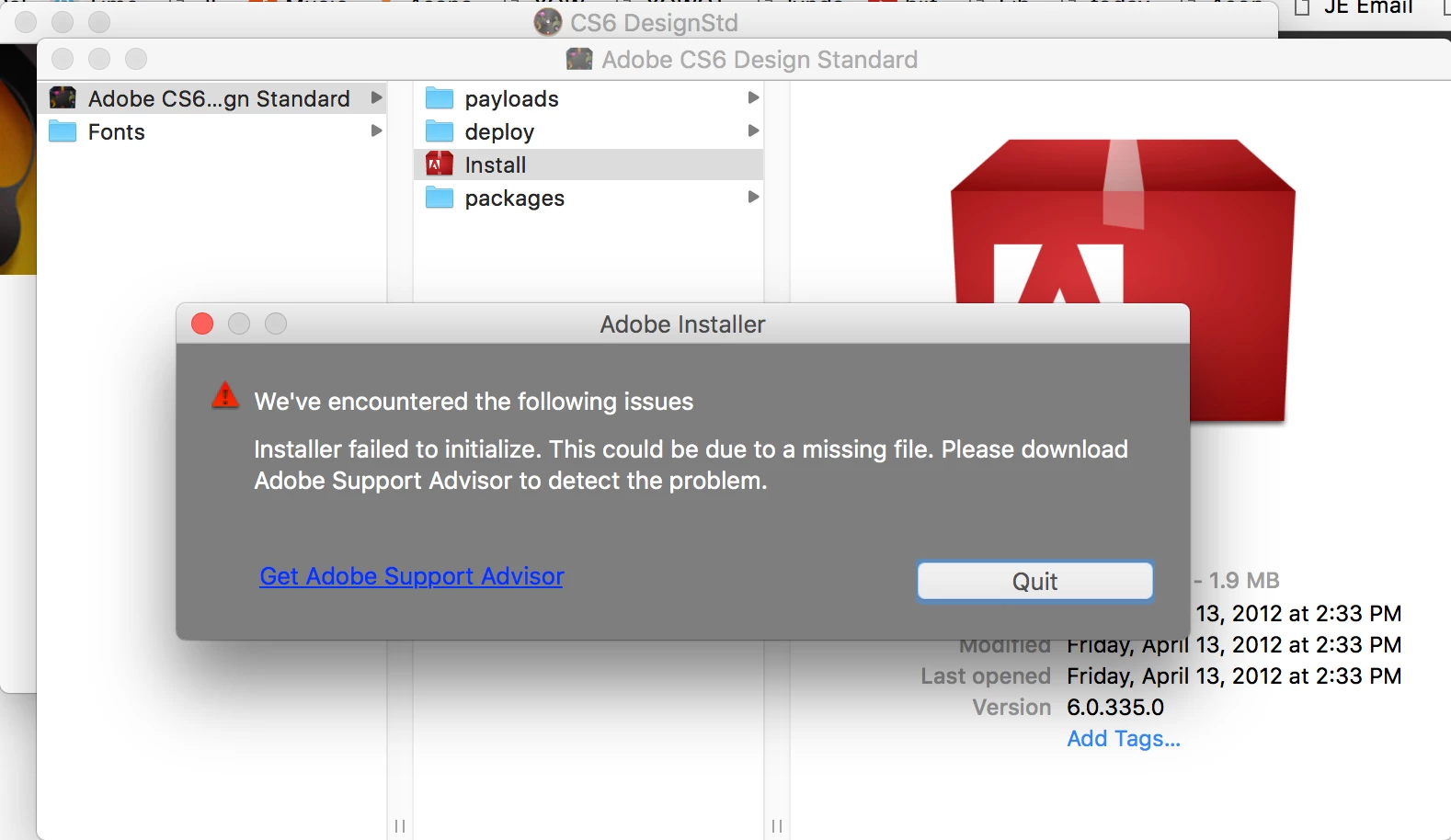
Hi John! Thanks for your reply. I've tried downloading the Design Standard collection.

I gives me a message that says a file is missing (see attached).

I'm not sure how a file could be missing .. when I've downloaded the one .dmg file.

t


CS6 and earlier programs have not been tested and will not be updated for Mac El Capitan/Sierra

-which means that you try to use CS6 and earlier at YOUR risk of having problems due to Apple updates

-Apple did not maintain backward compatibility with old programs in El Capitan or Sierra

--Adobe has a workaround to Apple's problem of not maintaining backward compatibility

--help links and Adobe solution to Apple's problem in this message https://forums.adobe.com/thread/2301916

3 replies

Jeffrey_A_Wright
Community Manager
Community Manager
June 15, 2017

Leedrianne, John and Nancy are correct with both of their responses.  Please try installing Creative Suite 6 on the new computer.  If you find that you have exceeded the amount of allowable activations then please contact our support team directly using the link offered by John in message #1.

I did review the e-mail address/Adobe ID you used to post to this public forum but their are no products, or active memberships, associated with that e-mail address.

If you face difficulty locating your serial number for Creative Suite 6 then please see Find your serial number for details on how to locate the serial number.

Participant
June 15, 2017

Hi Jeff,

Thanks very much for the quick response. I'm still waiting to speak to the support team on the phone .. (80 minutes and counting ..)

I have my serial number, I'm not sure why the products aren't listed on my account. Wondering if it's because I purchased the CS6 suite through the school I went to?

I'm not sure how to install CS6 (I don't have a CC subscription), when I can't find the products on my profile and the Adobe site doesn't list the CS6 products anymore.

All I've been able to do so far was to move a backup of the CS6 programs to my new computer from an external drive and try to open a program on my new computer. I encountered an Error 16 message when I tried this.

If you could provide a download link or get someone to answer the phone, that'd be great.

John T Smith
Community Expert
Community Expert
June 15, 2017

Download & Install instructions https://forums.adobe.com/thread/2003339

-and many help and download links https://helpx.adobe.com/download-install.html

-kglad links in reply #1 here https://forums.adobe.com/thread/2296468 may help

-you will need to enter your original serial number during install for non-Cloud programs

Nancy OShea
Community Expert
Community Expert
June 15, 2017

Are you sure you've used up all your activations?

Did you attempt to install on the new device yet?

Nancy

Nancy O'Shea— Product User & Community Expert
John T Smith
Community Expert
Community Expert
June 15, 2017

When you have a non-functioning computer and can't deactivate a serial number

BE SURE TO ONLY ASK FOR ACTIVATION SUPPORT TO ADJUST YOUR ACTIVATION COUNT


UPDATE

Adobe support will no longer reset an activation count... if you can't DE-activate (lost or crashed computer) and you are receiving an 'activations are used up' message there is no solution
https://community.adobe.com/t5/download-install-discussions/activation-limit-reached-for-non-subscription-adobe-desktop-applications/td-p/14804413
https://helpx.adobe.com/x-productkb/global/reactivate-older-apps.html