Participant
February 4, 2017
Answered

Can't dowload Lightroom

  • February 4, 2017
  • 1 reply
  • 299 views

Hello !

So, I created an account to have Photoshop and Lightroom.

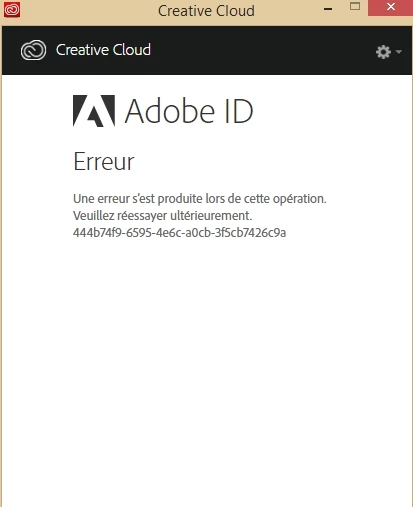
The problem is : I can't even download Lightroom because Creative Cloud doesn't work !

There is no "error code" it just tells me that it doesn't work and that I have to try later.

Maybe someone had the same problem ?

For your information : I tried with Chrome, Firefox and Opera... Same.

(And I had the trial version of photoshop on my computer, that's why it worked).

Thanks for your help !
    This topic has been closed for replies.
    Correct answer kglad

    uninstall everything cc including preferences, https://helpx.adobe.com/creative-cloud/help/uninstall-remove-app.html

    then uninstall the cc desktop app, https://helpx.adobe.com/creative-cloud/help/uninstall-creative-cloud-desktop-app.html

    clean your computer of cc files per http://www.adobe.com/support/contact/cscleanertool.html

    restart your computer (don't skip this)

    reinstall the cc desktop app, https://creative.adobe.com/products/creative-cloud. (if you have a win os, right click the exe > click 'run as administrator'.

    use the desktop app to install your cc programs/trials

    1 reply

    kglad
    Community Expert
    kgladCommunity ExpertCorrect answer
    Community Expert
    February 4, 2017

    uninstall everything cc including preferences, https://helpx.adobe.com/creative-cloud/help/uninstall-remove-app.html

    then uninstall the cc desktop app, https://helpx.adobe.com/creative-cloud/help/uninstall-creative-cloud-desktop-app.html

    clean your computer of cc files per http://www.adobe.com/support/contact/cscleanertool.html

    restart your computer (don't skip this)

    reinstall the cc desktop app, https://creative.adobe.com/products/creative-cloud. (if you have a win os, right click the exe > click 'run as administrator'.

    use the desktop app to install your cc programs/trials