
Participant
July 10, 2020
Question

Can't download Creative Cloud App or any Programs all of a sudden

  • July 10, 2020
  • 1 reply
  • 257 views

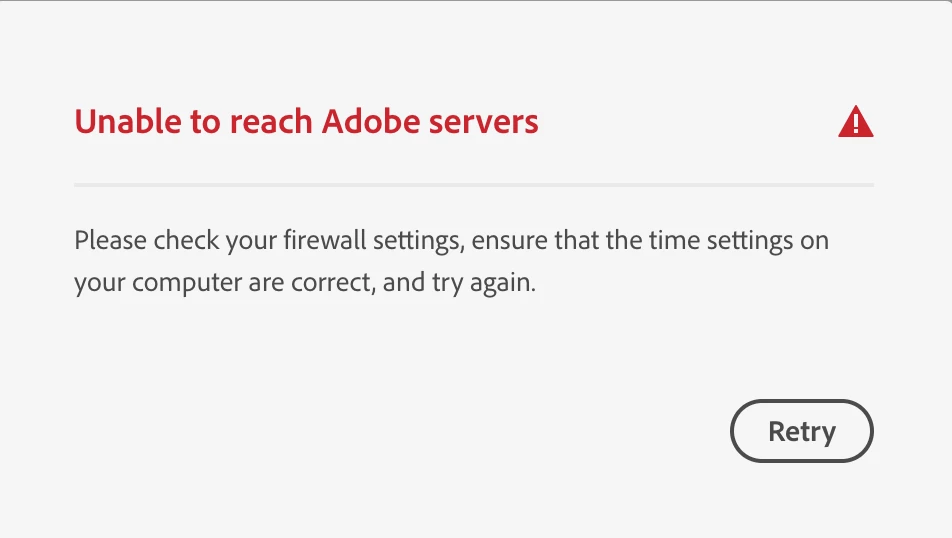
I turned on my laptop today and went to download Premire Pro from the Creative Cloud App and all of a sudden I get this message below (screenshot). I've never had an issue before and have had CC for years. I have a MacBook Pro and have no idea why this is happeneing. I've searched and tried all kinds of solutions and nothing works. My desktop works just fine and my firewall isn't even on! I've uninstalled and reinstalled CC and nothing works. HELP anyone!
This topic has been closed for replies.

1 reply

kglad
Community Expert
Community Expert
July 10, 2020
Participant
July 10, 2020

I did everything on this link and nothing has worked. Any other ideas?

ProDesignTools
Community Expert
Community Expert
July 10, 2020

Another option would be to request/use the new 2020 direct download links instead, which don't use the Creative Cloud Desktop app at all. With those, you can download standalone installers through your web browser, as industry-standard .exe/.dmg files on Windows/macOS.


In fact, the CC Desktop app itself is even available as an offline installer too... Are you able to install the Desktop app that way?


See also this possibly related Community discussion:


https://community.adobe.com/t5/download-install/p201-error-while-installing-creative-cloud/m-p/11273316?page=1