

Answered
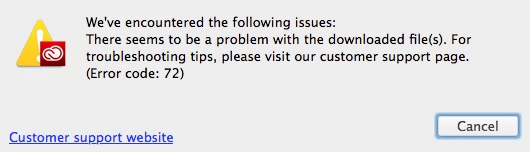
can't install cc on mac, error 72
Hello everyone
I'm on OS X Yosemite, macbook pro 2013.
I started having problems with Creative Cloud App. It showed exclamation mark near the icon in the system tray. When I entered application and switched to Apps inset, it didn't display anything there, except prompt to re-download Creative Cloud app. I did, but I can't install it, the installer says there was an error with downloaded files and quits with error 72. I've already checked if any of the Adobe processes are running, uninstalled the CC app. Nothing has worked.
I still have Adobe Photoshop and Lightroom on my system, afraid to uninstall them right now.
 AdChoices