
Participant
August 13, 2020
Answered

Can't install or uninstall!

  • August 13, 2020
  • 1 reply
  • 611 views

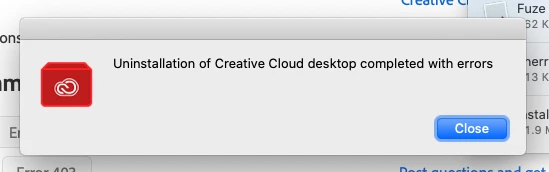
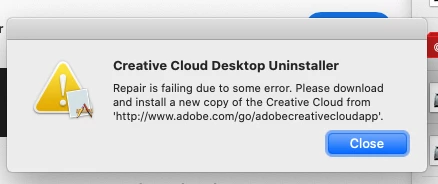
I think something went wrong when my OS updated because I can no longer open some of my CC apps. I tried to reinstall with Chrome and it didn't work. Tried with Safari, got further, but while it was installing the apps it froze and then crashed. I tried to run the uninstall software with both browsers and was told both times that there were errors, but I never received an error code (in any of these scenarios). I am stumped. Any advice? Running Catalina 10.15.6 on an older Mac (2013). TIA.
This topic has been closed for replies.
Correct answer Jeffrey_A_Wright

Here is what shows up if I either try to uninstall or repair.


Sorry for any confusion, Sherri095, the content which use to be available at  https://helpx.adobe.com/creative-cloud/kb/troubleshoot-download-install-log-files.html on how to review log files is missing.


For now please download and run the CC Log Collector tool from http://helpx.adobe.com/creative-cloud/kb/cc-log-collector.html.  Once the logs are uploaded then please begin a chat session at https://helpx.adobe.com/contact.html so that the errors can be identified and resolved.

1 reply

Jeffrey_A_Wright
Legend
August 13, 2020

I am sorry you are encountering problems, Sherri0195.  What type of Creative Cloud membership are you using?  Do you own and manage the computer and network that you are installing the Creative Cloud applications on?

Participant
August 13, 2020

Yes, it's my personal computer and our home network. Where would I find what type of membership I have?

Jeffrey_A_Wright
Legend
August 13, 2020

Sherri0195, the type of membership will be listed under the account details as discussed in https://helpx.adobe.com/manage-account.html.


For your next steps, please check the log files to determine the fatal error that is causing the installation to freeze.  Information on how to locate the errors can be found at  https://helpx.adobe.com/creative-cloud/kb/troubleshoot-download-install-log-files.html.