
Participant
June 18, 2013
Question

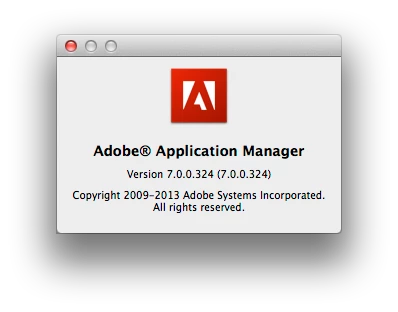
Can't open Adobe Application Manager to update to CC

  • June 18, 2013
  • 2 replies
  • 10203 views

I have Adobe Photoshop CS6 and other apps working on my system.

When I open Adobe Application Manager 7 it initializes an installer and then

I get this error:

http://f.cl.ly/items/1p361V473r3O0l1V2z3r/Screen%20Shot%202013-06-18%20at%2009.10.54.png


(for Google) Sorry, the program is nog responding correctly (Error code: A12E4)

I successfully installed Lightroom 5 yesterday so at a loss why this doesn't work.

I tried using this from another user account but the installation seems corrupted.

I am using this version on Mac OS 10.8.3.
How do I resolve this issue?

This topic has been closed for replies.

2 replies

Lhuis
Participating Frequently
June 18, 2013

The Adobe Creative Cloud Cleaner Tool helps resolve installation problems for Adobe Creative Cloud, Adobe Creative Suite 6, Adobe Creative Suite 5 - 5.5, Adobe Creative Suite 4, and Adobe Creative Suite 3 software. The tool can also clean up install records for any pre-release (beta) installations of these products. Recommend using this option to solve the above problem and then install, I hope the information will be helpful, cheers!

http://www.adobe.com/support/contact/cscleanertool.html

Sumit Singh7733893
Participating Frequently
June 18, 2013

Try to download AAM manually.

MAC: http://download.adobe.com/pub/adobe/creativesuite/cs/mac/ApplicationMa nager7.0_all.dmg

PC: http://download.adobe.com/pub/adobe/creativesuite/cs/win/ApplicationMa nager7.0_all.exe

if it is not working then download Creative Cloud Cleaner Tool and remove Creative Cloud Desktop app and try again.

http://www.adobe.com/support/contact/cscleanertool.html

Participant
June 18, 2013

I tried to download AAM manually, it did not work.

I tried the Cleaner tool and cleaned the Application Manager, then reinstalled the Application Manager 7.0 from the DMG file, it did not work.

I tried to do a silent install via terminal, same result.

Sumit Singh7733893
Participating Frequently
June 18, 2013

On MAC rename the below mentioned folders:

/Application/utilities/Adobe Application Manager

/Library/Application Support/Adobe/OOBE

~/Library/Application Support/Adobe/OOBE

On Windows rename the below mentioned folders:

C:\Program Files (x86)\Common Files\Adobe\OOBE (on 64 bit OS) or

C:\Program Files\Common Files\Adobe\OOBE (on 32 bit OS)

C:\Users\(User_name)\AppData\Local\Adobe\OOBE