
Question
Can't re-install Acrobat X Pro (CS6) with original disc or installer download
Really confused why I can't reinstall Acrobat X Pro (CS6) after deleting it. While trying to reinstall from both the original CS6 disc or from the Adobe website installer download I get the same prompt to close SafariCloudHistory from Activity Monitor, as shown.
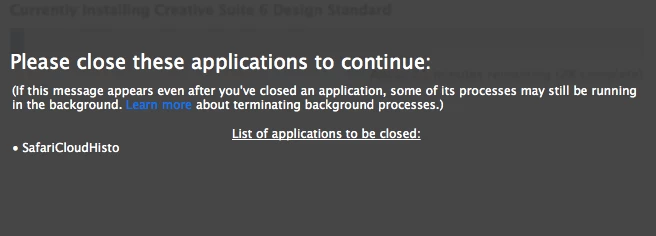
After I do that the installer quickly closes and says Acrobat is installed, but it isn't. I thought it might be the disc because the external optical drive I use doesn't always work right, but the downloader from the Adobe site did the same thing.
It was actually a stupid mistake to delete Acrobat – I didn't expect it would be so difficult to reinstall. I use it regularly and need it for work, so any help would be much appreciated.
 AdChoices