
KetsunR
Participant
October 23, 2017
Answered

Can't Uninstall my Creative Cloud

  • October 23, 2017
  • 1 reply
  • 62607 views

Window 10

I can't open my creative cloud so I try to reinstall it but I can't uninstall it.

I tried uninstall from Add or Remove program (Windows Features) and this one (Troubleshoot Adobe Creative Cloud download, installation, and launch error codes).

Eithers ways can't uninstall my creative cloud. Sad.
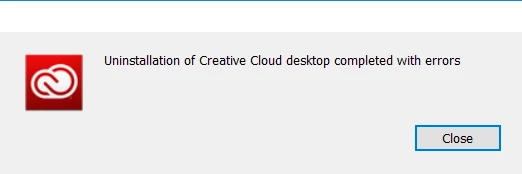
This is report from uninstaller.zip in the second way.

This topic has been closed for replies.
Correct answer Bani Verma

Hi Supanatr13130267,

Sorry that you are having trouble uninstalling your Adobe Creative Cloud desktop app, please try using this uninstaller utility and see if that works: Uninstall the Adobe Creative Cloud desktop application

Assuming there were some errors due to which you had to uninstall your Adobe Creative Cloud desktop app and now you would like to reinstall it, I would recommend you to perform the steps given here to be double sure that the issue is resolved: "Failed to install" error received when installing Adobe Creative Cloud desktop app.

Let us know if this helps.

1 reply

Bani Verma
Community Manager
Bani VermaCommunity ManagerCorrect answer
Community Manager
October 23, 2017

Hi Supanatr13130267,

Sorry that you are having trouble uninstalling your Adobe Creative Cloud desktop app, please try using this uninstaller utility and see if that works: Uninstall the Adobe Creative Cloud desktop application

Assuming there were some errors due to which you had to uninstall your Adobe Creative Cloud desktop app and now you would like to reinstall it, I would recommend you to perform the steps given here to be double sure that the issue is resolved: "Failed to install" error received when installing Adobe Creative Cloud desktop app.

Let us know if this helps.

KetsunR
KetsunRAuthor
Participant
October 28, 2017

I found that the 2nd solution ( in "Failed to install" error received when installing Adobe Creative Cloud desktop app ) is the way to go for me. Thank you.

Furthermore, I can't access your website with my mobile internet ( the day that I created this discussion I use public internet in coffee place). I'm trying to report to my local internet service for this issue.