


Known Participant
October 21, 2024
Question

Can't unstalling and redownloading cc problem

  • October 21, 2024
  • 2 replies
  • 478 views

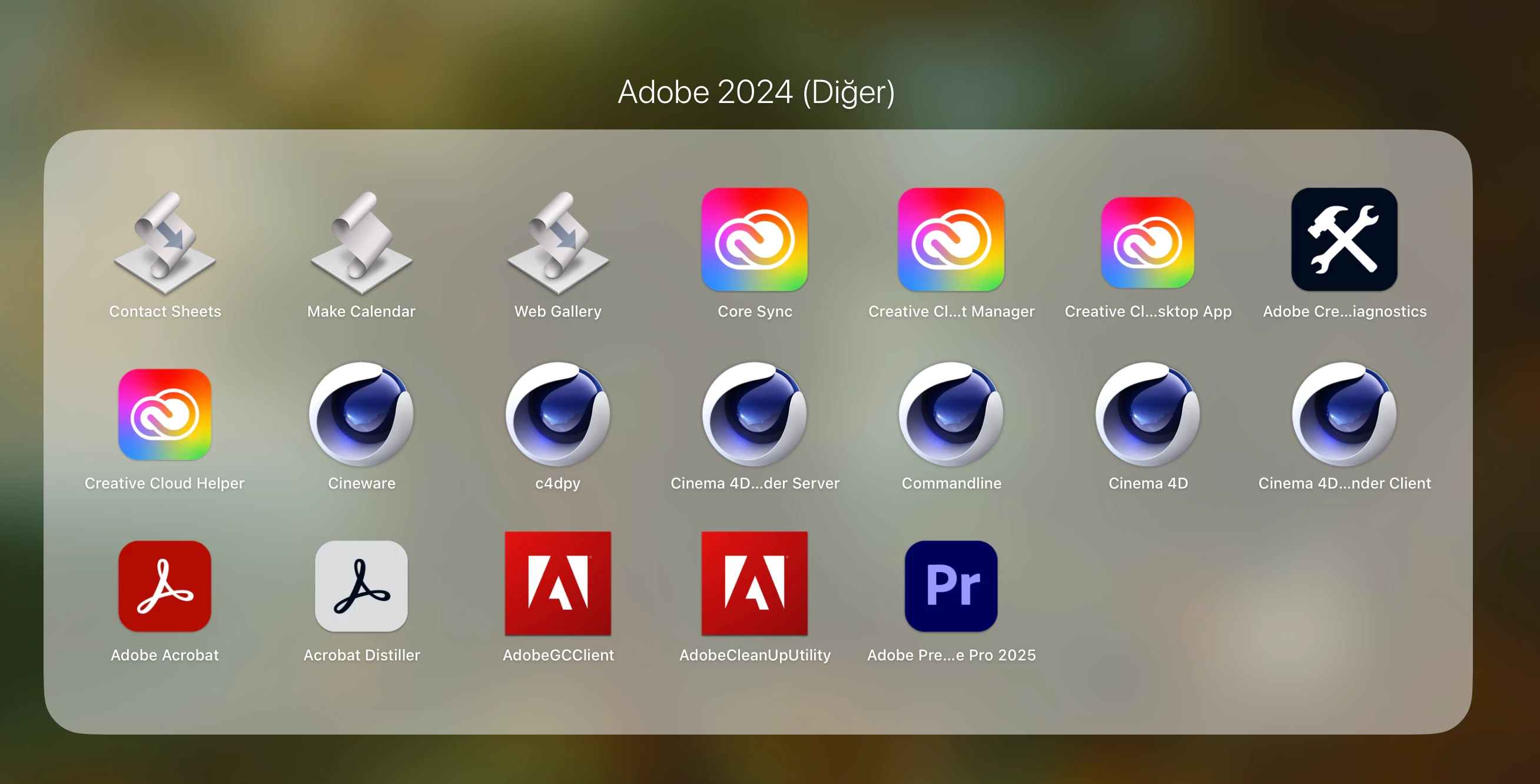
The 2025 versions of all adobe programs has came and i tried to download them to my macbook but even though the internet connection is good i couldn't make it. I tried to delete and redownload them, premiere pro appeared to downloaded in my computer but it was looking like it was never downloaded in the creative cloud. I tried like hours and i think i made a big mistake.  I felt so annoyed so i tried to delete cc but other programs (i'll put a picture) was never deleted. Now i can't install creative cloud again and im in a very hard position right now. Can you please tell me how to fix it? I need that programs but i can't make it. 
    This topic has been closed for replies.

    2 replies

    kglad
    Community Expert
    Community Expert
    October 21, 2024

     do a clean cc install carefully following each applicable step:

    uninstall every cc app including preferences per https://helpx.adobe.com/creative-cloud/help/uninstall-remove-app.html

    then uninstall the cc desktop app, again using the correct uninstaller per https://helpx.adobe.com/creative-cloud/help/uninstall-creative-cloud-desktop-app.html#sa_src=web-messaging

    clean your computer of cc files per http://www.adobe.com/support/contact/cscleanertool.html

    check for, and if available, update your os


    restart your computer (don't skip this)

    reinstall the cc desktop app using the "alternative download links" at the bottom of the page at https://helpx.adobe.com/download-install/kb/creative-cloud-desktop-app-download.html

    use the desktop app to install your cc programs/trials>

    if that fails, you probably have a corrupt user account. google your os and how to create a new one.

    jane-e
    Community Expert
    Community Expert
    October 21, 2024
    quote

    I tried to delete and redownload them

    By @y4sem1n


    @y4sem1n 

    I've moved your post from Using the Community to Download & Install.


    Were you trying to update your current apps or install new applications? What were your steps?


    When you say you tried to delete them, did you delete or uninstall from the CC app?


    At this point you might try the Creative Cloud Cleaner before reinstalling from the CC app.

    https://helpx.adobe.com/creative-cloud/kb/cc-cleaner-tool-installation-problems.html


    If you are not comfortable using it, contact Adobe Customer Care, as they can look at your computer.

    Try the link to auto-open the Chat:
    https://helpx.adobe.com/contact.html?rghtup=autoOpen  
    Type "agent"

    You can also send a post through X (formerly Twitter) to @AdobeCare.

    Do not reply to PMs, which are likely to be scammers.


    Jane


    y4sem1nAuthor
    Known Participant
    October 21, 2024

    hello, thank you so much for your interest. i firstly dumped the cc in the trash because i felt so annoyed and i wanted to delete it immediately. then i deleted it completely. then i tried to delete other programs which i showed but i cant delete them and cant install the cc again. ill try the things you say. thank you so much.

    Shivangi_Gupta
    Community Manager
    Community Manager
    October 21, 2024

    We appreciate your patience. Did you follow the suggestions shared by the experts above? It appears like the installation was not done correctly. 

    I would also recommend to uninstall everything using Cleaner tool and then trying the installation as suggested here: https://adobe.ly/4dZterI

    Let us know if you have any questions. 


    Thanks,

    Shivangi