
Rafalen
Participant
April 15, 2019
Answered

"Cancel Auto Renewal" Button is not Visible in Account

  • April 15, 2019
  • 2 replies
  • 556 views

I want to cancel the auto renewal of my creative cloud which is set to renews of May 15 , 2019.

It seems the adobe teams has voluntarily removed the button for customer to do so

This is what the documentation is suggesting customer to do to cancel Auto Renewal :
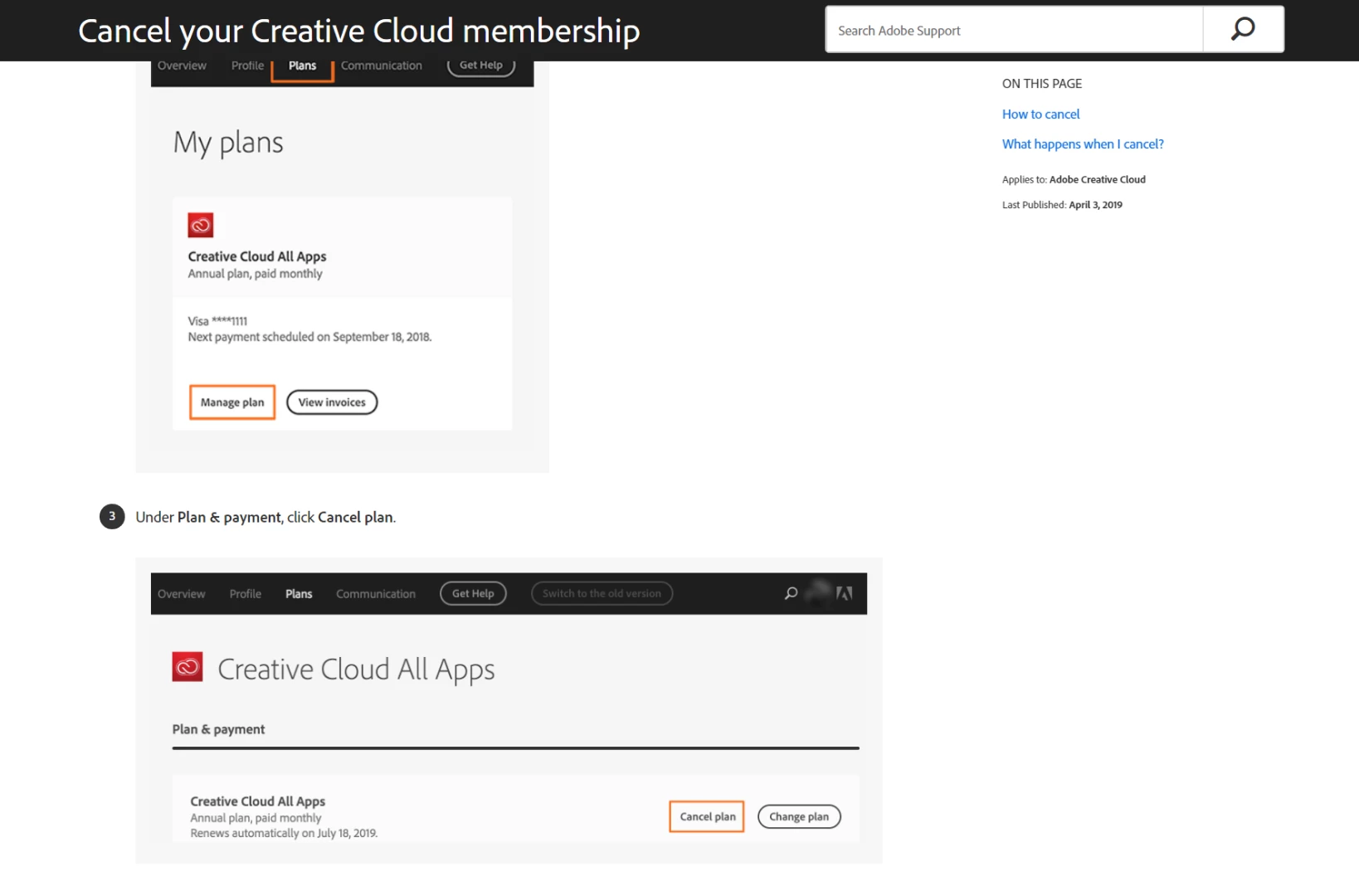
This is what I see in my customer Account
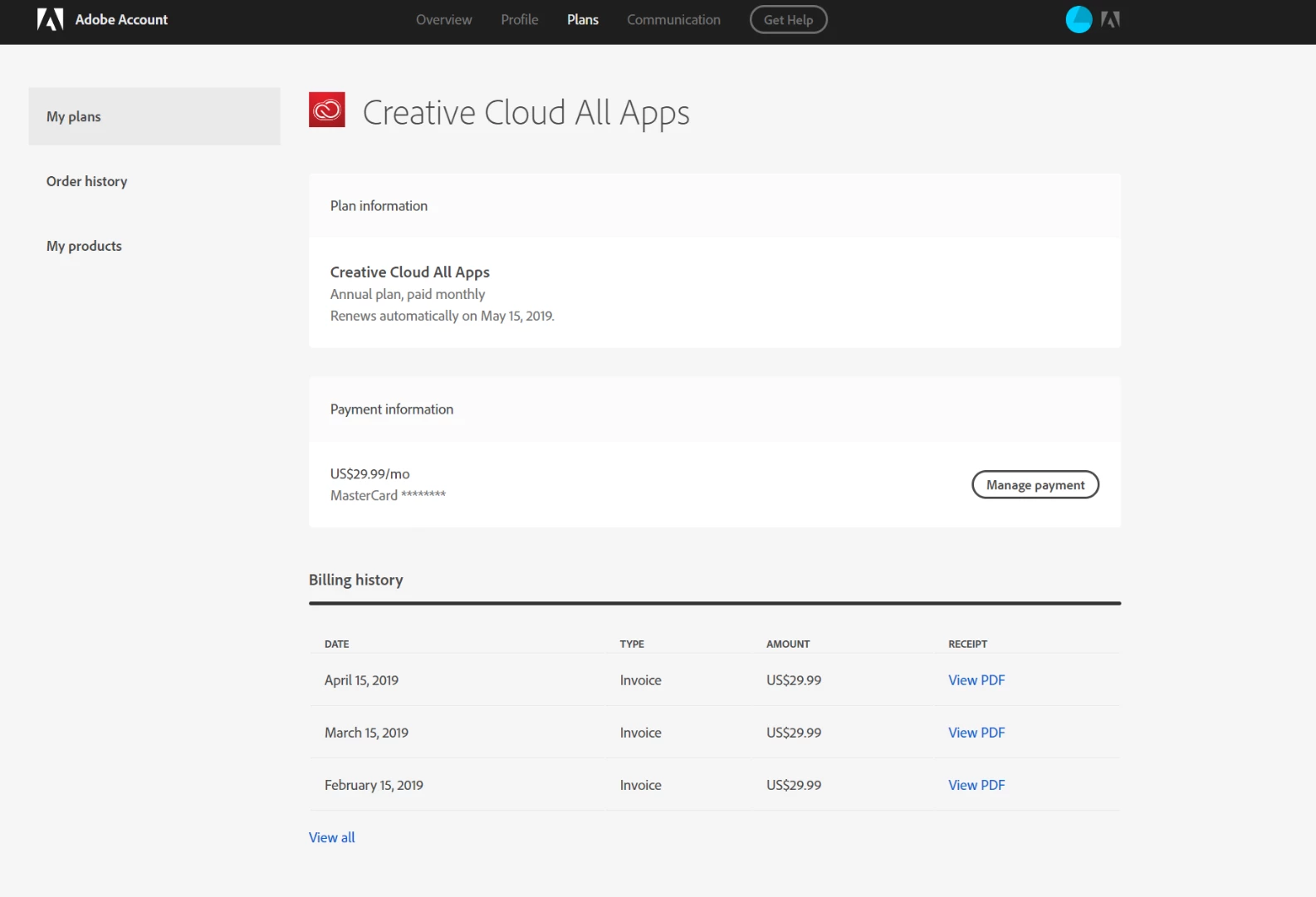
Where is the "Cancel Auto Renewal" Button ? How can I cancel my auto renewal ?

This topic has been closed for replies.
Correct answer Beverley Gray

Hi there

While the renewal is processing you won't see the option to cancel.  Please check again & you should be able to cancel.

Kind regards

Bev

2 replies

Beverley Gray
Beverley GrayCorrect answer
Inspiring
April 16, 2019

Hi there

While the renewal is processing you won't see the option to cancel.  Please check again & you should be able to cancel.

Kind regards

Bev

kglad
Community Expert
Community Expert
April 15, 2019

if you clicked manage payment and didn't see a cancel option, using a browser that allows popups and cookies,  contact adobe support during pst business hours by clicking here and, when available, click 'chat', http://helpx.adobe.com/x-productkb/global/service-ccm.html