
Participant
February 11, 2020
Answered

Cancellation Fee

  • February 11, 2020
  • 3 replies
  • 1361 views

Hi,

So I got a free trial for a quick project I had for school, but I forgot to cancel the trial and ended up being automatically charged for a month of photoshop. I didn't refute this because it was obviously my fault it was charged because I forgot to cancel the membership. But I went to cancel the automatic monthly Billings since I won't be using photoshop anymore, and it's trying to charge me a cancellation fee? I don't recall agreeing to a yearly subscription, I just got automatically charged after my trial. How do I cancel it without a cancellation fee?
This topic has been closed for replies.
Correct answer Peru Bob

Read the EULA more closely next time.  Unfortunately there is a cancellation fee.

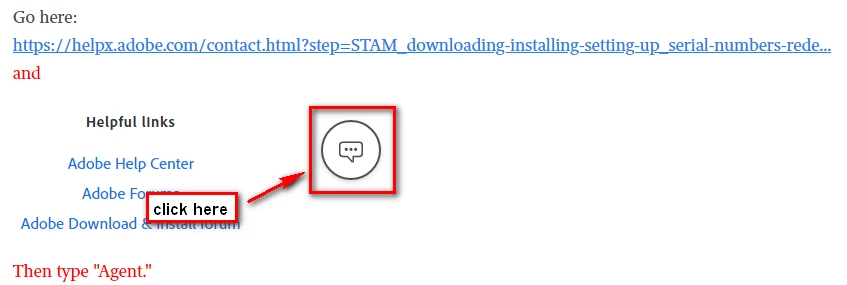
You can do this and see if Adobe will forgive that:


3 replies

Peru Bob
Community Expert
Community Expert
February 11, 2020

I've moved this from the poorly named Community Help forum (which is the forum for issues using the forums) to the Get Started forum.

Peru Bob
Community Expert
Peru BobCommunity ExpertCorrect answer
Community Expert
February 11, 2020

Read the EULA more closely next time.  Unfortunately there is a cancellation fee.

You can do this and see if Adobe will forgive that:


LinSims
Community Expert
Community Expert
February 11, 2020

There are 3 different ways to subscribe to Photoshop, and it defaults to the annual plan paid on a monthly basis. The terms and conditions link at the bottom of the page where you enter your payment information provides information on cancellation policies. You apparently didn't change the selection when you entered the information, so yes, you've signed up for the annual plan, monthly payments, and a hefty cancellation fee if you cancel early.


You can try talking to customer support about this. No one here can help you, though, because we don't work for Adobe and you need a customer support employee to work with.


Meantime, I am moving this thread to the Get Started forum. Community Help is for assistance is using the forums.


Click the following to contact Adobe customer support staff for help: 

https://helpx.adobe.com/contact/support.html

You must be signed in with your Adobe ID and allow cookies in your web browser for this to work.

Click the chat icon at the bottom right of the page to open a chat session. Typing AGENT into the chat window should connect you directly to a CSR rather than the AI.