Participant
July 1, 2026
Question

cannot be instaled old version

  • July 1, 2026
  • 5 replies
  • 103 views

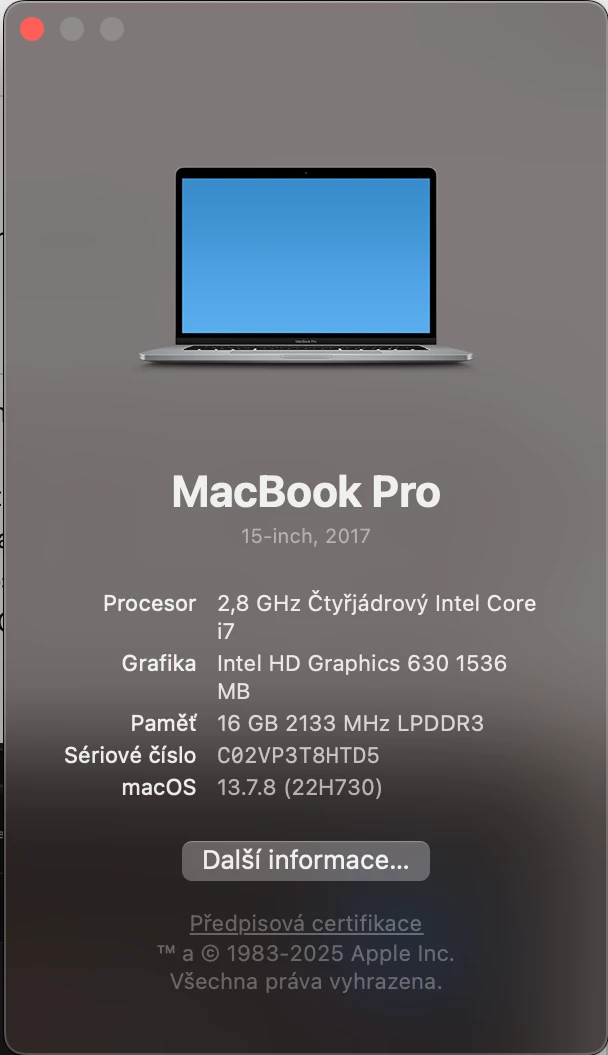
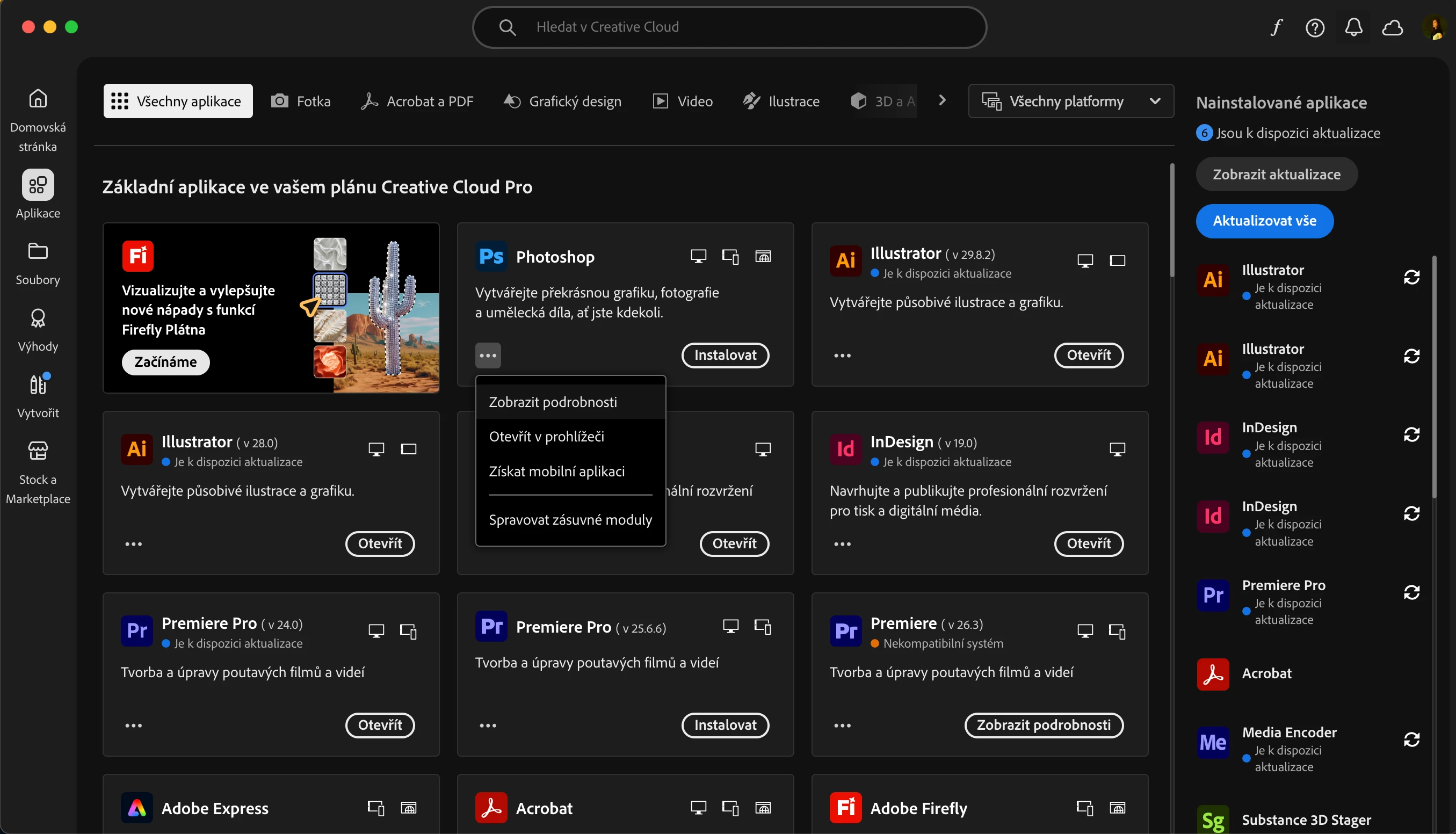
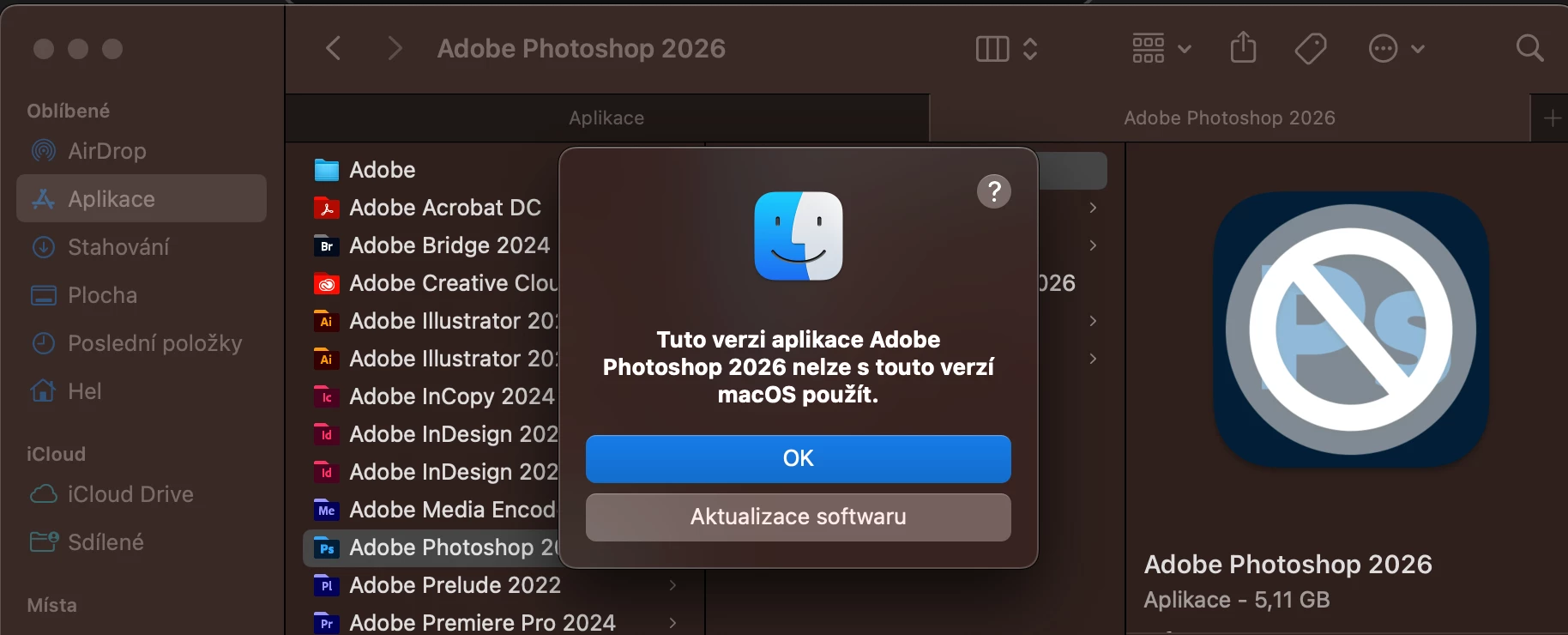
Hello, I installed the latest version of Photoshop 2026 on my MacBook Pro with macOS Ventura 13.7.8, and it indicated that this version would run without any issues on my computer. I deleted the old version of Photoshop. After installation, Photoshop won’t launch, and it tells me that it’s not compatible with my system and that I need to update it, which isn’t possible on this Mac. Okay, I thought, I’ll go back to the old Photoshop 2025, but when I launched the CC Launcher, clicked on the three dots next to the Photoshop tile in the Applications section, I couldn’t find the “older versions” option that was always there before.

Thank you


    5 replies

    kglad
    Community Expert
    Community Expert
    July 3, 2026

    @FranzHelena 


    if you have an individual subscription, open the cc desktop app and reset it by pressing Cmd + Opt + R > relaunch


    then recheck that you’ve enabled “show older apps”


    then in the cc desktop app > apps


    Jeff Arola
    Community Expert
    Community Expert
    July 3, 2026

    Yeah if it’s not your computer, then I agree Open Core Legacy Patcher is not an option.


    Are Other versions listed for any of the other Adobe applications like Illustrator?

    Participant
    July 3, 2026

    Only the ones I have installed are listed there (It's a problem because, while installing the new version, I accidentally uninstalled the older version of Photoshop), but I can't install previous versions of the apps, even though I checked that option.

    Nancy OShea
    Community Expert
    Community Expert
    July 3, 2026

    Team/Enterprise members, contact your IT dept for older product versions.


    Individual members, click your Avatar in CC Desktop App.

    Select Preferences. See screenshot.


    Keep in mind that Ventura is no longer supported by Adobe. It’s more than 2 OS versions behind Tahoe.


    Nancy O'Shea— Product User & Community Expert
    Jeff Arola
    Community Expert
    Community Expert
    July 2, 2026

    Photoshop 2025 (ps ver 26.11.6) should work okay on macOS Ventura 13.7.8


    Some of the Adobe Creative Desktop Applications have a Show Older Apps under Creative Cloud>Settings>Apps.

    If you have that, turn it on, restart the Adobe Creative Cloud Desktop application and see if the Other versions shows up and Photoshop 2025 (ps ver 26.11.6) should be on that list.


    There is another option using Open Core Legacy Patcher to install up to macOS Sequoia on your Mac (Tahoe 26 is not supported yet) and then you should be able to run most if not all the latest Adobe software.


    I’m actually posting this from a 2015 Macbook Pro running macOS Sonoma 14.8.7 using Open Core Legacy Patcher and it runs Photoshop 2026 (ps ver 27.8) and Camera Raw 18.4 pretty good for the most part.


    Participant
    July 2, 2026

    Thank you for all the advice. It seems that even though I checked the "show me older apps" option, the older apps didn't appear after I restarted the adobe CC app.
    I'm a little worried about the second option because I'm borrowing this computer, and it seems like a major change to the system.


    Community Expert
    July 2, 2026

    You need Photoshop 2023 or 2024 for fully compatibility with Ventura 13.7.8. In the CC client you find only the recent version and one version back.

    You can try to contact the Adobe support and ask for the installation files for the appropriate version.

    But it isn’t sure that you’ll get this.


    My System: Intel i7-8700K - 64GB RAM - NVidia Geforce RTX 3060 - Windows 11 Pro 25H2 -- LR-Classic 15 - Photoshop 27 - Nik Collection 9 - PureRAW 6 - Topaz Photo AI
    Participant
    July 2, 2026

    You wrote that "You can try to contact Adobe support and ask for the installation files for the appropriate version." Could you please tell me how to do that? I was under the impression that this was the only way to contact support—aside from the automated chat, which didn't help me at all. Thank you.