Participant
November 14, 2016
Answered

Cannot Cancel Subscription

  • November 14, 2016
  • 3 replies
  • 3038 views

My Premiere Pro subscription should end today 14/11/16. I was registered as user in Ukraine, now I've moved to the US and purchased another plan here.

My previous account (that I want to cancel) says that subscription should be renewed manually (so no automatic renewal option) and I did nothing to renew it.

BUT still Adobe tries to charge my card!

AND!!!!

I tried to cancel it  in advance but there is no option to Cancel my subscriptions in my account!

In manage account setting I can only change address, payment type and see latest transactions.

I have 2 subscriptions there and I can't change/cancel them.

I can try to change payment method in 1 that all I can to to avoid credit card to be charged for serviced I do not want anymore but on the second one I can do NOTHING!

When I try to change payment method, see transaction history, change address it just says : Error please use back in your browser.

Ошибка:

В настоящий момент мы не можем выполнить указанное действие. Примите наши извинения за причиненные неудобства. Мы получили уведомление и стараемся исправить данную ситуацию как можно скорее. Нажмите кнопку "назад" (back) Вашего браузера и повторите попытку позже или выполните другое действие.

Неверный номер:  PMT_000008

This topic has been closed for replies.
Correct answer Tanusree

Hi,

I am so sorry for the inconvenience causing you!

Please  go to adobe.com website , Sign In using your Adobe ID & Password.

Go to Manage account , on the left hand side of the screen , you will be able to see an option  to choose region.

Please select US from the options.

3 replies

Tanusree
Community Manager
TanusreeCommunity ManagerCorrect answer
Community Manager
November 14, 2016

Hi,

I am so sorry for the inconvenience causing you!

Please  go to adobe.com website , Sign In using your Adobe ID & Password.

Go to Manage account , on the left hand side of the screen , you will be able to see an option  to choose region.

Please select US from the options.

Participant
November 14, 2016

Thanks, chatting now.

Tanusree
Community Manager
Community Manager
November 14, 2016

Hi,

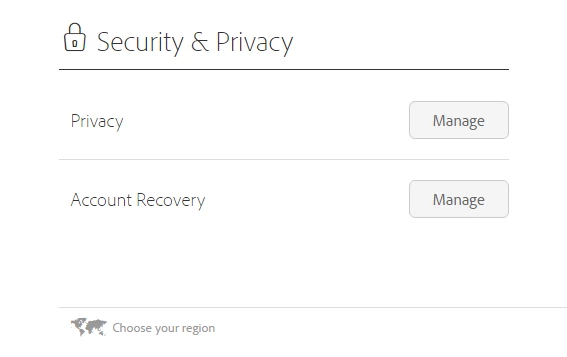
Please follow this in the below mentioned  screenshot:

Participant
November 14, 2016

It forwards me to russian support. I am in the US and account registered in Ukraine so no idea why I should speak to Adobe in Russia (at least all pages are in russian).

And in that page - Chat is closed and phone is available only from 9 til 17-00 by MSK.

Tanusree
Community Manager
Community Manager
November 14, 2016

Hi,

Please contact our support team, follow this link Contact Customer Care, Sign In using your Adobe ID & check on "Still need help? Contact us" button to initiate the chat.

Let us know if this helps!

Participant
November 14, 2016

Tried but can't do that.

There are two unavailable options for me there:

1. Chat but It says - Chat is closed.

2. Phone - Phone calls can be answered during day by MSK time, and I am in the US now and time difference is 11 hours. And it will be long distance call for me, with all waiting stuff I suppose it will be not cheap.