


Cannot delete older versions of Ai & Ps
I searched for a similar question in here but didn't find anything specific to my issue. If someone can point out a thread and/or solution that would be great.
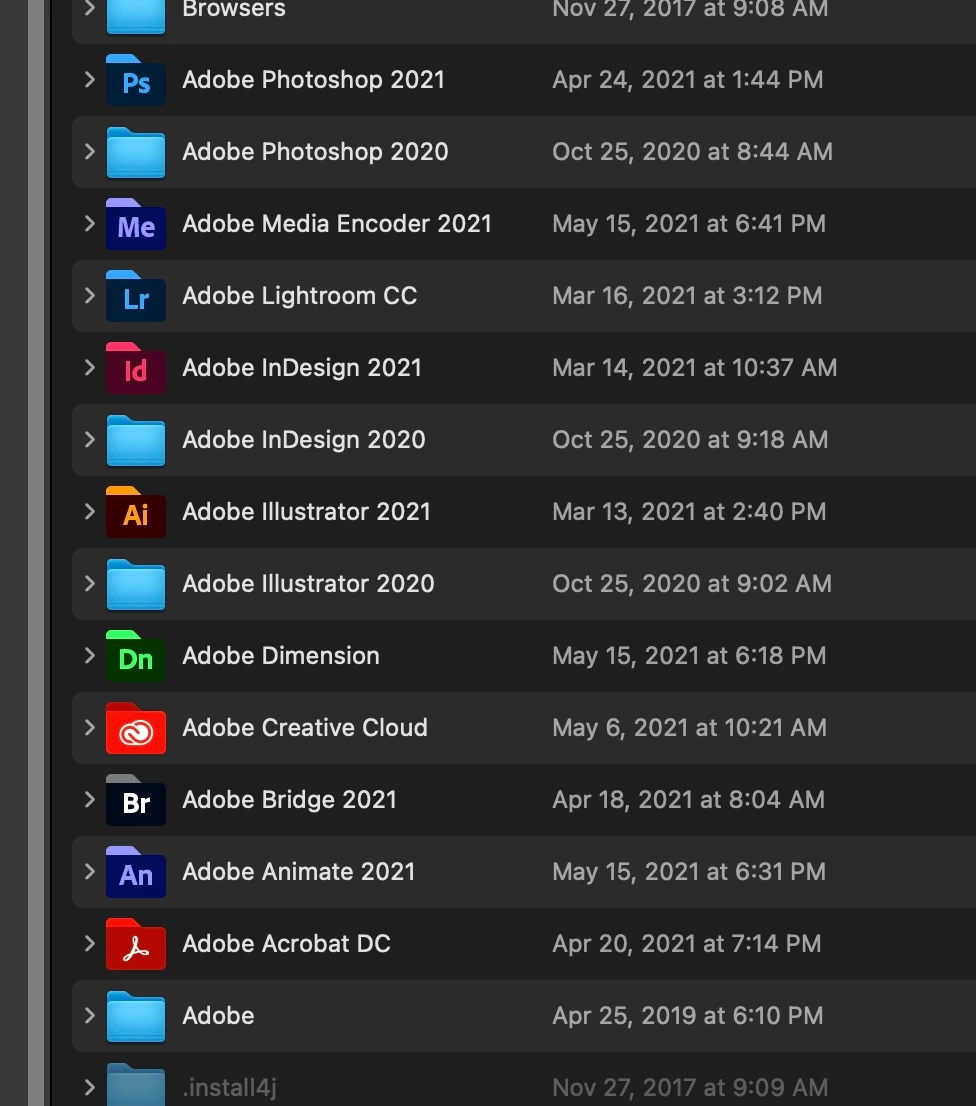
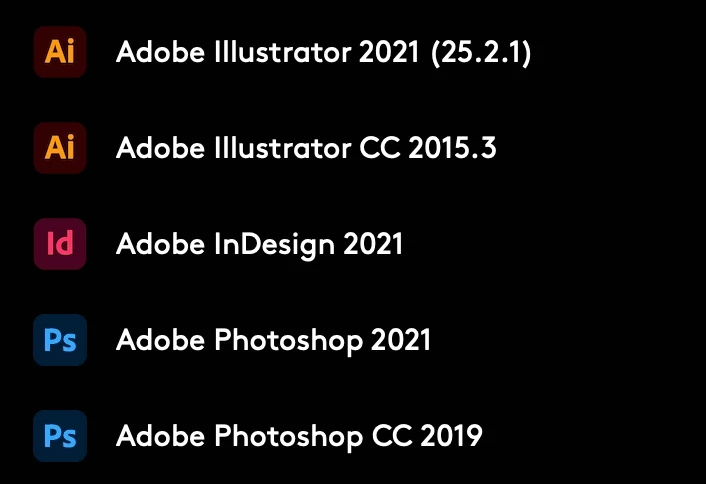
I have my CC set to auto update and most of the time there isnt any issue (this is on an older (but not ancient) MacPro btw with the latest OS). New updates pop in and old versions exit gracefully, just as they are designed to do. Somehow a month or three ago I started noticing that along with my updated apps, I was seeing an icon for much older versions of Ps and Ai (my Id is blessedly not affected) and they are in my dropdown menus and dock.
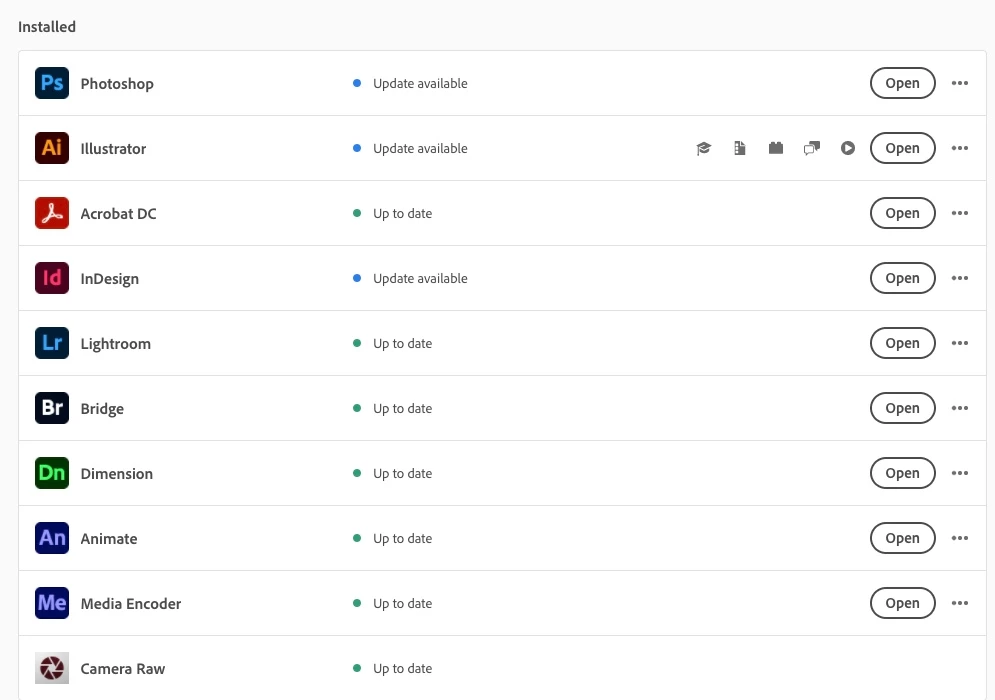
When I pop open my CC interface, I do not see these older versions (nor do I expect to). I've tried searching for all the Ps 2015 folders and such and deleted them but they seem to spawn anew like nothing ever happened.
It wouldnt be a big deal but what is annoying is my muscle memory has me dragging and double clicking on what SHOULD be Ps 2021 but instead is Ps 2015 and I have to wait for that to load up before I can close it out (similar for Ai). Very annoying.
I am hoping I do not have to input some convoluted terminal commands every morning. CC is SUPPOSED to be keeping dead versions of its progrrams out of my system. They do not even show up as being installed so I cannot just run the uninstaller.
Any ideas from you who are smarter than I? (which should be most of you).
 AdChoices