
Answered
Cannot get Adobe to sync with OneDrive
My Adobe will not sync with OneDrive. When I click on "learn more" it simply takes me to the respective apps. Any help here?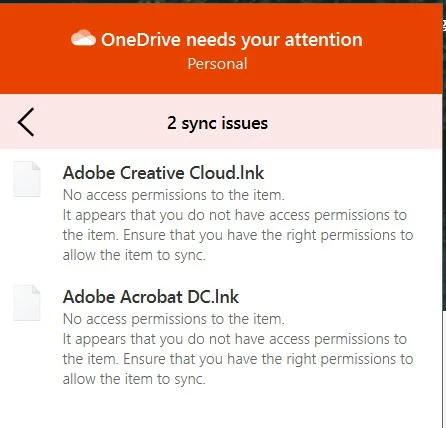

My Adobe will not sync with OneDrive. When I click on "learn more" it simply takes me to the respective apps. Any help here?
Not sure what you're hoping to do. But OneDrive doesn't sync with Creative Cloud storage.
When you install Creative Cloud on your desktop computer, it creates a dedicated Creative Cloud folder which syncs to your Creative Cloud storage space. See link below for details.
https://helpx.adobe.com/creative-cloud/help/sync-creative-cloud-files.html
Already have an account? Login
Enter your E-mail address. We'll send you an e-mail with instructions to reset your password.
 AdChoices