


Participant
April 10, 2021
Question

Cannot install older versions of adobe apps? Help!

Hello!

Due to unforseen spontanious combustion of my work laptop, I'm stuck working on a much older machine that can unfortunately only run up to Windows 10 vers.1511; this being incompatible with the latest version of Photoshop, and other such applications I need.


Due to the age of the laptop, Adobes advice of update your windows version obviously cant apply, so I was looking to install the 2020 versions instead, however the official guide on instaling older versions of apps seems to display options I dont have?


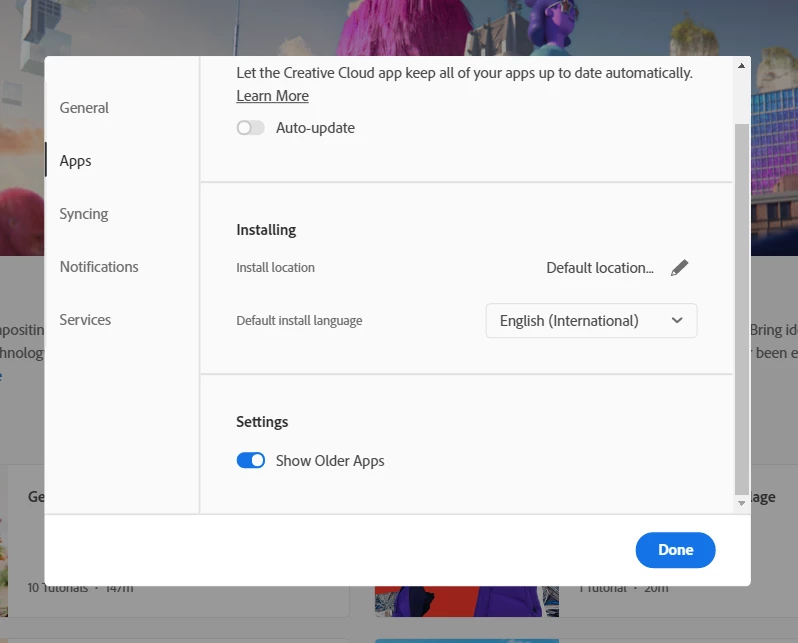
I have toggled the display older apps option, as seen below
 

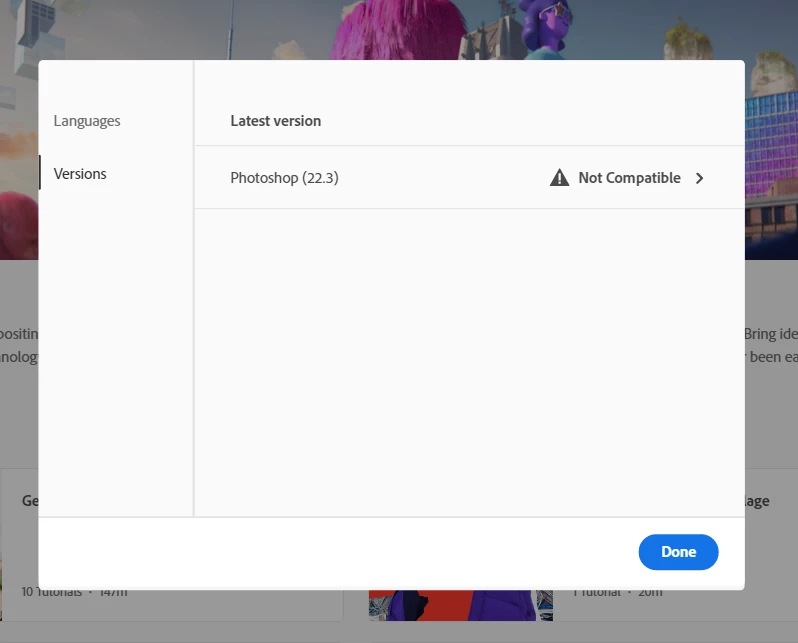
But when checking for this example Photoshop, I still only get this?
 

I'm currently paying for my subscription, so any help would be much appreciated!


This topic is closed to new replies. Start a new post to keep the conversation going.

2 replies

John T Smith
Community Expert
Community Expert
April 10, 2021

Direct Download Links https://prodesigntools.com/tag/ddl MAY help
-you MUST do what it says in Note: Very Important Instructions
-https://prodesigntools.com/adobe-cc-2015-direct-download-links.html#download-instructions
-the prodesign links go directly to Adobe's file server, so this process
--will only work until Adobe completely removes the old version(s) from the server
.
IF/When you do have a download, be sure to copy it to AT LEAST one external device
-since Adobe does sometimes remove old versions from the server
-a usb flash drive or hard drive, or write to a DVD

Translate
kglad
Community Expert
Community Expert
April 10, 2021

that's what you expect if you have a trial subscription, not a paid one.


1. check your account to verify your subscription is what you expect (paid and active) and to verify your adobe id, https://account.adobe.com


2. then if, it is paid and active, sign out and then back in to your cc desktop application using the same adobe id used to verify your subscription: http://helpx.adobe.com/creative-cloud/kb/sign-in-out-creative-cloud-desktop-app.html


3.  check of older versions by clicking the 3 dots next to open (or install) and select older versions:


Translate