
Participant
November 30, 2018
Answered

Cannot update Lightroom Classic CC to 8.0

  • November 30, 2018
  • 1 reply
  • 737 views

When I go to the Map module it I get the following information box
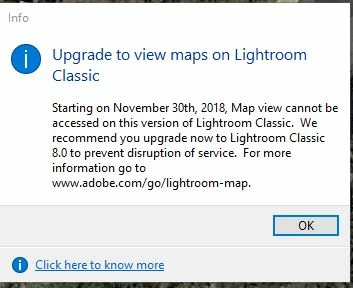
Yet, when I go to update under the "Help" tab it tells me that my version (which is 7.5) is up-to-date. I tried uninstalling and reinstalling, but it is still 7.5.  How do I update or upgrade to 8.0?

This topic has been closed for replies.
Correct answer John Waller

Which operating system are you running?

Lightroom Classic CC 8.0 requires Windows 7 SP1 or Windows 10 (but not builds 1511 or 1607).

It is not supported at all on Windows 8.

Lightroom Classic CC system requirements

1 reply

John Waller
Community Expert
John WallerCommunity ExpertCorrect answer
Community Expert
November 30, 2018

Which operating system are you running?

Lightroom Classic CC 8.0 requires Windows 7 SP1 or Windows 10 (but not builds 1511 or 1607).

It is not supported at all on Windows 8.

Lightroom Classic CC system requirements

Participant
November 30, 2018

Thanks for the reply!

I am running Windows 10 Pro. I haven't been able to find the build number, yet.

David

John Waller
Community Expert
Community Expert
November 30, 2018