Participant
November 27, 2017
Answered

Case-sensative volumes not supported

  • November 27, 2017
  • 1 reply
  • 9802 views

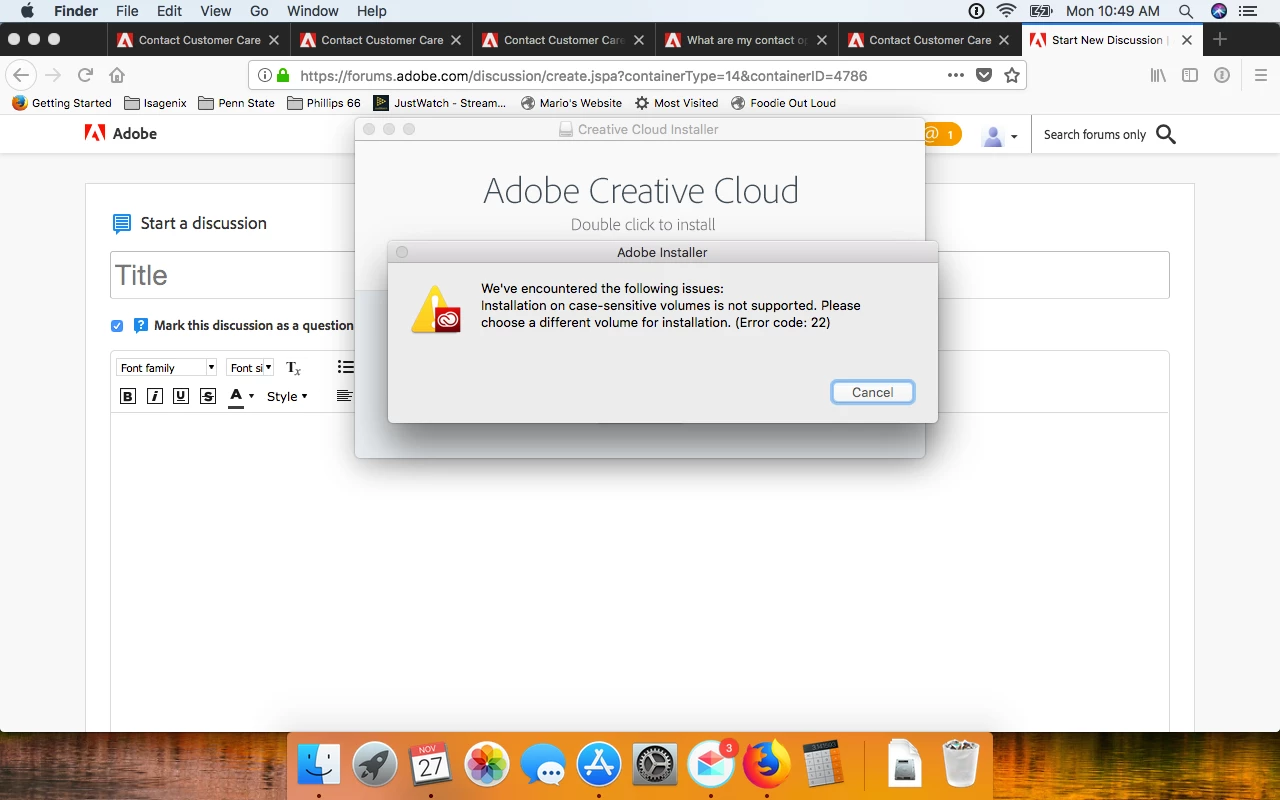
My drive failed and had to start from scratch, fresh/new install of 10.13.1 on new drive. When I went to install this is what I got. Don't know where to go from here.

This topic has been closed for replies.
Correct answer Jeffrey_A_Wright

Mikez23751120 the file format upgrade process, for macOS High Sierra, by default converts the drive to using APFS.  This does not include setting the drive to APFS (case-sensitive).  Please reformat the drive to use APFS and do not choose the (case-sensitive) option.  While we do support APFS the guidance provided in Adobe error "Case-sensitive drives not supported" or similar install error | Mac OS continues to be accurate.

1 reply

John T Smith
Community Expert
Community Expert
November 27, 2017

How about changing the formatting of your drive?

I think you'll need to find an Apple forum (or ask Apple) how to do that

Case sensitive drive formatting https://forums.adobe.com/thread/2296860

Participant
November 27, 2017

Thanks John,

     Unfortunately Apple's "High Sierra" (10.13.1) coverted the file system to APFS from HFS. It is worthy to note that case-sensitive file structures don't seem to be uncommon. With the information I have seen so far it looks like the ball is in Adobe's court. I am hoping this post sheds more light on the issue or gives me more information to act on.

John T Smith
Community Expert
Community Expert
November 27, 2017

This is an open forum with "some" Adobe staff participation, use the links below to make a report

https://www.adobe.com/cfusion/mmform/index.cfm?name=wishform for feature requests or bug reports

-or Feedback forum https://forums.adobe.com/community/creative_cloud/desktop-app/content

I have NO idea when (or even if) Adobe will do anything to let programs run on that format drive