
Optimistic_force0D44
Known Participant
January 2, 2018
Answered

CC Aplication damaged or missing install error

  • January 2, 2018
  • 2 replies
  • 1063 views

I have CC plan for teams last 4 years and all was working OK BUT recently on my Workstation i say that CC app i's damaged and it needs to be repaired.
I let it go "repair" and it downloads/installs itself again but after 99% of done it gives me same error so it's constant loop of downloading/installing app all over and over again with no solution . Sa i can't updgrade my CC apps at all.

WEB login works fine but CC app is broken ?

See attached screenshoot.
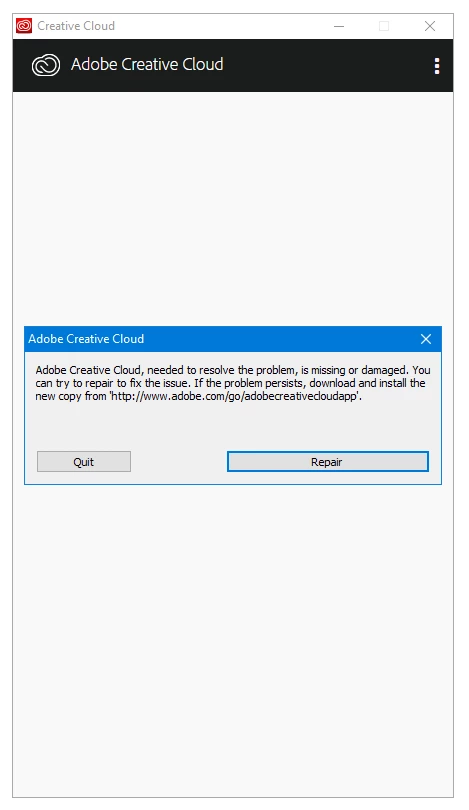
Please Help,
Thanks.

This topic has been closed for replies.

2 replies

Participant
January 25, 2018

None of these are working for me

kglad
Community Expert
Community Expert
January 25, 2018

uninstall everything cc including preferences, https://helpx.adobe.com/creative-cloud/help/uninstall-remove-app.html

then uninstall the cc desktop app, https://helpx.adobe.com/creative-cloud/help/uninstall-creative-cloud-desktop-app.html

clean your computer of cc files per http://www.adobe.com/support/contact/cscleanertool.html

restart your computer (don't skip this)

reinstall the cc desktop app, https://creative.adobe.com/products/creative-cloud.

if you're unable to install the cc desktop app at this stage, use an administrator account (solution 3 here, https://helpx.adobe.com/creative-cloud/kb/creative-cloud-missing-damaged.html)

use the desktop app to install your cc programs/trials

Participant
January 25, 2018

I did this but it just gets stuck on the loading screen and then gives me this error

kglad
Community Expert
kgladCommunity ExpertCorrect answer
Community Expert
January 2, 2018
Optimistic_force0D44
Known Participant
January 2, 2018

Thanks, i managed to remeove it from Comand promt (admin rights) with CC Cleaner app and then reinstalled desktop version again, now it works.

kglad
Community Expert
Community Expert
January 2, 2018

you're welcome.