Participating Frequently
September 21, 2020
Answered

CC is not installing on computer - Chromebook

  • September 21, 2020
  • 1 reply
  • 485 views

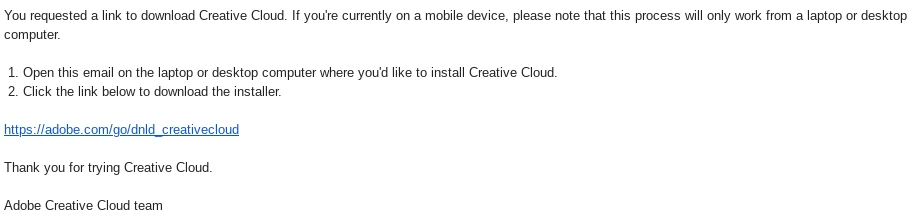
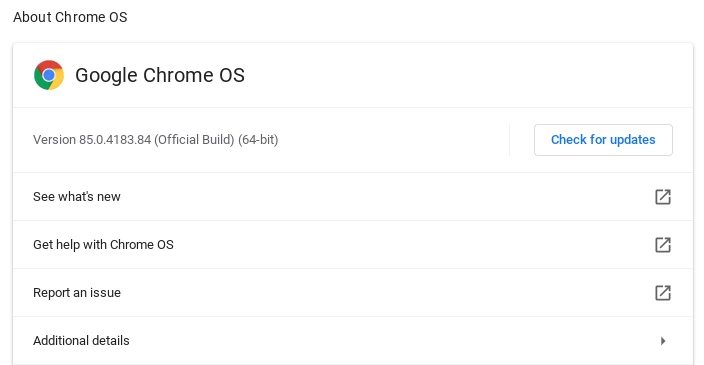
I have Chromebook Dell 11 3100 Version 85.0.4183.84 (Official Build) (64-bit) with ChromeOS on it and it will not install at all and the link is correct and i did contact support and there was no help

This topic has been closed for replies.
Correct answer Test Screen Name


Ok, these are a few of the "extra" mobile apps that are available with a CC account. Light and simple, but nevertheless very useful. They aren't the main deal. These aren't directly supported on Chrome, but they are for Android, I guess that's what the writing means. So you download them from the usual place for Android apps (typically the Google Play store). You should probably start with this one: https://play.google.com/store/apps/details?id=com.adobe.cc&hl=en_GB .


The real "heavyweight" apps are on Mac and Windows - and tend to need a high spec laptop or desktop, entry level computers can't usually run them. Please check system requirements for each app carefully.
1 reply

Legend
September 21, 2020

What makes you think CC will run on a Chromebook? Have you read something saying that it should?

Participating Frequently
September 21, 2020

why yes i have

BLACKWEB_GAMER is here to help
Legend
September 21, 2020

Perhaps you could give us a link, so we can explain what is going wrong. Because, for sure, Creative Cloud is for Windows and Mac.