
Participant
April 13, 2019
Question

Change language AE (change in CC not working)

  • April 13, 2019
  • 1 reply
  • 804 views

Hi,

I have AE in English but I need it in German (or other language)

When I change language in CreativeCloud app and then start AE it will show error with red triangle but without text (see the picture)
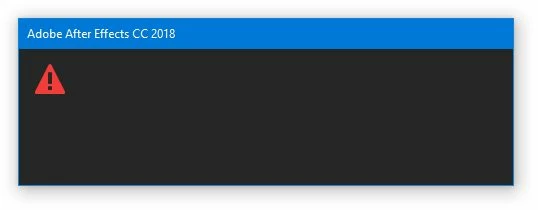
My system is Windows with Slovak language.

Anyone help me?

This topic has been closed for replies.

1 reply

Shivangi_Gupta
Community Manager
Community Manager
April 22, 2019

Hi there,

We're sorry for the issue. I understand you are trying the change language for After Efffects but after you made the changes, you are unable to launch After Effects. Check out this article: Change the language setting of your Creative Cloud apps

If you have followed the same steps as mentioned there, then please try uninstalling and reinstalling the application once you have changed the language.

Let me know if it works.

Thanks,

Shivangi

Participant
April 23, 2019

I tried this before I wrote the post. But nothing working. I tried reinstall CreativeCloud app, reinstall After FX, delete user files from AppData...

Nothing working ...

When I launched Adobe After FX, it was always with the error on the picture

Jose Panadero
Community Expert
Community Expert
April 23, 2019

Try to use the Creative Cloud Cleaner Tool for a complete "clean" installation. Follow the steps in this link:

Use the Creative Cloud Cleaner Tool to solve installation problems