


December 3, 2018
Question

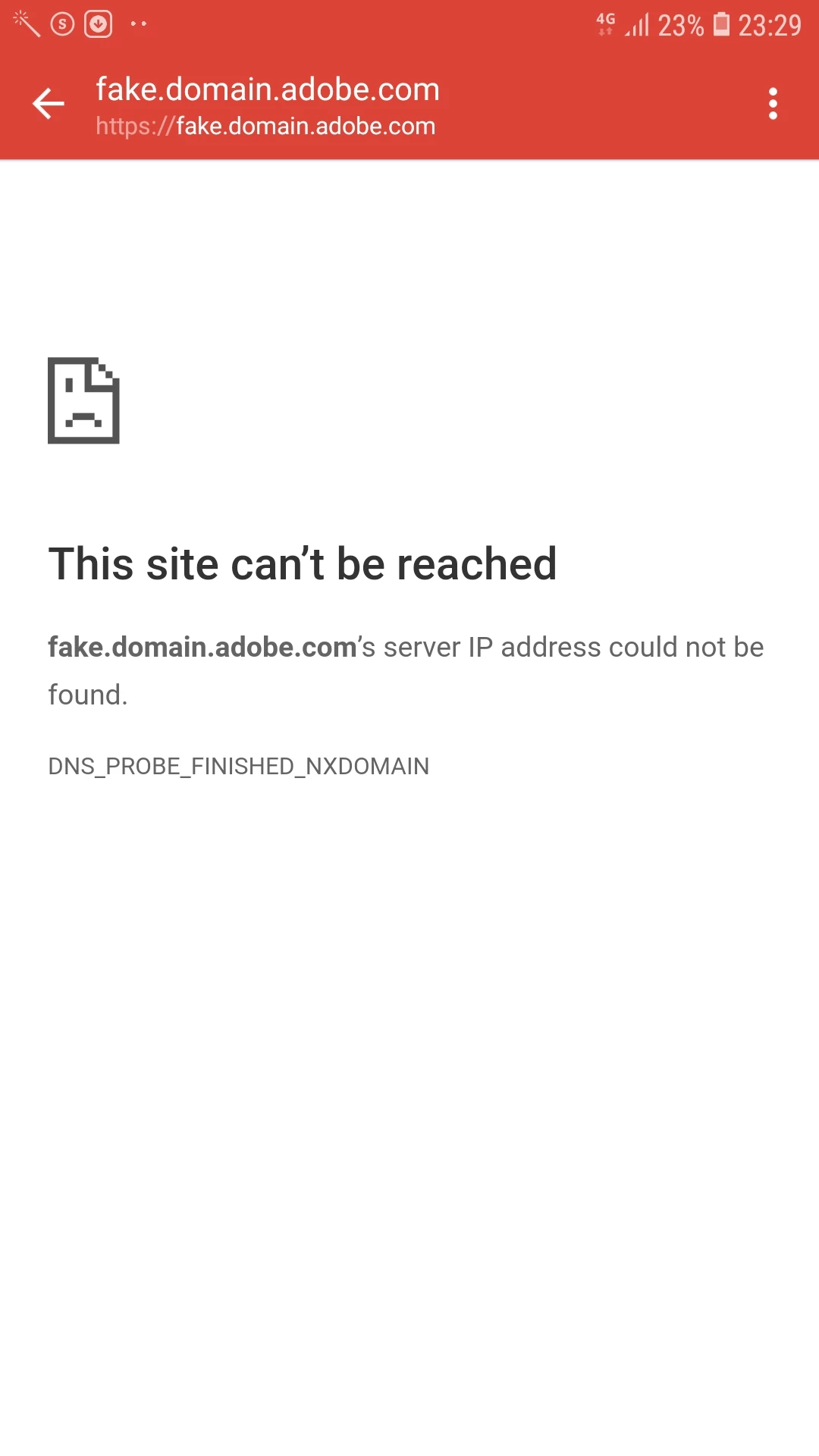
clicked on the password reset link of adobe account but the web address i was taken to was https://fake.domain.adobe.com and it said "this site cant be reached"

  • December 3, 2018
  • 3 replies
  • 3350 views

I tried to sign in on adobe lightroom mobile app after downloading it. I had forgotten my adobe account password so i opted to reset it. The reset link was received in my email. The web address in the email of password reset was somthing like ; https://adobeid.services.adobe.com etc... but when I clicked the link, the webpage said; "This site can't be reached". Also the web address was https://fake.domain.adobe.com (see screenshot attached).

But now I can sign in with the new pasword, so i guess the password has been changed succesfully. Is this something to be concerned about?
Message was edited by: Benoy Thomas

This topic has been closed for replies.

3 replies

Participant
January 25, 2019

I've just got same issue now with PS Express on iOS resetting my password, but it seems working without problem.

ade_design1
Participant
January 20, 2019

Had the same issue right now with PS Express app on Android (HTC10). I used my facebook link to register, but the service still asked for a password. So I inserted my mail address, got the registration link, decided for a password and BOOM! Got the same blank screen with the same weird "fake.domain.adobe.com" URL.

However, me being able to write on this forum is proof it was a legit Adobe mail and software. Still, seeing that blank link with that URL gave me an heart attack for a second!  

bucksommerkamp
Community Expert
Community Expert
December 3, 2018

Although that's a disconcerting screen (fake.domain.adobe.com!?), it does sound like you were able to change your password and it now works.

I assume it's some developer code that got left in somehow. As long as you can successfully log into the "real" CC site, you should be good to go.

Participant
February 9, 2021

Still happened today after reset the forward went to 'fake.domain.adobe.com' yet the new password selected during the process works fine