
Participant
February 15, 2017
Answered

"Close all copy's of the Adobe Application Manager to continue."

  • February 15, 2017
  • 2 replies
  • 691 views

Currently I'm continually facing the same error when trying to open 'Apps' in the Creative Cloud App.

There error states:

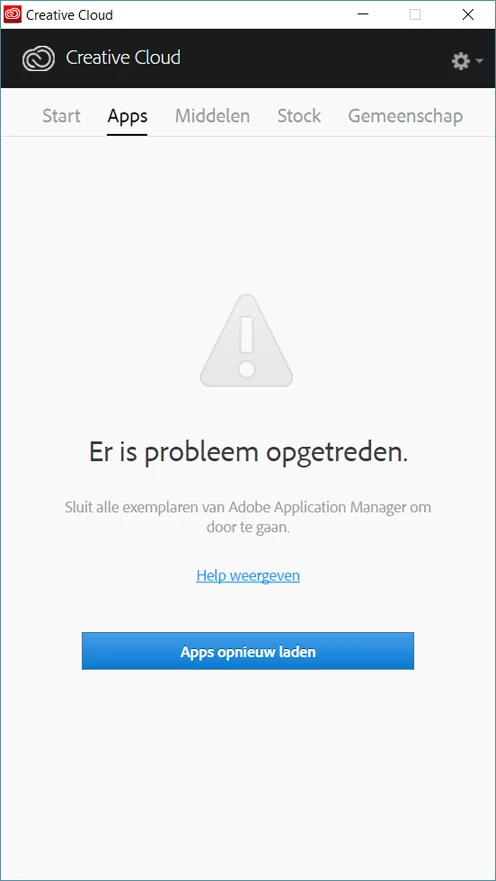
"There's been an error

Close all copy's of the Adobe Application Manager to continue."

The error makes it impossible to open/install/deinstall Adobe Applications through the Creative Cloud App, quite annoying.

I've already closed all Adobe Applications through task manager (as i'm on windows) and i've already tried reainstalling through the Creative Cloud Uninstaller, nothing seems to effect the error.

Anyone with a remedy?

Screenshot (Dutch version)
This topic has been closed for replies.
Correct answer Himanshu*Gupta

Hi Lieuw,

If you have closed All Adobe and Creative Cloud processes from your Task Manager then please follow the below links.

Creative Cloud - Please close all instances of Adobe Application Manager to continue

Update Failed: Please close all instances of Adobe Application Manager to continue

Adobe application manager fails to update/install

Please let us know if this helps or if any further assistance is required. Thanks!

Regards

Himanshu Gupta

2 replies

Himanshu*GuptaCorrect answer
Adobe Employee
February 15, 2017

Hi Lieuw,

If you have closed All Adobe and Creative Cloud processes from your Task Manager then please follow the below links.

Creative Cloud - Please close all instances of Adobe Application Manager to continue

Update Failed: Please close all instances of Adobe Application Manager to continue

Adobe application manager fails to update/install

Please let us know if this helps or if any further assistance is required. Thanks!

Regards

Himanshu Gupta

kglad
Community Expert
Community Expert
February 15, 2017

open task manager and start shutting down anything that looks like it might be the culprit.