February 17, 2017
Answered

Configuration Error 16

  • February 17, 2017
  • 1 reply
  • 981 views

Cant open software

@

This topic has been closed for replies.
Correct answer kglad

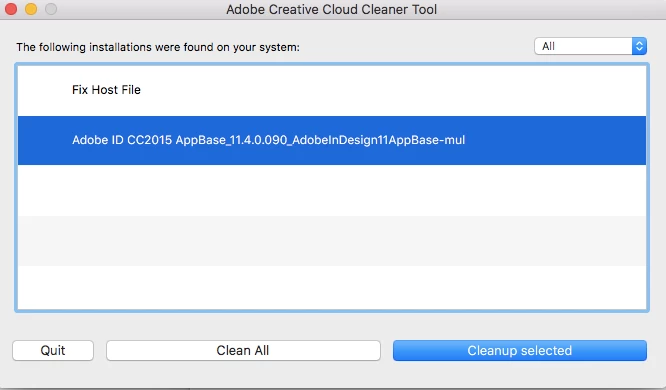
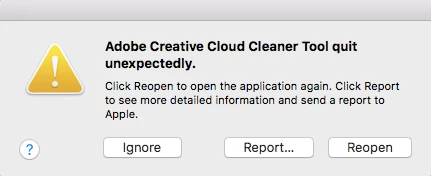
Thank you. I got to the cleaner step, and the cleaner keeps crashing on one specific file. It doesn't happen on "Fix Host File", but it crashes on "Adobe ID CC2015..." (see screenshot below). What can I do to remove this file?

restart your computer and retry running the cleaner.

if that fails, using a browser that allows popups and cookies,  contact adobe support during pst business hours by clicking here and, when available, click 'still need help', http://helpx.adobe.com/x-productkb/global/service-ccm.html

1 reply

kglad
Community Expert
Community Expert
February 17, 2017
christier74311997
Participant
February 21, 2017

I've followed the steps in that help article and tried uninstalling and reinstalling, but I keep getting the Error 16 when trying to launch any Creative Cloud software (Photoshop, Illustrator, etc.). Please help!

kglad
Community Expert
Community Expert
February 21, 2017

uninstall everything cc including preferences, https://helpx.adobe.com/creative-cloud/help/uninstall-remove-app.html

then uninstall the cc desktop app, https://helpx.adobe.com/creative-cloud/help/uninstall-creative-cloud-desktop-app.html

clean your computer of cc files per http://www.adobe.com/support/contact/cscleanertool.html

restart your computer (don't skip this)

reinstall the cc desktop app, https://creative.adobe.com/products/creative-cloud.

use the desktop app to install your cc programs/trials
