Participant
April 30, 2017
Answered

Configuration Error 16 when opening Adobe XD on Windows 10

  • April 30, 2017
  • 6 replies
  • 3861 views

how to fix error 16 in adobe XD windows 10??
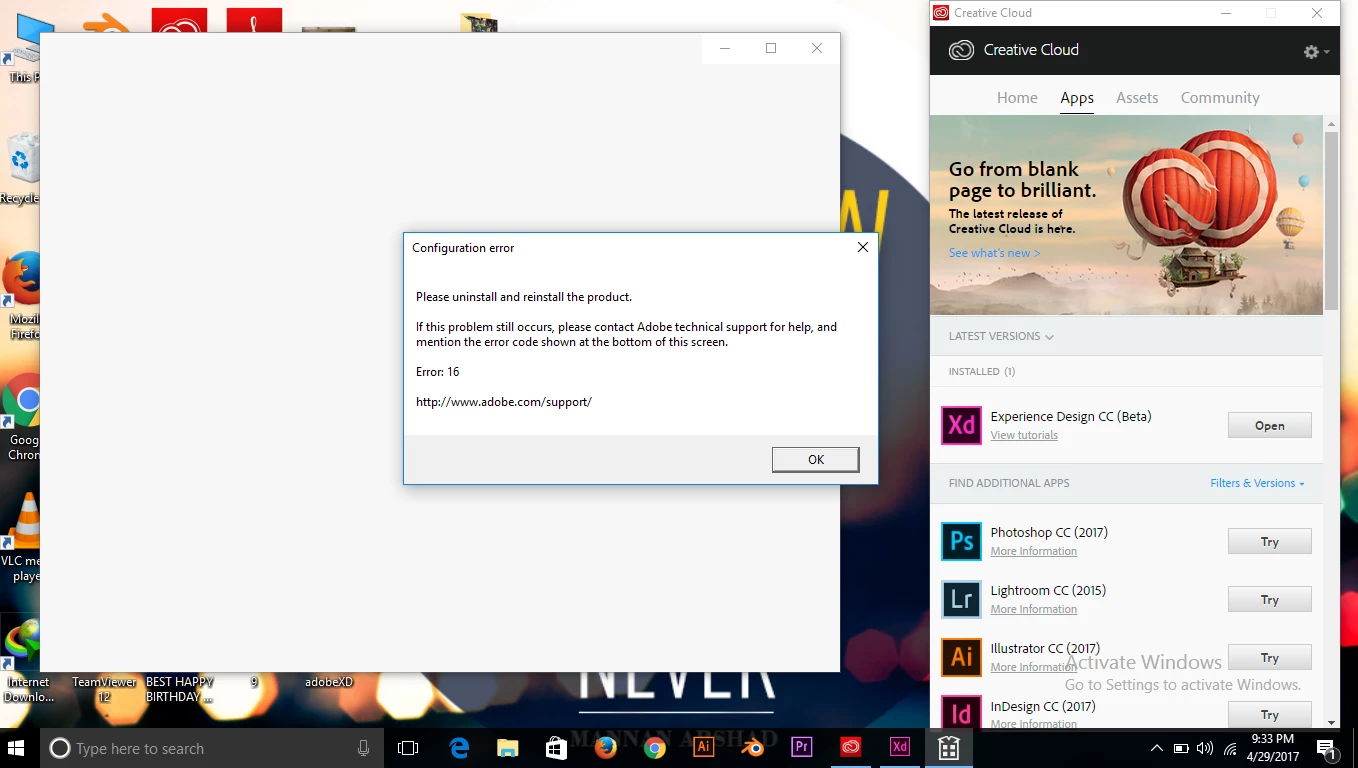

This topic has been closed for replies.
Correct answer Jeffrey_A_Wright

Sabas9253964 have you been able to implement the steps listed in Configuration error in Adobe Creative Cloud​?  Have you verified the file permissions for SLStore and Adobe PCD folders are set correctly?

If you have any questions on how to complete the listed steps then please update this discussion Sabas9253964.

6 replies

abcy19457890
Participant
December 9, 2018

hi! you can try it..

1. Remove adobe folder

Re: Configuration Error 16

2. Run cleaner tool : AdobeCreativeCloudCleanerTool

3. Install Creative cloud again and try installing the CC applications.

abrahami99751232
Participant
July 16, 2018

Hey, I have the same, problems, when I open Adobe XD, show me Error 16,

I need to Help Please

marcelloz76548323
Participant
September 29, 2017

I have followed all those steps to the t and still can't use adobe xd.

August 10, 2017

I have try all solutions :

adobe manager

create slstore

modifiy permissions for slstore and adobe pcd

reinstall product.

This error is just for experience design for me. Muse, photoshop, illustrator don't make error.

What I do ?

Jeffrey_A_Wright
Community Manager
Jeffrey_A_WrightCommunity ManagerCorrect answer
Community Manager
May 1, 2017

Sabas9253964 have you been able to implement the steps listed in Configuration error in Adobe Creative Cloud​?  Have you verified the file permissions for SLStore and Adobe PCD folders are set correctly?

If you have any questions on how to complete the listed steps then please update this discussion Sabas9253964.

Jeffrey_A_Wright
Community Manager
Community Manager
May 1, 2017

Branching to a new discussion.